
Users Can't Assign Issues: Missing Assign Button in Jira Data Center
Platform Notice: Data Center - This article applies to Atlassian products on the Data Center platform.
Note that this knowledge base article was created for the Data Center version of the product. Data Center knowledge base articles for non-Data Center-specific features may also work for Server versions of the product, however they have not been tested. Support for Server* products ended on February 15th 2024. If you are running a Server product, you can visit the Atlassian Server end of support announcement to review your migration options.
*Except Fisheye and Crucible
Summary
Users in Jira are unable to assign issues to other users. The "Assign" button does not appear on the screen.
Environment
Jira Data Center on any version from 8.0.0.
Permission helper and field configuration
The Jira Permission Helper (accessible via the page ⚙ > System > Permission Helper) allows admins to search for and confirm whether a user has the correct permission to assign issues, among other actions.
For this use case, the user has the correct permissions.
Once this is confirmed, access any issue to check if the assignee is visible under the People panel:
The Assignee field is also not showing up on the View issue screen, in the People Panel: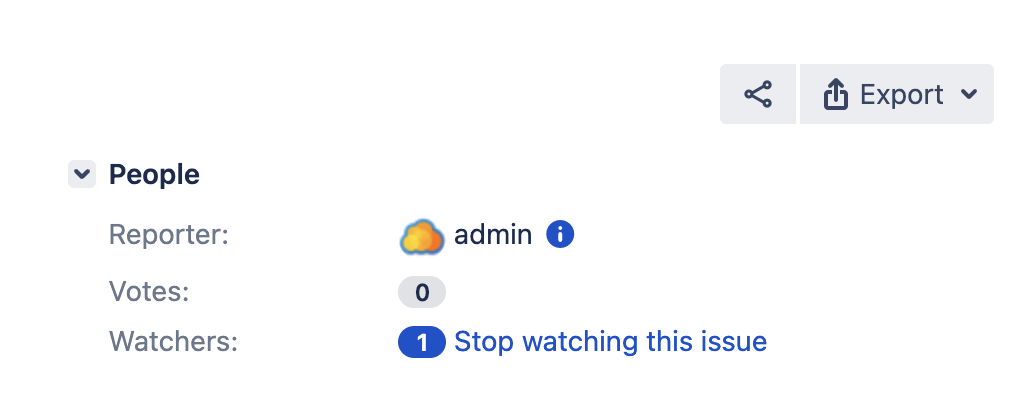
The Assignee is hidden from the screen
Checking the Field Configuration associated with the project the issue belongs to (via the page ⚙ > Issues > Field Configuration), the Assignee field is configured to be Hidden:

The reason for the problem is that the Assignee field is hidden from the field configuration.
Make the field visible again
Navigate to the Field Configuration page.
Select the field configuration corresponding to the project.
Look for the Assignee field, and configure it to not be hidden.
You should be able to see the Assign button in the screen after performing this.