
Confluence 5.6 has reached end of life
Check out the [latest version] of the documentation
You can modify Confluence's look and feel by editing the layout files. This page tells you how to customise the layout files for a space. You will require need space administrator permissions for that space.
Confluence system administrators can also customise the layout of their entire Confluence site as a whole. For more information, please refer to Customising Site and Space Layouts. Site layout customisations modify the default layout of all spaces in the Confluence site.
Any space layout customisations will override the equivalent site customisations.
If you modify the look and feel of Confluence by following these instructions, you will need to update your customisations when Confluence is upgraded. The more dramatic the customisations are, the harder it will be to reapply your changes when upgrading. Please take this into account before proceeding with any customisations.
For more information on updating your customisations, please refer to Upgrading Customised Site and Space Layouts.
Confluence is built on top of the Open Source SiteMesh library, a web-page layout system that provides a consistent look and feel across a site. SiteMesh works through 'decorators' that define a page's layout and structure.
To edit the layout of Confluence, you will need to modify these decorator files. A decorator file is a .vmd file and is written in a very simple programming language called Velocity. Learn more about Velocity. Once you become familiar with Velocity, you can edit the decorator files to personalise the appearance of Confluence.
The decorator files in Confluence are grouped into the following categories:
- Site layouts: These are used to define the controls that surround each page in the site. For example, if you want to make changes to the header and the footer, you will need to modify these layouts.
- Content layouts: These control the appearance of content such as pages and blog posts. They do not change the way the pages themselves are displayed, but they allow you to alter the way the surrounding comments or attachments are shown.
- Export layouts: These control the appearance of spaces and pages when they are exported to HTML. If you are using Confluence to generate a static website, for example, you will need to modify these layouts.
Learn more about using decorators.
To edit a decorator file:
- Go to the space and choose Space tools > Look and Feel on the sidebar.
- Choose Layout (Layout is displayed only if you are a Confluence system administrator.)
- You will see a list of the layouts for the space.
- Click View Default to view the vmd file.
- Click Create Custom to edit the default vmd file. This will open up the vmd file in edit mode.
Make changes and click Update.
If your space uses the Documentation theme:
- Choose Browse > Space Admin at the top of the screen.Note: The 'Space Admin' option appears only if you have space admin permissions for the space or you have System Administrator global permissions.
- Choose Layout in the left-hand panel (Layout is displayed only if you are a Confluence system administrator.)
- You will see a list of the layouts for the space.
- Click View Default to view the vmd file.
- Click Create Custom to edit the default vmd file. This will open up the vmd file in edit mode.
Make changes and click Update.
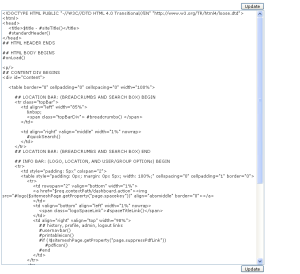
Screenshot : Edit Layouts Example

Click the thumbnail to see an example of a vmd file:
Overview
Content Tools
Apps
 Except where otherwise noted, content in this space is licensed under a Creative Commons Attribution 2.5 Australia License.