Viewing a build's artifacts
After a build has run, you can view the artifacts that were produced by all of the jobs in the plan. You can also view the latest version of an artifact from the most recent build.
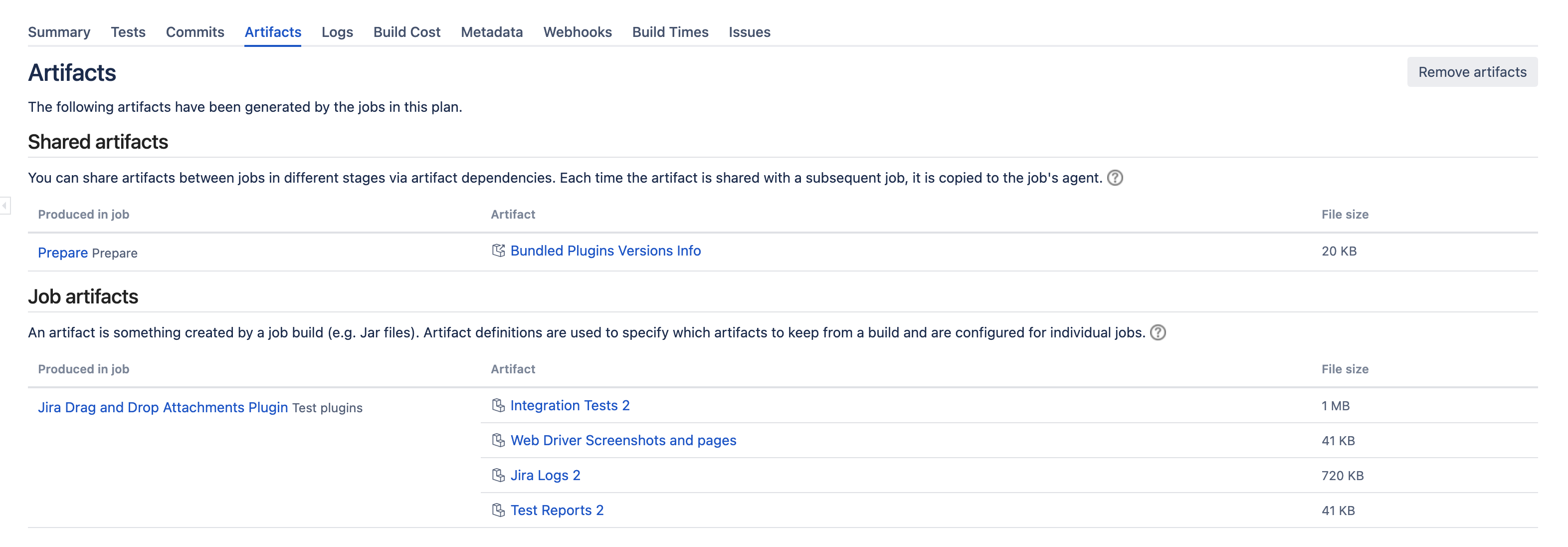
Artifacts are files created by a job build (e.g. JAR files). Artifact definitions are used to specify which artifacts to keep from a build and are configured for individual jobs.
Viewing the artifacts for a build
To view a build's artifacts:
- Go to the build result. See Viewing a build result for instructions.
- Select the Artifacts tab. The artifacts produced by the jobs in the plan will be displayed. The artifact definitions for a job determine which artifacts are kept and which artifacts are shared with other jobs in the plan.
On this page:
Related pages:
Viewing the latest version of an artifact from the latest build
To view the latest version of an artifact from the most recent build, you can manually edit the build artifact URL to retrieve it.
To view the latest version of an artifact from the most recent build:
- Copy the URL for the build artifact.
- Paste the URL for the build artifact in your browser and replace the build number in the URL with '
/latest'.- If you need to log in to view the artifacts, you can append
os_usernameandos_passwordparameters to the URL to access the files.
- If you need to log in to view the artifacts, you can append
For example, if the URL for your artifact is:http://server/bamboo/browse/MYBUILD-254/artifact/logs/sample-log.log
You would replace '-254' with /latest:http://server/bamboo/browse/MYBUILD/latest/artifact/logs/sample-log.log