
Configuring a plan's permissions
This page describes how to change the permissions for a particular plan. For ongoing ease of management, we recommend that you grant permissions to groups rather than to individual users.
You need to have Admin permission on the plan to edit its permissions.
Note that a Bamboo Admin can also set global permissions for access to Bamboo.
To change plan permissions:
- From the Bamboo header go to Build > All build plans, then select the name of the plan you want to edit.
- Select Actions > Configure plan.
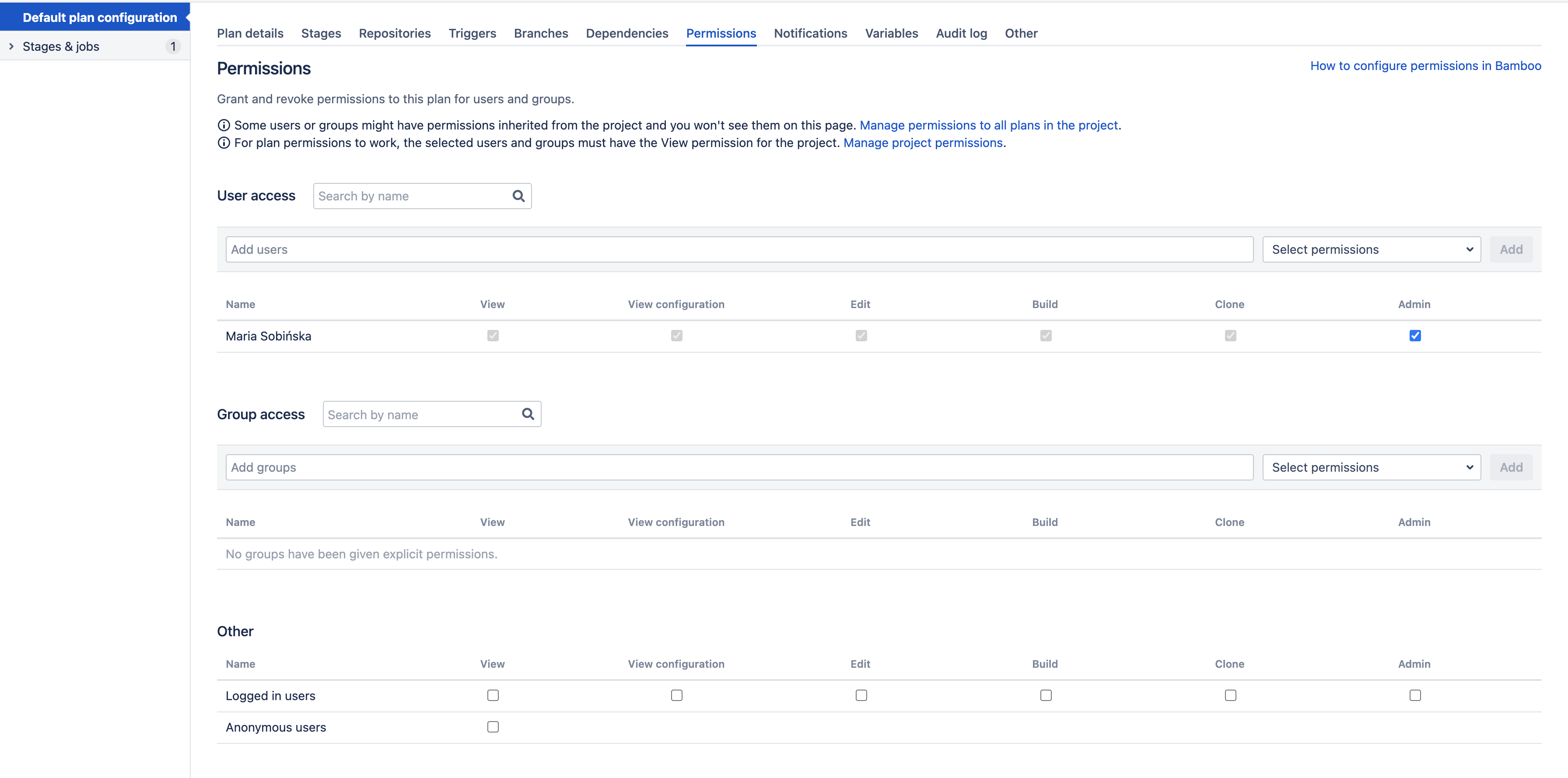
- Select the Permissions tab.
- Add users or groups for which you wish to set permissions. Select (or clear) the check box for each permission that you wish to change for a user or group. See the table below for details.
- Select Save.
| Plan permission | Actions |
|---|---|
| View |
|
| View configuration |
|
| Edit |
|
| Build |
|
| Clone |
|
| Admin |
|
Last modified on Aug 25, 2021
Powered by Confluence and Scroll Viewport.