
Code Block Macro
This macro is available in Confluence Data Center and Confluence Cloud. Learn about the macros available in Confluence Cloud.
Add a Code Block macro to your page to display code examples with syntax highlighting for more than 80 programming languages.
This is great for sharing code snippets such as:
- sample code
- terminal commands
- excerpts from application logs.
On this page:

Screenshot: code sample in the Code Block macro, with syntax highlighting.
Code Block macro configuration options
You can customize the look of your Code Block macro in a number of ways. 
The table below outlines each of the parameters available.
Field | Paramaeter name (used in Confluence storage format or wikimarkup) | Default | Description |
|---|---|---|---|
Syntax highlighting |
| plain text | Specifies the language (or environment) for syntax highlighting. If you’re an admin, you can configure the default language in the admin area of Confluence. |
Title |
| none | Adds a title to the code block. If specified, the title will be displayed in a header row at the top of the code block. |
Collapsible |
| false | If selected, the code macro's content will be collapsed upon visiting or refreshing the Confluence page. Clicking the |
Show line numbers |
| false | If selected, line numbers will be shown to the left of the lines of code. |
First line number |
| 1 | When Show line numbers is selected, this value defines the number of the first line of code. |
Turn on wrap
| - | false | Toggle this button to enable or disable text wrapping within the code block. This button is also available in the top right corner of the code block macro for anyone reading your page. |
Copy as text
| - | - | Click on this button to copy your block of code as plain text. This button is also available in the top right corner of the code block macro for anyone reading your page. |
Supported Code Block macro languages
Code Block macro supports over 80 programming languages.
AABAP | JJava | QQML |
CC | KKotlin | RR |
DD | LLiveScript | SSass |
EElixir | MMathematica | TTcl |
FFortran | NNGINX | VVala |
GGo | OObjective-C | XXML |
HHaskell | PPascal | YYaml |
Add the Code Block macro to your page
To add the Code Block macro to a page:
- From the editor toolbar, select Insert
 , then Other Macros.
 - From the Formatting category, select Code Block .
- To choose your preferred language, either start typing its name in the Syntax highlighting field, or click on the dropdown button to scroll through the list.
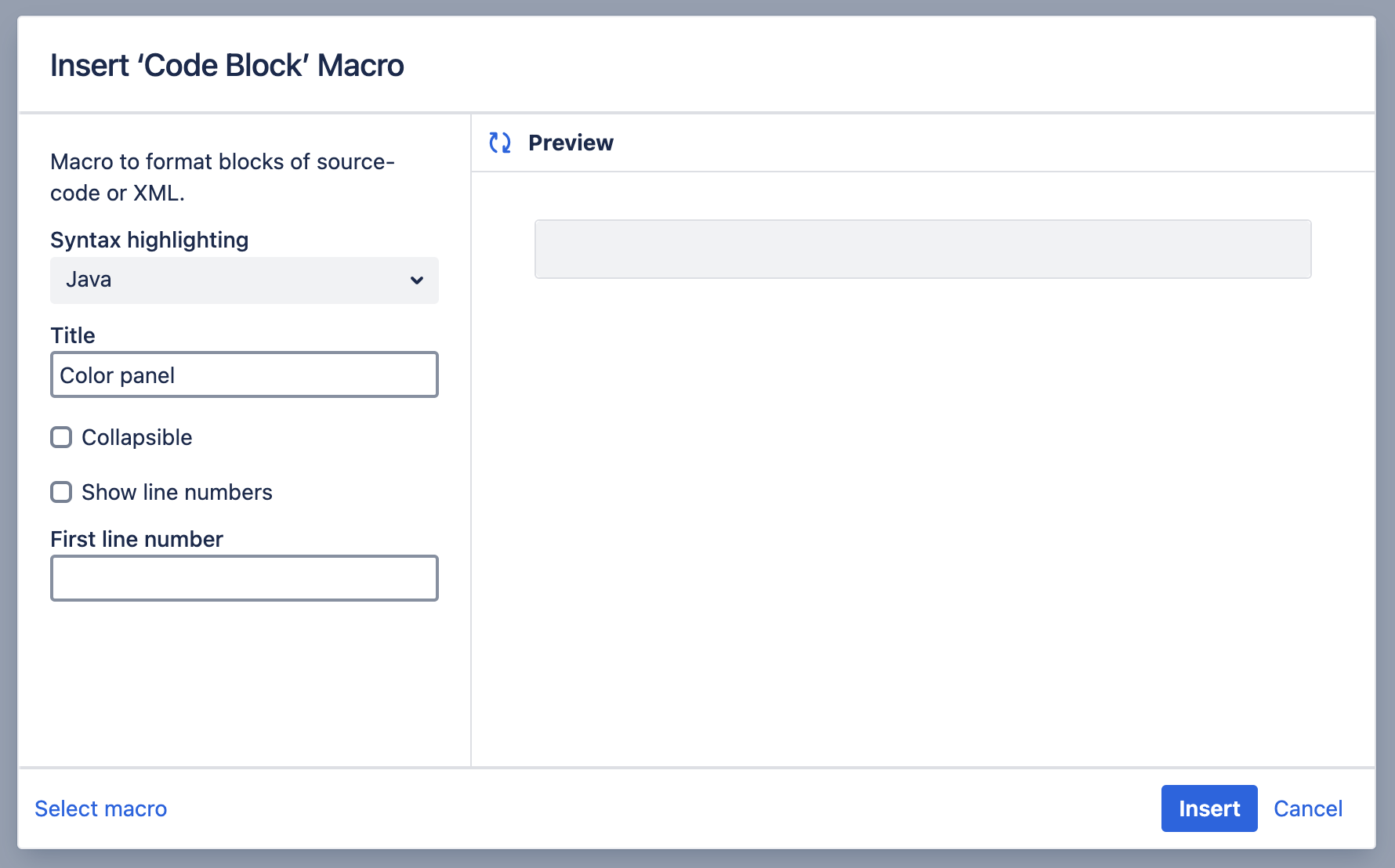
- Use the fields above to customize how the code block should appear on your page.
- Select the Insert button.
- Type or paste your code into the macro placeholder.
Note that any white space contained in the placeholder is not manipulated in any way by the Code Block macro. This is to provide the writer with flexibility over code indentation.
You can now publish your page to see the macro in action. Once published, readers of your page will also be able to use options Turn on wrap  and Copy as text
  , displayed in the top right corner of the code block.

Change the macro parameters
Macro parameters are used to change the behavior of a macro. For example, you can directly update the language from the toolbar that appears while you’re editing your code on the page.
To change the macro parameters:
- In the editor, click anywhere within the macro placeholder to display a toolbar.

- Select Edit
- Update the parameters as required then select Insert.
Administer the Code Block macro
You can configure the Code Block macro to use a specific language and theme by default. You need Confluence Administrator permissions to change the default language .
To set the default language of code blocks in your site:
- Go to Administration menu
 , then General Configuration then Configure Code Macro.
 - From the Default language dropdown, select your preferred default language.
- Select Save.
All new code blocks will use the default language unless you specify otherwise. Existing code blocks will be unchanged.
Uploaded custom languages were removed in Confluence 9.0. Previously uploaded languages are no longer supported . You can uninstall these from your system.
To remove a user-installed language:
- Go to Administration menu , then Manage apps.
- Go to User-installed Apps and locate the app for your uploaded language.
- Look for the following:
Custom Code Macro Highlighting for... - If you have many apps, you might prefer to search for the namspace:
com.atlassian.confluence.ext.code.custom. - Select Uninstall or Disable.
The custom language will no longer appear in the Code Block macro.
Other ways to add this macro
Add this macro as you type
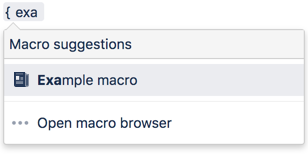
Add this macro using wiki markup
This is useful when you want to add a macro outside the editor, for example as custom content in the sidebar, header or footer of a space.
Macro name: code
Macro body: Accepts plain text.
{code:title=This is my title|linenumbers=true|language=javascript|firstline=0001|collapse=true}
This is my code
{code}Do more with Confluence
Extend Confluence with one of the hundreds of other macros in the Atlassian Marketplace. Some of our most popular include:
- Include Bitbucket Server for Confluence - Easily include code snippets in Confluence that sync automatically to Bitbucket Server.
- Markdown Extension for Confluence - Embed markdown from private and public Github & Bitbucket repositories in Confluence.