The Excerpt Include macro is used to display 'excerpted' (that is, a segment of) content from one page in another.
The excerpt appears as shown below: | On this page: |
For this example, we are taking content from a page called 'Excerpt Macro', where the Excerpt macro has already been placed. The title of the page is shown at the top of the panel and the content within the body of the macro placeholder is rendered in the panel.
Using the Excerpt Include Macro
To add the Excerpt Include macro to a page:
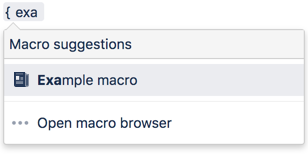
- In the Confluence editor, choose Insert > Other Macros.
- Find and select the required macro.
Parameters
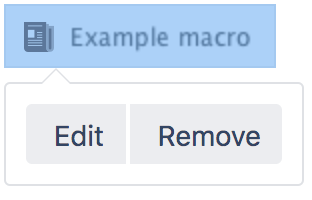
When editing, you can click on the macro placeholder and choose Edit to display the parameters for this macro in the Macro Browser.
Parameters are options that you can set for Confluence macros to control the content or format of the macro output. The table below lists parameters for this macro that can be set in the Macro Browser.
Parameter | Default | Description |
|---|---|---|
Page Containing the Excerpt | none | Specifies the page that contains the excerpt to be displayed. |
Remove Surrounding Panel | false | Controls whether the panel border around the excerpt and the page title should be hidden. By default, the panel is always shown. |
Related Topics
Excerpt Macro
Working with Macros
Take me back to the Confluence User's Guide.


21 Comments
Hide/Show CommentsJan 29, 2007
Joe Frinzl
I am trying to take an excerpt from one space page and have that excerpt appear in another space's page. Is this possible? I can use an include in this instance and it works, but there are two lines of text I want to leave out in the new space. Is there any other way to take a mirror image of part of a page and paste it in another space's page without storing this data in two spaces? Ideally I want to be able to edit this from the orignal space page and have those edits automatically appear in the new space.
Feb 23, 2007
Gary Pullis
I have to agree that I'm really bummed about the same-space limitation. We have a situation where sections of our department are writing their monthly status reports in their own spaces, and our administrative staff would like to have a single page that shows the top "summary" portion of each space's status report all on one page. The excerpt macro would be an obvious way to handle this, except for the same-space limitation.
Feb 21, 2008
Anonymous
Not sure how exactly you are rendering your pages, but theMetadata Plugin plugin may suit your needs.
Apr 08, 2010
David Hergert
I would also like to see this implemented, its an odd limitation that really seems unnecessary. Is the excerpt include macro source code available? Maybe someone from the community could fix it.
An issue for this exists, please be sure to vote it up! http://jira.atlassian.com/browse/CONF-11991
Mar 09, 2007
Arvind Ram
I have a similar issue. In addition to this, it seems like you can have only 1 macro on one page. If I have 2 macros on the same page (separated by other 'Non-excerpt' content), then only one of these is displayed on the summary page (even when both these pages are on the same space). Has anyone else encountered this?
Mar 22, 2007
David Eves
is there a way to have the excerpt text included in the automatic Child Pages list on the Parent page?
Dec 13, 2007
Graham Meaden
What plans are there to get an excerpt from a different space?
Dec 13, 2007
Graham Meaden
Is it a bug or a feature that the excerpt-include statement does not get updated when the referred page is renamed?
Dec 13, 2007
Choy Li Tham
Hi Graham,
Thanks for reporting this. There is an improvement request currently being tracked at the following:
The improvement request mentioned that when a referred page is renamed, the {include} and {excerpt-include} macro that refer to that page is broken.
You may want to cast a vote to the improvement to increase its popularity and also add yourself as a watcher to receive any updates.
Regards,
Choy Li
Dec 14, 2007
James Mortimer
you might all save yourself a bunch of work if you make sure, like is done with the third party plugins, that the KNOWN bugs associated with each feature are listed on the bottom of the documentation page related to that features.
it will:
Mar 12, 2008
Carrie Moley
It would be a neat enhancements if this macro could work by collecting excerpts from pages with a specific label (like the blog-posts macro does). Then people could use the excerpt macro in their labelled templates, and dynamically collect the excerpted info (like Summaries or Definitions) onto a master page without having to manually enter in all the page numbers.
Should I file an enhancement request for this, or is there one already existing that I can vote for?
Thanks,
Carrie
Mar 13, 2008
Choy Li Tham
Hi Carrie,
I have found a similar improvement request that is currently being tracked at the following link:
The improvement request above suggest Confluence to have the ability to allow excerpts when listing content with a particular label. If there are any similarities with your situation, please cast a vote to increase its popularity and add yourself as a watcher for future updates. Also, you can add a comment to the improvement request above to share your concern with the participants within the improvement request. If that is not an option to you, you may want to create an improvement request at our JIRA Issue Tracker to truly reflect your requirement.
Regards,
Choy Li
Sep 28, 2009
Anonymous
I'm having trouble getting the excerpt macro to work with the table-plus macro. The table-plus renders properly on the page where the excerpt-include is added, but on the source page where excerpt is located the table-plus does not render and just displays wiki-markup for the table. Any thoughts?
May 28, 2010
Anonymous
I am having the same issue. Has anyone resolved this?
Thank you,
Jun 22, 2010
Emily Johnson
I really want to be able to include excerpts across spaces. We have one space for UI users and one space for developers, and they share some info. But I cant chunk a page and borrow in from one space to another, so I have to either replicate the page and maintain it in both spaces, or else make the page product neutral, which is hard. Is there a work around? Seems to me this is a pretty essential feature.
Thank you,
Emily
Jun 23, 2010
Mark Hrynczak [Atlassian]
Hi Emily,
Have you tried using the Include Page Macro instead? It will render the entire content of the source page, rather than just an excerpt, but that may be enough for your purposes.
Otherwise, there is an existing improvement request to allow the excerpt macro to work between spaces, feel free to vote and comment on that issue.
Cheers,
Mark
Sep 09, 2010
Anonymous
Hi Mark,
I cant just replicate the page because they are for different products and have some different terminology. But I've voted for the feature request.
Emily
Oct 14, 2010
Lis Riba
It would be extremely helpful to enhance EXCERPT INCLUDE with a parameter to specify named areas on other pages, and then allow EXCERPT INCLUDE to pull in Form Fields from pages created using templates.
That way, different users could see different aggregated views into the data.
May 07, 2011
Anonymous
Would it be possible for the excerpt-include to actually link to the page it is taken from? This way if a user is interested in what they see from the excerpt then they can link through to the page
Thanks
Jun 15, 2011
David Stephensen
I found the use of 'Excerpt Macro' as the example for the name of the page containing the excerpt a little confusing and had to read the small print. May I suggest that you use a different excerpt-containing page name example?
Feb 10, 2012
Charles Hall
Hi,
A number of people have commented on the restriction with include and include-excerpt that inclusions cannot be made from content in another space. I also faced this issue, and with the help of David Peterson and the CustomWare Reporting plugin, found the following work-around:
You can swap the "> excerpt" part for "> body" to return the whole page if you wish.
Of course, if you change the page title of the target page, you do need to remember to update the parameters in this macro manually.
Hope this helps,
Charles
Add Comment