Search the Confluence 4.1.x Documentation:

Index
Downloads (PDF, HTML & XML formats)
Other versions

This documentation relates to Confluence 4.1.x
If you are using an earlier version, please view the previous versions of the Confluence documentation and select the relevant version.
Skip to end of metadata
Go to start of metadata

The Excerpt macro is used to mark a part of a page's content for re-use. By itself, the Excerpt macro does not change the display of a page. However, defining an excerpt enables other macros, such as the Excerpt Include and Blog Posts macros to display the marked content elsewhere.

(info) You can only define one excerpt per page. In other words, you can only add the Excerpt macro once to a page.

Using the Excerpt Macro

To add the Excerpt macro to a page:

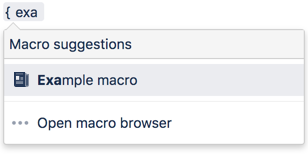
  1. In the Confluence editor, choose Insert > Other Macros.
  2. Find and select the required macro.

You can then add content to the body of the Excerpt macro placeholder.

Parameters

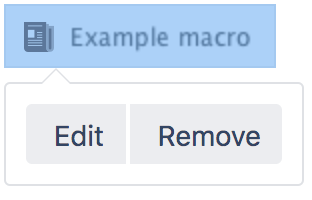
When editing, you can click on the macro placeholder and choose Edit to display the parameters for this macro in the Macro Browser.

Parameters are options that you can set for Confluence macros to control the content or format of the macro output. The table below lists parameters for this macro that can be set in the Macro Browser.

Parameter

Default

Description

Hide Excerpted Content

false

Controls whether the page content contained in the Excerpt macro placeholder is displayed on the page.

Related Topics

Excerpt Include Macro
Working with Macros

Take me back to the Confluence User's Guide.

Labels:
  1. May 18, 2009

    This is a great macro, but seeing as there is only one allowed on a page it defeats my purpose for it.  What I am trying to do is essentially "pivot" the view of the information depending on the audience.  For example, if audience A wants to see instructions from a systems view and audience B wants to see the same info but from a process view, you might have the systems page address each system in order and tell how to use it in each business process, then on the process page you might use the same content but order the content by process and display excerpts from different systems pages in the appropriate process sections to display the how each system component is used in each business process.  So you would have

    System Page 1

    Process Page 1

    System Component 1

    Process A uses system component 3, so excerpt system 3 instructions

    System Component 2

    Process B uses system component 4, so excerpt system 4 instructions

    System Component 3

    Process C uses system component 2, so excerpt system 2 instructions

    System Component 4

    Process D uses system component 1, so excerpt system 1 instructions

    System Component 5

    Process E uses system component 5, so excerpt system 5 instructions

    Is there a macro or technique that can help accomplish this?

    1. Aug 22, 2010

      Hi, Steve. First off, sorry if this is a little too late. I may not truly understand your requirements, however, I think that this is feasible if you separate those processes into different pages and use the {excerpt} or {include} macro in the main page. Writing a Writing User Macros might help too, in case you would like to apply some logics to the page.

    2. Jan 17, 2010

      Steve,

      I understand what you're trying to do and we're trying to accomplish the same thing.  I'm trying to convert our RoboHelp 7 docs into the wiki.  RoboHelp has a feature called conditional text.  You can tag a topic (page) or any text with a conditional tag, then use the conditional build tags in the output (online help or PDF) for different audiences.  For example, we might have one topic, and we use conditional tags in different parts of the topic for the administrator or end user.  So we're reusing topics instead of copying them, and there's less of a chance for error because we're only editing that one topic.

      The problem with the Excerpt macro and the "hidden" parameters is that even anonymous users will be able to see the hidden text in a search.  I hope someone posts a solution.

      1. Feb 10, 2010

        Anonymous

        I thought I saw a macro, where you could define them (e.g. excerpt macro - topic 1, excerpt macro - topic 2) - but I don't think it is compatible with 3.1 ? This would be a VERY useful feature.

        1. May 06, 2010

          Hi,

          the multi-excerpt macro does help regarding multiple excerpts on one page. You can name each excerpt and include it on other pages of any space.

          Disadvantage of this plug in is that renaming a page will break the link. You have to keep all manually updated.

          cheers

          1. Jul 07, 2010

            I do not see the multi-excerpt marco... I have version 3.3. Any ideas on why not?

            1. Oct 20, 2010

              sorry I did not set this page to be watched by me(wink)  You dont see the macro because it is not free of charge.

              You will find it here: https://studio.plugins.atlassian.com/wiki/display/CMEP/Confluence+Multi-Excerpt+Plugin

              Cheers.

  2. Aug 16, 2011

    Anonymous

    When I create an excerpt on a page that has an excerpt include in it already the excerpt include breaks and just shows text and the image names.  However when I place and excerpt include on another page of the page with the broken link it displays the broken include correctly. 

    Am I doing something wrong?

  3. Sep 18, 2011

    Anonymous

    Is there a way to pull the comments of a page?  I want to have a page of excerpts of just comments from other pages.

  4. Sep 20, 2011

    I'm looking for a way to get images into the excerpt. Is this possible or does it only accept text values?

    1. Feb 09, 2012

      why within excerpt macro ?

      link to image  :

      !_SPACE_ID:_page_name^_image_name.ext

  5. Sep 27, 2011

    Anonymous

    why do you not write the wiki markup for these macro's? Some of the earlier documentation do but you've stopped doing it lately. Please give us examples of the markup, not just the arguments/parameters in a grid.

    1. Sep 28, 2011

      Thanks for your question!

      This page is part of the  documentation for Confluence 4.0, which was released recently. Confluence 4.0 no longer supports wiki markup for writing pages or for inserting macros -– there is a brand new editor! So, it is no longer relevant to include wiki markup in the macro documentation for this latest version. As you've noticed, that information is still available in the documenation for earlier versions, which is available using the links at the top left of the window.

      Please add a comment to the following page, if you wish:

      http://confluence.atlassian.com/display/DOC/Giving+Feedback+on+Confluence+Releases

      regards,

      Paul

      1. Nov 07, 2011

        Anonymous

        How are we to use macro's in our templates then?

        Seems to me wiki markup/documentation shouldn't be phased out until all features can use the new system

  6. Nov 14, 2011

    Anonymous

    Hi


    when I use the excerpt macro, the "excerpted" (is that a word ?! (smile) ) text is shown in the left navigation sidebar, under the title of the page where it is contained. Is this normal? Is there any way to avoid that? How can I take the excerpt out of the navigation sidebar?


    Greetings

  7. Jan 04, 2012

    Anonymous

    Is there any equivalent plug-in to Multi-excerpt for Confluence 4.0/4.1? I really want this capability to keep from creating thousands of one-line pages for Learning Objectives, but I need to use both lists of objectives AND single objectives on other pages. I asked my Confluence admin to install multi-excerpt, but they are getting ready to upgrade to 4.1, so the artemis plug-in will not be available.

    My searching has not turned up any equivalent plug-in from any vendor, free or commercial. Can anyone help?

    In hopes of an answer,

    Lori P.

    1. Jan 06, 2012

      We have the same issue, of needing to excerpt multiple selections from a single page with 4.0/4.1. Would be great if this enhancement were on the road map.

  8. Jan 18, 2012

    Anonymous

    +1 for that requirement!