Search the Confluence 4.1.x Documentation:

Index
Downloads (PDF, HTML & XML formats)
Other versions

This documentation relates to Confluence 4.1.x
If you are using an earlier version, please view the previous versions of the Confluence documentation and select the relevant version.
Skip to end of metadata
Go to start of metadata


You can use the Include Page macro to display the contents of one Confluence page or blog post in another page or blog post.

Using the Include Page Macro

To add the Include Page macro to a page:

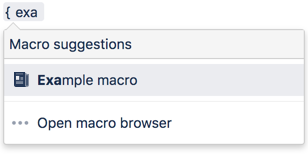
  1. In the Confluence editor, choose Insert > Other Macros.
  2. Find and select the required macro.

Parameters

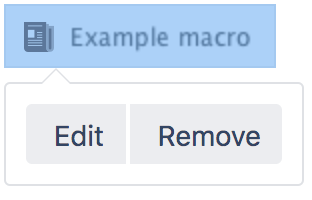
When editing, you can click on the macro placeholder and choose Edit to display the parameters for this macro in the Macro Browser.

Parameters are options that you can set for Confluence macros to control the content or format of the macro output. The table below lists parameters for this macro that can be set in the Macro Browser.

Parameter

Default

Description

Page to Include

None

This is the name of the Confluence page or blog post that you want to include in the current page.

  • If the page or blog post is located in another space, add the space key and a colon in front of the page name. For example, DOC:My page name.
  • To include a blog post, specify the date as well as the title of the blog post. For example: /2010/12/01/My blog post.
  • The space key is case sensitive.
  • You can include pages from personal spaces using ~username as the space key, where 'username' is the person's username. For example, ~jsmith:My page name.


Notes

  • If you want to include part of a page rather than the whole page, use the Excerpt and Excerpt Include macros.
  • To display a page's contents, you need 'View' permission for that page. Similarly, people who view the page will need 'View' permissions for the embedded page as well as the page into which it is embedded. See space permissions or contact your Confluence space administrator for more information.
  • If someone changes the name of the included page after you have added the macro to your page, the page name does not change automatically in the macro. You will need to change the page name manually in the macro parameters.
  • If you want to embed an external page into a Confluence page, you need the HTML Include Macro.

Related Topics

Working with Macros

Take me back to the Confluence User's Guide.

  1. Mar 30, 2006

    Are these includes cached as part of regular page caching?

  2. Dec 17, 2006

    is there a way to include a page and all its child pages..rather than doing it one by one?

    1. May 19, 2011

      I would like to have a generic solution (parameter) for it. Do I have to open a request for it or does such a solution exist?

  3. Jun 28, 2007

    Similar to Alan's error above regarding the PDF export:

    The images are not exported on the include page during an HTML export.  The path is correct in the HTML page exported, but no attachments folder is created and the images are not downloaded.

    1. Jun 28, 2007

      Hi Bradely,

      What version of Confluence are you using? I'm currently working on some fixes for both HTML and PDF exports for 2.6 which would also solve this problem.

      Agnes.

  4. Jul 11, 2007

    Can I include the contents of a news item from another space? Can't see to get it to work.

    1. Jul 11, 2007

      As far as I know, this will only include pages, not news items.

      I haven't actually tested it, but theoretically you could use the report-info macro from the Reporting Plugin to import a specific news item from another space. Something like this:

      {report-info:content:body|source=OTHERSPACE:/2007/07/12/My News Item|render=wiki}
      
      1. Jul 11, 2007

        Thanks. I might just do a bit of cntrl-C cntrl-V

        1. Aug 07, 2007

          I sneaked around this problem by marking my whole news item with {excerpt}{excerpt} and then using

          {excerpt-include:blogPost=/2007/08/06/Shopping Update - August 6, 2007}

           Worked like a charm.

          1. Jul 17, 2010

            Anonymous

            I could not use the workaround - the blog was in a different space and the excerpt macro works in the same space only.

            Copy paste FTW

  5. Aug 06, 2007

    It would be useful to include an optional parameter noerror.

    With the current implementation, you get a red error message when the page to be included does not exist (or if the user does not have viewing rights). In some instances you would like this to fail more gracefully, by simply not showing any error message.

    This could help in making a welcome page different for users with different permissions. Until now I couldn't find any way in doing this elegantly. The show-to and include-excerpt macros both seem to discard some of the layout or links, so they cannot be used in that context either.

    It would be nice to be able to use

    {include:page-with-links-that-should-not-appear-for-group-B|noerror=true}
    

    to include links from a page to which group B does not have viewing permissions, without showing an error message to group B.

    1. Aug 06, 2007

      Hallo Bert

      Many thanks for your support. There is an existing JIRA issue CONF-5436 which may suit your needs. You can vote for the issue, to increase its visibility. You can also log your own suggestions and requests on JIRA.

      Cheers – Sarah

      1. Aug 08, 2007

        Done. Thanks for bringing the JIRA issue to my attention.

        Bert

    2. Aug 06, 2007

      Hi Bert,

      I'm curious to know what problems you're having with the {show-to} macro. The intent is that it basically displays the content or doesn't.

      Aside from that, another possibility is to use the {report-info} macro from the Reporting Plugin:

      {report-info:content:body|render=wiki|source=page-with-links-that-should-not-appear-for-group-B}
      

      Either way, I am interested in any problems with show-to...

      1. Aug 08, 2007

        Hi David,

        the problem with show-to is the following:

        • Using only show-to is not the most secure way to go, since it only masks display of certain content but e.g. does not prevent users from finding the content in search operations. When trying to hide certain content (for security reasons) from certain groups of users, this is not what you would like.
        • Another option is to use show-to to hide the include-error to the group with lesser permissions. This goes well, except for the fact that for the higher permission group, the content to be included is included without markup. A list of links becomes:
          * [link 1]  * [link 2]  * [link 3]
          

        I tried using the report-info macro, but this macro produces some very strange errors when trying to include a page where you don't have permissions to. In some cases I ended up with a blanc page, only containing the global logo and the page title. No breadcrumbs, no navigation pane,... In other cases the header right above the include-report macro is being displayed about 40 times after which a java stack overflow is displayed.

        1. Aug 08, 2007

          Ok. Thanks for that. Your first point is a known issue/by design, but fair enough for your situation. The second point is rather odd. What do you mean by the "higher permission group"? Can you post a fuller example of your markup code? Perhaps as a JIRA issue, so we don't clog the comments?

          And with regards to the report-info macro, I'll admit I hadn't actually tried specifying a restricted page directly before...I'll have to investigate that one.

          1. Aug 09, 2007

            Hi David,

            as you suggested I created a Jira issue regarding the above mentioned problems with the show-to macro in combination with the include macro.

            Bert

        2. Aug 08, 2007

          Bert,

          • Take a look at the 'edit-include' user macro for a fairly simple way to wrap a 'error checking' patch around the built in 'include' macro using user macros. (you need to be an admin to write user macros on your installation)
          • I choose to render a message with an 'add-page' link if the target page does not exist or is restricted, but you could modify it slightly to show nothing or a simple placeholder if the 'included' page is resticted.
          1. Aug 09, 2007

            Thanks for the tip James, I will look into it.

  6. Sep 06, 2007

    Is the source-code for the "include page"-macro available somewhere. I'd like to look into ajaxifying it as we're having major performance issues w. our Confluence after upgrading from 2.2.9 to 2.5.7 (apparently the new permissions checking system is more cumbersome than the old).

  7. Dec 27, 2007

    Anonymous

    I currently have 6 separate templates that collect user input. All 6 of these templates are under a parent page. I want the information from the child pages (collected via templates) to be displayed on the parent page.

    Using the include tag, this works, but I lose all formatting and it includes as blocks of text.

    Any way around this?

    1. Jan 01, 2008

      Hi,

      Please raise a support ticket at our support system: https://support.atlassian.com. Hence, we can follow up this issue from there. Thanks.

      Regards,
      Choy Li

    2. Jan 08, 2008

      have you tried using the zone-template-instance macro, from the zones plugin, without any parameters. it works like include, but renders AFTER the inclusion, rather than before.

      Not sure what you mean by templates that collect user input, so they might not work with inclusions or zones.

  8. Mar 12, 2008

    FYI just came up with a hack that you can use to explicitly mark off sections that should not be included (full credit goes to David Peterson for the trimp and render macros though!).

    1. Make a new User Macro called "no-include".
    2. Select "Macro has a body", "Convert wiki markup to HTML" and "Macro generates HTML markup".
    3. Cut/paste the following:

    On a page with "XXX{no-include}YYY{no-include}ZZZ" you will see "XXXYYYZZZ" - but if you then include that page, you will only see "XXXZZZ" on the including page.

    The code can probably stand to be neatened somewhat, but it works.

    Hope somebody finds this useful! (smile)

    1. Mar 13, 2008

      Thanks for the credit, but I don't think gave you that tip David. Nice though... (smile)

      1. Mar 13, 2008

        a) very nice

        b) I also did not give you that tip, but render and trimp are my contributions, Render any text from a user macro, based on initial code in comments on sectional editing from Mark Michaelis (edit-include user macro, http://jira.atlassian.com/browse/CONF-2761)

        • however, in this case, if you select 'convert wiki markup to html' in confluence versions after 2.3.3, you shouldn't need to use trimp or render macro at all. Does the following not work? If the issue is that the default renderer inserts an extra <p>...</p> tag, just use 'trimp($body)', but not the render. Currently, it looks like your entire HTML syntax is being passed through the internal render a second time (invoking processor and memory usage). Fortunately, the html seems to be ignored rather than escaped.
        #set ($qString = $req.getQueryString())
        #set ($titleStart = $qString.indexOf("title=")+6)
        #set ($nextAmpIndex = $qString.indexOf("&",$titleStart))
        #if ($nextAmpIndex == -1)
        #set ($titleEnd = $qString.length())
        #else
        #set ($titleEnd = $nextAmpIndex)
        #end
        #set ($reqTitle = $qString.substring($titleStart, $titleEnd))
        #if ($content.title == $reqTitle)$body#end
        

        Note: you may want to use $!body to exclude printing "$body" with an empty body.

        1. Mar 13, 2008

          I suspected that this would only work with titles that do not contain spaces or special characters. using $generalUtil.urlEncode() fixed this so that it works for spaces and special characters in the title.

          ## only display the contents of this macro body if the page is being viewed directly. Thus, exclude the content from include, edit-include, metadata-from, reporting plugin, checklist plugin, etc, but not zone-template-instance or excerpt-include
          ##   
          #set ($qString = $req.getQueryString())   
          #set ($titleStart = $qString.indexOf("title=")+6)   
          #set ($nextAmpIndex = $qString.indexOf("&",$titleStart))   
          #if ($nextAmpIndex == -1)   
          #set ($titleEnd = $qString.length())   
          #else  
          #set ($titleEnd = $nextAmpIndex)   
          #end   
          #set ($reqTitle = $qString.substring($titleStart, $titleEnd))   
          #if ($generalUtil.urlEncode($content.title) == $reqTitle)$!body#end 
          

          David Dembo, these comments are deleted from time to time and don't always survive with new versions of confluence. i'd suggest you contribute this code in the Confluence Extensions space as a user macro, similar to the Expand Text User Macro or edit-include user macro user macros

          1. May 21, 2010

            above code works as is, but fails in two special cases.

            If you no-include some text and include this page into another page on page with the same name as the source page named, than the no-include macro fails to exclude the text.

            e.G. if the page is named Home with some text to exclude and the page in another space is also named Home than the ecluded text from the first Home page will show up in the second Home page. If you rename one page it works again.

            So above code does work in general but it fails on pages with identical names - even they have different spacenames.

            Above code needs to be enhanced to check registered page title and registered space title and than decide to show or not.

            Only if space and page name are identical in direct view is should display. If space or page are different it should not display. With this enhancement it would not  display no-include content on pages with identical names but are in different spaces.

            The second failure occurs if the title contains special characters like ä ü in German – the part to no-include will be not displayed on the page where no-include is in use. If you change charakter ä to ae it will work again, as no special character is in use.

            Maybe it would be easier  to compare Page ID instead title of page - with page ID code could be kept short and will work overall I asume!

            Need some help from a keen programmer to tell what lines need to be changed to provide this funtionality.

            Thanks in advance. 

        2. Mar 13, 2008

          Whoops, I don't know what I was smoking when I said David Peterson... I must've looked at the wrong tab. Sorry James!

          Thanks for the improvements too - as I said it could've definitely used some improvements. The issue was indeed the <p> tag... I just cut/pasted the code from your page since I didn't have a lot of time to have a think about the mechanics (I needed the no-include functionality for another task that I was working on). (smile)

          I've also created a page in the extension space as you suggested.

  9. Mar 13, 2008

    Please add something to this effect to the yellow warning box on the 'include page' documentation to elaborate on the caveats of using this macro.

    Contrary to what one might expect, the 'include' page macro does not:

    • count as an incoming link for the included page
    • display a warning message if you try to delete or move a page that is included elsewhere
    • count as an outgoing link for the includer page
    • update the name of the specified page if the included page is renamed or moved to another space
    • render the links and macros in the context of the includer page (like a programming language include or a wikipedia 'transclude'). Instead, the content is rendered in the contexted of the included page, and then included (like an html-include).
    1. Apr 08, 2008

      Not ture. Renaming included page should have been updated in the including page. This was a bug that was fixed in 1.3 http://jira.atlassian.com/browse/CONF-1354. Apparently it's broke now again. It needs to be fixed. We rely heavily on include macro.

    2. Feb 22, 2010

      Treating an include macro similarly to a link would make included pages much more manageable.  It's most important that the included page be able to find all the pages that include it.  Search doesn't find them without some magic that I don't know and page info doesn't show them, so wiki writers have to remember where they are, which is impossible for any wiki that's bigger than a toy.

  10. Apr 23, 2008

    Can the macros that are in the INCLUDED page reference the includer page/space rather than the included page/space?
    I want to build a centrally shared Table of Contents page that has standard info for each space's home page

    For ex: if I build a page called SHARED TOC and it has these macros in it:

    When I go to share that to all other spaces, the info shown is from SHARED TOC/space, not the current page/space.

    Can this be modified?

    1. Jun 17, 2009

      I have a similar need for on-line documentation.  I have a generic set of pages, each representing a section of an online document.  The intent is to include these generic sections into a project-specific version of the document where the project does not depart from the norm.  For sections that do depart from the norm, the generic section of the online document is replaced by a project-specifc section.  This is all being done using the {include} macro.

      What I'd really like to do to enhance these generic sections is to be able to reference the project name that is defined as custom metadata in a project plan. But the metadata from the includer page does not get used by the included page.  On the includer page, I have:

      On the included page, I have:

      The referencing of metadata on the includer page works just fine.  It doesn't work in the included page.

      This all appears to go back to the included page not being rendered in the context of the includer page.  Like it was said earlier, having the included page rendered in the context of the includer page would make life easier in terms of supporting many projects with a minimal number of changes for common text.  It's an issue of ease of maintenance.

      If anyone knows of a work-around, please let me know.  Thanks in advance.

  11. Mar 13, 2009

    Hi,

    Is there an easy way to include a page from another space while keeping the context of the calling space while it is processed?

    Basically, our global page layout includes a page for the left hand side navigation. This page is contained in a space S1. This page contains a tree macro with a search box. However, practically it doesn't work because, when we display a page in space S2, the scope for the tree and search is still S1.

    We could copy the navigation page under each space but that would make our life harder:

    -we then need to copy the navigation page manually each time we create a new Space

    -we can't modify the navigation page across multiple spaces in one go. We would have to go through each nav page and make the same modification.

    Hence the need for a way to write contents and macro in a single location and then share it while preserving the context of the caller. An additional argument to Include Page could be a solution

    This feature seems so useful that I'd be surprised there's no way to do that with Confluence.

    Any suggestion for workarounds would be greatly appreciated!

    Thanks

    1. Mar 29, 2009

      Hi Geoffroy,

      You can directly specify the {pagetree} macro in the custom "Page Layout". If you follow the instructions on Adding a Navigation Sidebar, replace the line:

      with

      This will not require you to add a "TreeNavigation" page in every space. Hope that helps!"

      Cheers,
      Azwandi

      1. Nov 03, 2009

        Anonymous

        Thanks for example!

  12. Jul 28, 2009

    Hello,

    I would like to include all the pages that follow the same naming convention (or label) in one page. For example, All the pages that starts with say "Design" or has a label called "Design" should be included in the agreegating page. Any idea, if this is somehow possible with include macro or some other macro?

    Also, is there a way to include all the child pages..rather than doing it one by one?

    Cheers,

    Krish

    1. Aug 22, 2010

      Hi Krish,

      As far as I can think of, you might want to create a user macro that uses the Confluence Objects Accessible From Velocity. Here is a sample user macro that will include all pages (viewable by current user) with title starting with the supplied string value.

      Macro name: includeall
      Macro has a body is unticked
      Output: Macro generates wiki markup

      Usage example:

      Hope that helps!

      1. May 20, 2010

        this does not work in 3.2.1 is there something missing in above code?

        cheers.

        1. Jun 25, 2010

          This is due to Confluence 3.1 Deprecated Code Cleanup. Here is a revamp of the user macro that was tested against Confluence 3.2:

          (Credits to David Donohue for getting the PageManager).

          1. Feb 13, 2011

            Hi, long time ago – I just missed to watch this page.

            Thanks for your update. I tried this on 3.4.8 but with no effort – I just get name of the page I included - no body of the page.

            I also would like to restrict it to include just a page of current page that exactly matches a specific title.

            Could you please check this again and post an update again.

            Many thanks in advance.

  13. Nov 02, 2009

    I have a page ("Introduction Paragraph") that is included in multiple other pages. How can I easily find out where this page has been transcluded? In other words, I want to find out where "Introduction Paragraph" is being included. How can I find out? I'm looking for something similar to MediaWiki's "What links here?" functionality.

    1. Nov 09, 2009

      Hi Will,
      After some researches, I found that Confluence has no functionality to track the usage of include page, you are welcome to raise a improvement request at http://jira.atlassian.com. Please write down your comment, cast your vote, and add yourself as a watcher for future updates. It will then be implemented according to how we implement new features and improvements.

      As a workaround, I would advice you to "search" for the include page. For example, you have a page, namely "Introduction Paragraph" in ABC space, and you have included it with Include Page Macro in various pages. You can search for this page by keying in "{include:ABC:Introduction Paragraph}" in the search function and search for it. All the pages with these included pages will be shown. Please note that the double quota (") needs to be placed at the beginning and ending of the keywords. This is just a temporary workaround, I hope it helps.

      Cheers,
      Jack

  14. Jan 15, 2010

    I would like to have the include macro change the heading level of included pages.

    If you have a master document which defines the top-level structure you will use the h1 heading.
    Sub documents will have to use the h2 heading for their internal structure.
    Sub documents of the sub documents will have to use the h3 heading and so forth.

    Now, if a lot of people contribute to the contents of the master document by writing sub documents, all have to agree on the heading levels they use.
    It would be better if each page could begin with h1 headings.
    This would be advantageous, too, if sub documents are moved from one level to another by just moving the include from one document to a parent or child document.

    So, my proposal is to add an option to the include macro, named "shift headings" or something like that, which shifts the heading levels of the included page by a defined amount. h1 will become h2, h2 will become h3, etc.

  15. Mar 17, 2010

    As far as I can tell, whenever content is included on a page using the {include} macro, that content cannot be searched for on the page.  A search will only locate the original source of the {include}, not the destination.

    Is there a way to have included content show up in searches?

  16. Apr 08, 2010

    Anonymous

    Is there a way to include the "comments" of a page as well as the content?

    1. May 04, 2010

      Hi

      As far as I know, the feature requested is not available yet. Feel free to raise a feature request in JIRA:

      Please add your comments to the discussion, vote on it and add yourself as a watcher for future updates. Also, please bear in mind the following document on how we schedule features for inclusion in our products: Implementation of New Features and Improvements.

      Cheers,
      Zed

    2. Dec 07, 2010

      Anonymous

      Is there a way to include the comments also along with the content of a page in another page.

      What I want to achieve is: Show the recent comments of a particular page on another page. Is there any way may be using "Recently-Updated" macro or any other way?

      Thanks for the help!!

  17. May 18, 2010

    Using include plugin intensively brings up the point to include content on pages for users with limited access to spaces of original content.

    If content from a page with limited access is included in content in a different space the useres with no permissions to th e full content get the message: Unable to render (include) Couldn't find a space with key: name-of-space-with-no-permission

    Instead of showing this message it should just exclude the content fully as it would not exists - it should not even embed an empty line.

    Usage: If it would do so, I could create pages with content for different level of users. A customer dont need to see code exsamples included in a page while it would be helpful for programmers. The customer gets confused about thinks he dont understand.

    Instead of creating different pages for users It would be much easier to show on one page the content corresponding to the users permission status.

    The goal: enhance the plug-in parameters 
    1. to show a standard-message as for now
    2. to show nothing (totally invisible)
    3. to show a assignable-message instead of the standard

    If 2. is not possible 3. would be an acceptable solution, e.g. for an included page the user has no view permission it could display "More information available on demand"

    It might be possible that above feature is available, but I could not find informations about it.

    So if you know something to achieve this - please help.

  18. May 18, 2010

    Links within table header needs to be updated

  19. May 25, 2010

    Hi all,

    is there any way to unbranch "includes" between spaces like we can do it in source control system, for instance, VSS?

    I have a space with pages having multiple includes from other spaces. I need to replace {include} macros with the origin text. This would allow me to release space version.

    Any suggestions?

  20. Oct 18, 2011

    Anonymous

    Hi all,

    I have a problem with the include macro.

    I want to include a child page to the parent page in a dynamic way. A part of the child page title differs from page to page.

    For {page-info:title} I want to get the title of the child page in a dynamic way.

    Two Example:

    {include:Additional Information {page-info:title}} -> Preview: {include:Additional Information {page-info:title}} ->false

    {include:Additional Information from{div}{page-info:title}{div}} -> Preview: {include:Additional Information from Great Britain{div}} ->false

    {include:Additional Information Great Britain} -> Preview: I get the Content of the child page on the parent page, but "Great Britain" is static.

    Is it possible to include a page in a dynamic way?

    Thank you very much.

    1. Jun 02, 2010

      Hi,

      try first without nested macros!

      I tested include macro intensively and had some odd behavior on nested macros.

      So use 

      If thats work expand your code with div or other macros.

      Page-info:title gets always the title of the current page that is viewed. Makes only sense if you like to show content twice on one page.

      Including a title to name the include inside the macro as an parameter like you would do with links is not appropriate because the macro has no parameters. I likes to get the real title of the page after the : and nothing else.

      "Dynamic way" is thought that you work with child-pages or other pages within content that you modify while the main page with the includes gets updated dynamically.

      Include macro does only make sense if you like to include the whole content of a page within another page. As it is often the case that you like to include just a portion of content you might find the user macro no-include or multi-excerpt-include more suitable for you.

      If you want to show your code fully to be understandable for readers you might use Code Block Macro insetead of adding { to your text.

      Cheers, Klaus

  21. Jul 08, 2010

    I have a page called ViewPage which includes multiple pages in the same space using the include macro. If I try to export the ViewPage into word document, then the images present in the included pages does not show up. Is there a way to generate a proper word document with images? I cannot use edit in word feature as the ViewPage is nothing but set of include macros. So need help in resolving this issue

    1. Jul 08, 2010

      It does not work if you include macros, charts or images that needs to be rendered. I did need it yesterday and I included screenshots into the word doc as an workaround. I run into this yesterday too and had the same experience.

       Seems to be that Confluence does only export text and tables, all the rest is gone, even if you have charts or images within the content of the same page.

      Thats my result from Yesterdays short investigation.

  22. Oct 18, 2011

    Anonymous

    The table seems to indicate that use of "include" will allow update of metadata of the included page.

    It does not seem to work for us - in V3.0.2. Any help would be  most appreciated. Here is our situation:

    1. We have a page "Action Items" that uses table-data to allow adding new items (besides macros for updating, assigning etc.) - the Action Items page is based on a template "Action Items Template" that contains the meta-data struture and layout.

    2. We have a template "Weekly Meetings Template" that contains the meta-data structure and layout for weekly meetings. This template has the include  macro. The intent being that we can create a new weekly meeting page using this template, but each meeting would use the same Action Items for updates - thus keeping a running Action Items list.

    3. When a meeting page is created from the "Weekly Meetings Template", it does show the current content from the Action Items page. In Edit mode, it also shows the Action Items in edit mode (i.e. as a table with the ability to update current entries and the ability to add new entries, or delete existing entries). However. any items added or updates done to current items do not seem to make it to the Action Items page.

    Are we not using the macro correctly? Or is it not expected to behave this? Or is their another way to handle this situation?

    Thanks for any help.

    1. Aug 27, 2010

      Anonymous

      To add to the above, I suspect that when the Weekly Meeting page is "saved", the Action Items page is getting closed without being "saved" - only the Weekly Meeting page is being saved and closed. This would result in the updates to the Action Items page not getting there. - Anybody can provide insight into this, and help resolve?

  23. Nov 01, 2010

    We have just started using includes to create a second version of content with additional formatting which is sent for approval, it would be very nice if there was a way to include a specific version of a page vs just the most recent version. The include macro does not seem to work with the pageId but perhaps my syntax is incorrect:

    Has anyone solved this problem using another method?
    We are on version 3.3.1 of confluence.
    Thanks Hugh

    1. Nov 02, 2010

      I dont know the way to solve this as you meant it should work but I suggest to use the history slider from CustomWare.

      With this plugin you can assign two versions of a page, which will be fully rendered so that for comparison you can slide back and forth.

      This at least a way you could achieve your objectives, but might not be as easy as you thought.

      Cheers.

    2. Nov 23, 2011

      Anonymous

      I have eaxtlcy what info I want. Check, please. Wait, it's free? Awesome!
  24. Nov 17, 2010

    I desperately want to be able to include content from another page that not all of my users have permission to view.

    Here's the use case: we have technical documentation for two products, which each has its own space. Some clients have access to both spaces, some to only one. However we have policy information that is the same for both products, and I do not want to duplicate pages.

    If this is not possible, there could be a third space that no one sees in the dashboard and does not come up in searches but that everyone has permission for, and I could include content from that space in both of the other spaces.

    Emily

    1. Dec 01, 2010

      You can more or less "easily" achieve this if you use Visibility Plugin from CustomWare.

      This plugin includes the show-to macro to show content only to assigned groups which gives us following "desperate workaround" to solve this.

      You could create a group or you include a number of group names within the parameters of this macro, so add all members you want to be able to see a portion of content.

      Basic show-to macro concept:

      ----Content visible to group members 1,2,3 etc.

      Content visible to group members 1,2,3 etc.

      Advanced

      I use multi-excerpt and include macro combined with show-to and expand macro to achieve your goal depending of whether content to show is just a portion of one page or whole page.

      Whole page:
      ----Content visible to groupmembers 1,2,3 etc.

      Content visible to group members 1,2,3 etc.

      Portion of page:

      Use multi-excerpt Plugin!

      Usage:

      As the page to show has their permission settings the content would create an error message on the page that include macro cant find content to show because the user who should not see this has no permission to do so. This would end up that members of a group with no view permission would get this message presented. With include macro sitting inside the body of the show-to macro this message still exsist but will not be displayed as the user with no view permission hat no permission to see the content inside the body of the show-to macro.

      You can follow this concept with multi-excerpt Plugin  to include just portions of text into another one. This Plug in just cost a vew bucks. I use this very much.

      Disadvantage

      Actual confluence 3.4 version still has the bug since 2.8 or so, that it has some kind of amnesia that links in macro body’s (even in confluence native macros) wont get updated after change of page-title (some call it page name, name of page etc. ) – so multi-excerpt or include macro included content will show an error message or not – but for sure you have to reedit actually all those pages manually. This was once a major feature of confluence and system get insane if they can remember and get aware of changes as people do. A page that does not remember to whom it is linked with got stick in time and could not be reached. So keep track of all your "special pages".

      To keep track of pages that have been linked on this way I use linking-plugin from CustomWare, because active links are still listed and I will take a glance prior changing a page title.

      I hope that braking of links will be solved in upcoming 4.0 release of confluence and I hope that you got what you need to resolve your desperately needed workaround.

      Cheers

      1. Dec 01, 2010

        Ah, so you can show content to a user group even if the group cant see the rest of the space? That would work. Thank you so much for the detailed reply!

        Emily

        1. Dec 01, 2010

          Well… in addition… you cant make content visible to someone using this if he has no access to that space. You have to give both groups access to that space and with show-to you show content to that group you want to. Otherwise you need to use the perimeter-plugin.

          1. Apr 11, 2011

            Here's an update. I am making a third space that all users have access to and including content from that space into the other two spaces. But this is not ideal since there is an extra third space that is searchable and so will be confusing to customers. I am rooting for Confluence to find a solution to this (there's a feature request for making a space not show up in searches.)

          2. Apr 11, 2011

            Here's an update. I am making a third space that all users have access to and including content from that space into the other two spaces. But this is not ideal since there is an extra third space that is searchable and so will be confusing to customers. I am rooting for Confluence to find a solution to this (there's a feature request for making a space not show up in searches.)

            1. Apr 13, 2011

              I dont understand why you go that way but if you search forums you will find some help on customizing search-fields.

              1. Apr 13, 2011

                Hi Klaus, do you know any other way to do single sourcing? If you have any other ideas, please share. I have not been able to find anything useful on search-fields, so if you know anything on that front, it would be great too. Currently I'm trying the Perimeter plugin, which allows you to include content from a more secure space to a less secure one, but I realized that included content is not searchable, which is another deal breaker.

                1. Jun 06, 2011

                  Well… we might better start from the beginning which is actually the end: What ability/functionality do you want by the end?

                  As this page is part of the documentation which describes basic usage of include plugin and your topic is related to a number of other plugins I suggest that you restart your topic using Atlassian Answers

                  Describe what you want without mentioning what you already tried and ask for a workflow and which plugin might help.

                  Cheers.

  25. Dec 29, 2010

    I'm looking into creating a customized version of the include macro.  Could someone please point me to the source code for it?

    Thanx!

  26. Jan 21, 2011

    Anonymous

    I created a macro for including previous versions of pages into another page.

    You can get it here:

    http://s-weber.blogspot.com/2011/01/confluence-include-previous-versions-of.html

    Enjoy it ;-)

    1. Jan 21, 2011

      Stefan, I tried out your macro this morning and it works great. Thanks Hugh

  27. Jan 28, 2011

    For those of you who are looking for the include macro source, it's in the macros.vm file -- search for 'includePage'

  28. Mar 31, 2011

    Not sure if this is possible.  But it would be nice to use the "Tiny Link" instead of Space and page names.

    This way if an included page were to be moved to another space then the include macro wouldn't break.

    1. Mar 31, 2011

      That would be nice but half the rent. It would still break on page title changes.

      The problem ist not that macro – ist is a general problem that is caused by some changes in 2006 (I did some research regarding this problem) – links in bodies of macros does not get updated anymore.

      Originally it was a standard feature which is about to be reinvestigated and maybe reactivated after Atlassian released 4.0.

      To solve this now would occupy to much resources.

  29. Aug 10, 2011

    Anonymous

    It would be nice if one could use a combination of the Content by Label macro and the Include macro, to include the contents of all pages with the specified labels.

    1. Aug 11, 2011

      both are part of the confluence advanced macros – Feature request should be placed here: CR-ADVMACROS.

      To achieve now what you want you could use custumware reporting plugin.

  30. Nov 30, 2011

    Anonymous

    I know we have hierarchy path maintained in the header of the page. What needs to be done to maintain the navigation path on the page too ?
    For e.g. A-> B-> C is the hierarchy path (B is the child of A, C is the child page of B)
    But 'page C' can be navigated from E -> F -> G so this time with the hierarchy path, it should also display
    E -> F -> G -> C (the current path from where we reached the 'page C'.

    How can we achieve this in confluence ?

  31. Jan 02, 2012

    The include macro does not work in the same way as before with the new editor. For example, it has issues if the Attachments macro is used on an included page, or if it includes links to other pages.

    I posted a question about this at answers.atlassian: https://answers.atlassian.com/questions/27296/can-i-no-longer-use-the-attachment-and-include-macros-together