Search the Confluence 4.1.x Documentation:

Index
Downloads (PDF, HTML & XML formats)
Other versions

This documentation relates to Confluence 4.1.x
If you are using an earlier version, please view the previous versions of the Confluence documentation and select the relevant version.
Skip to end of metadata
Go to start of metadata


The Noformat macro displays a block of text in monospace font with no other formatting.

Using the Noformat Macro

To add the Noformat macro to a page:

  1. In the Confluence editor, choose Insert > Other Macros.
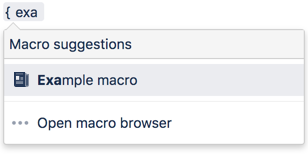
  2. Find and select the required macro.

Enter the content that is to be unformatted into the body of the macro placeholder.

Parameters

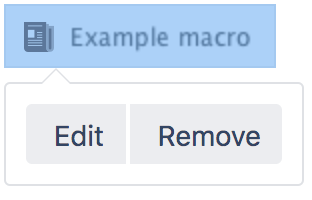
When editing, you can click on the macro placeholder and choose Edit to display the parameters for this macro in the Macro Browser.

Parameters are options that you can set for Confluence macros to control the content or format of the macro output. The table below lists parameters for this macro that can be set in the Macro Browser.

Parameter

Default

Description

No Panel

False

Removes the panel around the content.

Related Topics

Working with Macros

Take me back to the Confluence User's Guide.

Labels:
  1. Nov 11, 2006

    Note: The second example is incorrect in the "What you need to type" column. It should be:

    {noformat:nopanel=true}
    I do not want this text formatted!
    {noformat:nopanel=true}

    1. Nov 11, 2006

      Nope, it should be:

      {noformat:nopanel=true}
      I do not want this text formatted!
      {noformat}

      1. Feb 18, 2007

        Sorry about that. I've just fixed up the docs, with the correct syntax.

  2. Feb 14, 2008

    IP

    this has frustrated me a lot, I have used other Wikies, but with Confluence, just entering an inline CamelCase word in mono-spaced font seems impossible without Confluence having to interpret this as a WikiWord. All I want to do is write a name of a Java class, and not create a new page. Can someone help?

    Thanks in advance.

    1. Feb 14, 2008

      CamelCase is an option under Administration->General configuration/ I always turn it off.

  3. Jun 27, 2008

    Anonymous

    Is there any way I could create a user macro based on this that would have the monospace and formatting preserved, but could still recognize other macros or links etc. So for example:

     
    \{noformat}
    I want this text      formatted
           like this {user-macro} and use this macro {user-macro}
    and this [link|some page].
    \{noformat}
    
    1. Jul 02, 2008

      Hi there,

      You might be interested to try the Panel macro which allows macro/wiki markup rendering within the "block" and hence allow using the monospace markup too.
      If you are keen to create your own User Macro or Macro, feel free to refer to the link included for more information regarding the modules respectively.

      Cheers,
      Tony

  4. Sep 15, 2008

    Hi All,

    I find that if I use the noformat macro inside columns, that unless I manually break up paragraphs, that my noformat will break the columns.

    This has only started to happen recently. Is this a known issue? It would be nice if the nonformatted text-box still followed the formatting of the rest of the page, even if the code inside doesn't.

    Cheers,

    Dan.

    1. Sep 29, 2008

      Hi Dan,

      Could you please raise a support ticket at https://support.atlassian.com with a sample wiki markup used for this issue. So that we can further investigate to this issue. Thanks.

      Regards,
      MG

  5. Aug 13, 2009

    Anonymous

    Hi all,

    May I use the following code to display white characters on a black screen, looks like it's not working......

    Thanks in advance.

    Jeff

    1. Aug 13, 2009

      Hi Jeff,

      I am afraid the color macro will not affect the text in the noformat macro.
      I have a mere suggestion. You can try to create a User macro with style script in it. I have create an example:

      1. Create a User macro via Confluence admin >> User Macros
      2. Enter the following:
      3. Save the changes
      4. Now apply the following code to a page:

      Hope that helps.
      Best rgds
      Zed

      1. Feb 16, 2011

        Hi Zed,

        i was looking for the same (black box, white text und no formating). I use it to display text that looks like a dos prompt or a console.

        So I tried out your suggestion which works very well. I find out that the text within every noformat-macro turns to white. Which means that I cannot combine black-on-white and white-on-black. 

        That is not a big problem if only noformat-macros are affected. I tested panel-macro and info-macro which are not affected by the style-command. Can you give me some background informations about the impacts of using the TestColor-macro?

        Thanks in advance

        Peter

  6. Oct 11, 2011

    Is it no longer possible to specify "borderStyle", "title", or other options to the noformat macro in Confluence 4 as it was in previous versions?! I also just here tried to make borderStyle and title words preformatted using the brackets ({{ and }}), which again does not appear possible. It seems to be either the entire paragraph formatted, or nothing.