The Related Labels macro lists all labels from every page which has one or more labels in common with the current page.
Using the Related Labels Macro
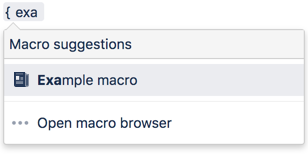
To add the Related Labels macro to a page:
Parameters
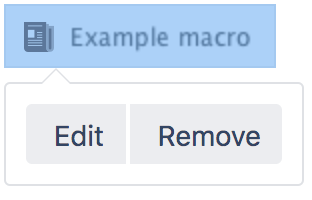
When editing, you can click on the macro placeholder and choose Edit to display the parameters for this macro in the Macro Browser.
Parameters are options that you can set for Confluence macros to control the content or format of the macro output. The table below lists parameters for this macro that can be set in the Macro Browser.
Parameter | Default | Description |
|---|---|---|
Restrict to these Labels | none | Specify the labels for which you want to view related labels. For example, |
Related Topics
Navigation Map Macro
Content by Label Macro
Recently Used Labels Macro
Working with Labels
Working with Macros
Take me back to the Confluence User's Guide.


13 Comments
Hide/Show CommentsOct 16, 2007
Robert Tosch
Is it possible to get another view after clicking on an item in the related-labels list. I need to display the excerpt and don't want the spaces, other labels of each page and striplines.
Optional a dropdown list including all related labels would be nice.
Oct 18, 2007
Mei Yan Chan
Hi Robert,
This feature is not currently supported. Perhaps you would like to modify the macro up to your likings.
Regards,
Mei
Feb 06, 2008
Anonymous
How can this not be supported??? Imho it's a core functionality, without this feature labels are more or less useless.
Jul 14, 2008
James Mortimer
how do you define 'related' and 'commonly related'? i.e. what is the human-readable description of the algorithm used
For instance, is it:
or some other definition?
Jul 15, 2008
Tony Cheah Tong Nyee
Hi James,
To my understanding, the Related Labels Macro allows a page to display a list of labels that are 'related' to the labels used in the current page itself. Take for example this page where it has both the "
documentation" and the "confluence-label-filter" labels. It would show all the labels resulted in the "Related Labels" section of the following link:If I have misinterpreted your questions, please further clarify them for a better understanding.
Cheers,
Tony
Jul 29, 2008
Denise Van
Is there anyway we can render this macro as a heatmap like you can with the {popular-labels} macro?
Jul 30, 2008
Fennie Ng
Hi Denise,
You can render a list/heatmap of the most popular labels. For example:
{popular-labels:style=heatmap|count=15}ordered by label names. If not specified, a default list style is used ordered by popularity (highest first).
Regards,
Fennie
Sep 17, 2008
Matt Ryall (Atlassian)
This is now documented more thoroughly here: Popular Labels Macro.
Nov 06, 2008
Anonymous
Is there any style options for the macro There are no related labels. ?
Like having them on a single line for i.e.
Dec 23, 2008
Ming Giet Chong
Hi,
I am not aware of style option available in the "Related labels macro". However, you can always raise a improvement request via http://jira.atlassian.com. Thanks.
Regards,
MG
Aug 29, 2010
Anonymous
There needs to be a wildcard function for labels.
Say you're having students label all their Homework posts, in personal spaces, with a generic "HW", and then a "HW1", "HW2", as appropriate to each assignment. We should be able to populate a list of all tags on the site that read "HW*", no?
Sep 03, 2010
Sashidaran Jayaraman [Atlassian]
Hi,
I am afraid that this is not currently possible. Feel free to raise a feature request at http://jira.atlassian.com and describe in detail how you require this feature to work. Please add yourself as a watcher, vote for this feature and add your own comments to this feature request. For further details on how we include new features and improvements, you might want to read this page
Cheers
JSashi
May 27, 2011
Martin Cleaver [blended perspectives]
Is this macro open source? Are there other related plugins that provide this functionality? I need it too.
Thanks, Martin.
Add Comment