The Section macro allows you to define a section of a page in which you can insert one or more columns across the page.
Using the Section Macro
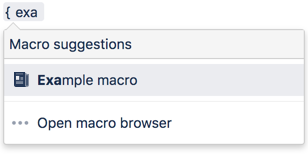
To add the Section macro to a page:
You can then add instances of the Column macro to the body of the Section macro placeholder, as shown in the following screenshot:

Note: All content within your section elements must be enclosed by a Column macro, otherwise the section layout will not work as expected.
Parameters
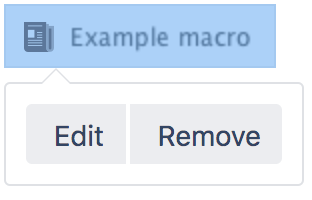
When editing, you can click on the macro placeholder and choose Edit to display the parameters for this macro in the Macro Browser.
Parameters are options that you can set for Confluence macros to control the content or format of the macro output. The table below lists parameters for this macro that can be set in the Macro Browser.
Parameter | Default | Description |
|---|---|---|
Show Border | false | Determines whether to draw a border around the section and columns. Note: Without a Column macro, the border will not be displayed correctly. |
Related Topics
Column Macro
Working with Macros
Working with Tables
Take me back to the Confluence User's Guide.


12 Comments
Hide/Show CommentsSep 05, 2008
Anonymous
Would be great if these section could be nested into each other! That would be very helpful to design a page...
Sep 08, 2008
Azwandi Mohd Aris [Atlassian]
Hi there,
The bug report CONF-2445 addresses this issue. However, due to the non-differentiable opening/closing macro tags, this is not yet possible in Confluence. However, you can try to use a standard table markup inside the section macro, as suggested in the report. Hope this helps.
Cheers,
Azwandi
Oct 23, 2008
John Rocha
Is there a way to make the data in a column appear at the top of the column?
I am attempting to crete a table where rowX in column 1, spans 4 rows in column 2, but I don't want the data in the stradled row to be in the middle, I want it at the top. Moreover, we have a huge ogranization, and some want it in the middle and some want it at top, so changing the CSS or global config for this isn't a viable option.
Thanks,
-=John
Oct 31, 2008
Ming Giet Chong
Hi John,
Could you please raise a support ticket via https://support.atlassian.com? Besides, try attaching a sample screen shot layout to the ticket that address your requirement? That could help us for a better understanding to this issue. Thanks.
Regards,
MG
Aug 11, 2009
Christopher Schaller
section macro provides a reliable way to nest tables, however a section inside a table will always have a border:
Table
one
Table
two
Table
one
Table
two
Aug 12, 2009
Zed Yap [Atlassian]
Hi Christopher,
I have created a bug report on this:
Please add your comments to the discussion and add yourself as a watcher for future updates.
Also, please bear in mind the following document on how we schedule features for inclusion in our products:
How we approach fixing bugs.
Hope that helps.
Best rgds
Zed
Feb 11, 2010
Eduardo F. Sandino
Hi, i saw that when using the
<table width="100%" cellspacing="0" cellpadding="5" border="0">
Mar 15, 2010
Anonymous
Sections and columns don't export properly to PDF - is there a fix?
Mar 16, 2010
Sashidaran Jayaraman [Atlassian]
Hi,
I guess you are encountering this bug. However, there's a workaround that I just found out that worked for me. Perhaps you can try that.
Cheers
JSashi
Mar 30, 2010
Anonymous
+1 for nested sections. I'd really like to use a section macro within a template but can't reliably do that without nesting.
Sep 24, 2010
Chad Ostrowski
I have an idea on how to render this very limited macro obsolete!
Mediawiki have developed some very robust table syntax that let you specify all of the nesting, borders, padding, and alignment that you want without trying to throw around non-differentiable opening/closing tags. No macros! It's built right into the syntax.
Better yet, Mediawiki will happily let you replicate this functionality in Confluence! There's no need for Atlassian to re-invent the table here. I think it would be a waste of your development resources to keep attempting to solve this problem in such kludgy ways when such an elegant solution is freely available.
Perhaps after a good solution to tables has been come up with (that is, after you absorb the wonderful Mediawiki syntax), the {section} macro can be remade into a css-based (div-based) layout-creation tool. Tables-for-layout are generally frowned on these days, donchaknow?
Sep 26, 2011
Anonymous
Can any one please tell me how to merge two columns in macro.....
Add Comment