This document describes the standard, recommended procedure for upgrading to Confluence 4.1.x Use this procedure when upgrading from Confluence version 3.5 or later on Windows or Linux.
|
On this page:
Before you Start
| Changing your Database? If you are planning to change to a different database, we recommend that you complete the Confluence upgrade first. Then follow the instructions on migrating to a different database. |
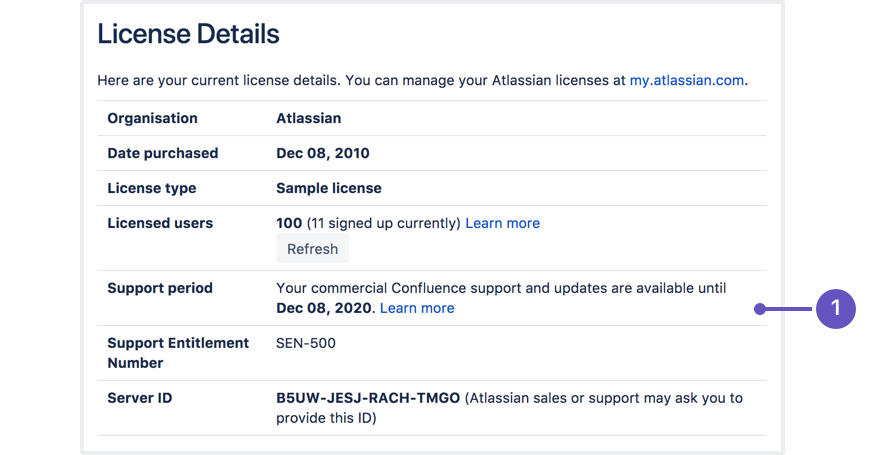
- Note that you need current software maintenance to perform the upgrade.
- Confirm that your license support period is still valid before you try to upgrade.
- If your current license has expired but you have a new license with you, please update your license in Confluence before performing the upgrade.
If you forget to do this and your license has expired, you will receive errors during the upgrade process. Refer to the instructions on upgrading beyond current license period. - Check the release notes for the new version of Confluence you are installing, plus the upgrade notes for any major versions you are skipping. It is important to read these upgrade notes as there might be specific changes between Confluence versions that could affect your Confluence instance. The upgrade notes pages for recent major versions of Confluence are accessible from the Upgrade Notes Overview page. (Each upgrade notes page is a 'child' of its respective release notes page.)
- Make sure that your environment (e.g. the database system, the operating system, the application server and so on) still complies with the Confluence System Requirements. A newer version of Confluence may have different requirements than the previous version.
- If you are using Confluence EAR-WAR edition, check Installing the Confluence EAR-WAR Edition to see if there is anything extra you will need to do to get Confluence running.
- If you are using an external database, familiarise yourself with all known issues for your specific database. Also make sure the Confluence database connector principal (the database user account) has sufficient permissions to modify the database schema.
- Note which plugins are installed and enabled on your current Confluence instance. Please verify whether a compatible version of the plugin is available in the version of Confluence you are upgrading to. This information is available via the 'Plugins' menu in your Administration screens, and selecting Confluence Upgrade Check. This will tell you which plugins have an updated version which is compatible with your target upgrade version. You can also check the respective home pages for these plugins on the Atlassian Plugin Exchange. Once you have confirmed the availability of compatible versions, you should upgrade your plugins after successfully upgrading Confluence. Please test these first by applying them to the latest Confluence version in a test environment.
- If you have made any customisations to Confluence, please verify their compatibility in the latest version. For example, if you have modified any layouts or are using your own custom theme, please test these first by applying them to the latest Confluence version in a test environment. You can see the customisations applied to your Confluence installation.
- Some anti-virus or other Internet security tools may interfere with the Confluence upgrade process and prevent the process from completing successfully. If you experience or anticipate experiencing such an issue with your anti-virus/Internet security tool, disable this tool first before proceeding with the Confluence upgrade.
Backing Up
Before you begin the Confluence upgrade, you must back up the following:
- Back up your Confluence Home directory. The Confluence Home directory is the folder where Confluence stores its configuration information, search indexes and page attachments. If you are using the embedded HSQLDB database supplied for evaluation purposes, the database files are also stored in this directory.
Tip: Another term for 'Home directory' would be 'data directory'. The location of the Home directory is stored in a configuration file called confluence-init.properties, which is located inside theconfluence/WEB-INF/classesdirectory in your Confluence Installation directory.
The Confluence installer will automatically prompt you to run a backup, storing the files in a .zip archive at the same level as your Confluence Home directory. - Back up your database. Perform a manual backup of your external database before proceeding with the upgrade, and double check that the backup was actually created properly. If you are not a database expert, or unfamiliar with the backup-restore facilities of your database, simply restore the backup to a different system to ensure the backup worked before proceeding. This recommendation is generally a good best practice. Surprisingly, many companies get in trouble for broken database backups because they skip this basic but vital "smoke test" of the operation.
The 'embedded database' is the HSQLDB database supplied with Confluence for evaluation purposes. You don't need to back it up since it is stored in the Confluence home directory. You should not be using this database for production systems at all, so if you happen to be using HSQLDB in a production system, please migrate to a proper database before the upgrade. Read about the various shortcomings of HSQLDB. - Back up your Confluence Installation directory or your Confluence webapp (if you are using Confluence EAR-WAR edition).
The Confluence installer will automatically back up these files, storing the files in a .zip archive at the same level as your Confluence installation directory. The 'Confluence Installation directory' is the directory into which the Confluence application files and libraries have been unpacked (unzipped) when Confluence was installed. Confluence does not modify or store any data in this directory. This directory is also sometimes called the 'Confluence Install directory'.
Testing the Upgrade in a Test Environment
| Be sure to test the upgrade in a test environment before proceeding on your production server. |
1. Create a snapshot of your current production Confluence environment on a test server, as described in the page on Moving Confluence Between Servers.
| XML imports
|
2. Perform the upgrade on your cloned environment.
3. Test all your unsupported plugins and any customisations with the new version before proceeding on your production server. You can read more about supported and unsupported plugins.
RELATED TOPICS
Upgrade Overview
The upgrade feature of the Linux and Windows Installers automates the following tasks for you:
- Backs up the Installation and Home Directories of the existing Confluence installation to be upgraded.
- Installs Confluence 4.1.x whilst migrating the following from your existing Confluence installation to the new Confluence 4.1.x installation:
- TCP port values in your existing Confluence installation's
server.xmlfile.
Be aware that other configurations or customisations in this file are not migrated during upgrade, and will need to be re-applied. - Custom values in your existing Confluence installation's
confluence-init.properties(confluence.home property) andsetenv.sh/setenv.batfiles (JAVA_OPTS parameters)
- TCP port values in your existing Confluence installation's
The upgrade feature detects and notifies you of any files in the confluence subdirectory of your existing Confluence Installation Directory which have been deleted, added or modified from a 'default' Confluence installation. This informs you of any customisations you will need to migrate manually over to your upgraded Confluence installation directory. Note that modifications to files in directories other than confluence will not be detected when you upgrade to Confluence 4.0, for example any modifications to start-up scripts under the bin directory will not be detected. The next time you upgrade (e.g. to version 4.0.1) the the upgrade feature will cover modifications across the whole Confluence Installation Directory.
Please Note:
- The upgrade process requests that you conduct a backup of your database using your database's backup utilities. If your database does not support online backups, you can stop the upgrade process, shut down Confluence, perform your database backup and then restart the upgrade process to continue on.
- If you have made customisations to your
server.xmlfile or any other files in your Confluence installation directory which are not handled by the upgrade wizard, these must be re-applied manually. - If your attachments and index files are located outside your Confluence Home Directory, then backups of these directories must be performed manually.
Performing the Upgrade
Refer to the appropriate upgrade instructions below for your operating system:
Upgrading Confluence on Windows
- Download the Confluence 'Windows Installer' (.exe) file (for the new version of Confluence) from the Confluence Download Center.
- Run the '.exe' file to start the upgrade wizard.
If a Windows 7 (or Vista) 'User Account Control' dialog box requests if you want to allow the upgrade wizard to make changes to your computer, specify 'Yes'. If you do not, the installation wizard will have restricted access to your operating system and any subsequent installation options will be limited. - At the 'Upgrading Confluence?' step, choose the 'Upgrade an existing Confluence installation' option.
- In the 'Existing Confluence installation directory' field, specify the Confluence Installation Directory of your Confluence installation to be upgraded.
The upgrade wizard will attempt to find an existing Confluence installation and use its location to pre-populate this field. However, always verify this location, particularly if you have multiple Confluence installations running on the same machine. - During subsequent steps of the upgrade wizard, you will be prompted to specify or do the following options:
- At the 'Back up Confluence directories' step, ensure the 'Back up Confluence home' option is selected. This creates 'zip' archive file backups of your existing Confluence Installation and Confluence Home Directories in their respective parent directory locations.
Please Note:- Choosing this option is strongly recommended!
- At this point, the upgrade wizard notes any customisations in your existing Confluence Installation Directory which it cannot automatically migrate to your upgraded Confluence installation. If you are notified by the installer about any files containing such customisations, please make a note of the locations of these files as you will need to manually migrate their customisations (which are not mentioned in the overview above) to your upgraded Confluence installation. One relatively common customisation that the upgrade wizard cannot automatically migrate is an SSL configuration defined in the
conf/server.xmlfile of the Confluence Installation Directory.
Please Note: when upgrading from the version that was not installed by the installer the customisations can only be detected in the confluencesubdirectory of your existing Confluence Installation Directory. Modifications to files in directories other thanconfluencewill not be detected when you upgrade, for example, modifications toconf/server.xml. However the next time you upgrade (e.g. to version 4.1.1) the upgrade feature will cover modifications across the whole Confluence Installation Directory. - At the 'Upgrade Check List' step, back up your external database and check that any non-bundled plugins will be compatible with your upgraded Confluence version. You may have already conducted the latter (in step 5 of the Before You Start section above).
- Upon clicking 'Next', your existing Confluence installation will be shut down if it is still running. The upgrade wizard will then:
- Back up your existing Confluence installation.
- Delete the contents of the existing Confluence Installation Directory.
- Install the new version of Confluence to the existing Confluence Installation Directory.
- Starts your new (upgraded) Confluence installation.
If you noted any files that contain customisations which must be migrated manually to your upgraded Confluence installation (above), then:- Stop the upgraded Confluence installation.
- Migrate the customisations from these files into the upgraded Confluence Installation Directory.
- Restart the upgraded Confluence installation.
- At the 'Back up Confluence directories' step, ensure the 'Back up Confluence home' option is selected. This creates 'zip' archive file backups of your existing Confluence Installation and Confluence Home Directories in their respective parent directory locations.
- At the last step of the upgrade wizard, select the option to launch the upgraded Confluence installation in a browser so you can check the upgrade.
Congratulations, you have completed upgrading your Confluence installation on Windows!
Upgrading Confluence on Linux
- Download the appropriate Confluence 'Linux 64-bit / 32-bit Installer' (.bin) file that suits your operating system (for the new version of Confluence) from the Confluence Download Center.
- Open a Linux console and change directory (
cd) to the '.bin' file's directory.
If the '.bin' file is not executable after downloading it, make it executable, for example:
chmod a+x atlassian-confluence-X.Y.bin
(where X.Y represents your version of Confluence) - Execute the '.bin' file to start the upgrade wizard.
- When prompted to choose between creating a new Confluence installation or upgrading an existing installation, choose the 'Upgrade an existing Confluence installation' option.
- Specify the Confluence Installation Directory of your Confluence installation to be upgraded.
The upgrade wizard will attempt to find an existing Confluence installation and will provide its location as a choice. However, always verify this location, particularly if you have multiple Confluence installations running on the same machine. - During subsequent steps of the upgrade wizard, you will be prompted to specify or do the following options:
- Choose the option to back up Confluence's directories. This creates 'zip' archive file backups of your existing Confluence Installation and Confluence Home directories in their respective parent directory locations.
Please Note:- Choosing this option is strongly recommended!
- At this point, the upgrade wizard notes any customisations in your existing Confluence Installation Directory which it cannot automatically migrate to your upgraded Confluence installation. If you are notified of any files containing such customisations, please make a note of the locations of these files as you will need to manually migrate their customisations (which are not mentioned in the overview above) to your upgraded Confluence installation. One relatively common customisation that the upgrade wizard cannot automatically migrate is an SSL configuration defined in the
conf/server.xmlfile of the Confluence Installation Directory.
Please Note: when upgrading from the version that was not installed by the installer the customisations can only be detected in the confluencesubdirectory of your existing Confluence Installation Directory. Modifications to files in directories other thanconfluencewill not be detected when you upgrade, for example, modifications toconf/server.xml. However the next time you upgrade (e.g. to version 4.1.1) the upgrade feature will cover modifications across the whole Confluence Installation Directory.
- At the 'Upgrade Check List' step, back up your external database and check that any non-bundled plugins will be compatible with your upgraded Confluence version. You may have already conducted the latter (in step 5 of the Before You Start section above).
- Upon proceeding, your existing Confluence installation will be shut down if it is still running. The upgrade wizard will then:
- Back up your existing Confluence installation.
- Delete the contents of the existing Confluence installation directory.
- Install the new version of Confluence to the existing Confluence installation directory.
- Starts your new (upgraded) Confluence installation.
If you noted any files that contain customisations which must be migrated manually to your upgraded Confluence installation (above), then:- Stop the upgraded Confluence installation.
- Migrate the customisations from these files into the upgraded Confluence Installation Directory.
- Restart the upgraded Confluence installation.
- Choose the option to back up Confluence's directories. This creates 'zip' archive file backups of your existing Confluence Installation and Confluence Home directories in their respective parent directory locations.
- The last step of the upgrade wizard provides you with a link to launch the upgraded Confluence installation in a browser, so you can check the upgrade.
Congratulations, you have completed upgrading your Confluence installation on Linux!
Upgrade Check List
The upgrade wizard requests that you perform the following tasks before it actually commences the upgrade of your existing Confluence installation.
Back Up Your External Database
Perform a backup of your external database (using your database's native backup tools) and verify that the backup was created correctly.
- If your database's native backup tools support 'online backups' (i.e. which would typically create a 'snapshot' of your Confluence database while the database is still in use), you can leave the upgrade wizard running while you perform the database backup and then continue on with the wizard after verifying that the database backup was created correctly.
- If your database's native backup tools do not allow you to perform an 'online backup' of your Confluence database, you should:
- Quit the upgrade wizard now.
- Use your database's native backup tools to perform an 'offline backup' of your Confluence database and verify that this backup was created correctly.
- Re-run the Linux / Windows Installer to start the upgrade wizard again and continue from where you left off.
- If you are using HSQLDB as the Confluence internal database, please note that this should be used for evaluating Confluence only. If you happen to accidentally use the HSQLDB database for a production system, quit the upgrade wizard now and use the Migrating Confluence Between Servers procedure to upgrade Confluence.
Inconsistent database backups may not restore correctly! If you are unfamiliar with your database's native backup/restore facilities, then test your database backup's integrity by doing the following:
1. Restoring the database backup to a different (test) system,
2. Connecting a test instance of your current Confluence version to this restored database.
Alternatively, use the Migrating Confluence Between Servers procedure to upgrade Confluence instead.
Check Plugin Compatibility
If you have installed any 3rd-party Confluence plugins (i.e. not included in Confluence), please verify that they will be compatible with the version of Confluence you are upgrading to. You can find a plugin's compatibility information from the the plugin's home page on the Atlassian Plugin Exchange. Once you have confirmed the availability of compatible versions, you should upgrade your plugins after successfully upgrading Confluence. This can be done by navigating to Browse > Confluence Admin > Configuration > Plugins.


66 Comments
Hide/Show CommentsSep 14, 2011
Michael Harris
The anchor links within this page beyond the TOC are pointing to JIRA related articles, and not the correct anchors within this page.
Sep 20, 2011
Edwin Dawson [Atlassian Technical Writer]
Thanks for your feedback, we've corrected the page.
Best Regards,
Edwin Dawson
Technical Writing Team Leader
Atlassian
http://www.atlassian.com
Sep 19, 2011
Anonymous
My 3.5 version is installed in C:\Program Files\Atlassian\Confluence. When upgrade to 4.0, the installer always prompt that the install directory cannot be a sub-directory. I need to relocate the 3.5 to other directory to complete the upgrade. Please check.
Sep 20, 2011
Edwin Dawson [Atlassian Technical Writer]
Your confluence-home directory cannot be under your installation directory. Is this the configuration you have currently?
If so, please contact our support team.
I hope this helps.
Best Regards,
Edwin Dawson
Technical Writing Team Leader
Atlassian
http://www.atlassian.com
Sep 20, 2011
Anonymous
I don't want to rant, but what's the point of a semi automatic updater?
E.g. this:
If I have to migrate other settings manually (which I think a lot of us will have to), I might as well adjust the port as well because I have to edit the file anyway. Chances are, I'll just replace the whole tag if other changes were made as well (IP bind for example).
It's nice Confluence detects, what was changed/deleted/what ever but if it can detect the changes, why not go one more step and migrate them as well?
An automatic upgrade would be an excellent feature which'd save a lot of time. But as it is now, it seems pretty useless to me. I just have a hard time believing that this upgrade function does the trick for anyone who uses Confluence for professional purposes.
Sep 20, 2011
Anatoli Kazatchkov
Hi,
I understand the frustration with not handling the customisations of
server.xml. It is actually technically very challenging to come up with a good solution to the problem. Here are the reasons for the approach we have taken:server.xmldepend on external files that don't get copied during migration (e.g. ssl certificate file if he lives inside the installation directory.There is a discussion for the approach we took in this issue (it's JIRA's issue, but we take the same approach as in confluence.
Sep 20, 2011
Anonymous
Thanks a lot for your explanation! I hope I didn't offend any of you. In general, I'm very pleased with Atlassian products and will surely also use them in the future.
I really just wondered why the upgrade feature just took some of the settings and let it up to me, to do the rest anyway. But now it makes perfect sense.
Thanks again!
Oct 27, 2011
Anonymous
To follow up on the automated upgrade and its shortcomings:
The handling of the system user / file system permissions of the upgrade tool is not exactly what i'd expect - and far from best practice on Linux.
While Jira seems to completely ignore permissions and just runs tomcat as root, Confluence did start tomcat with a (random?) uid 1506.
The installer also changed all relevant files to be owned uid 1506.
If you actually make use of a non-privileged user (which is a good thing in general and IMO quite mandatory when running things in production) - why not allow the administrator to specify the uid at least?
Choosing a random UID and chowning files (also making them world-readable, etc) is unnecessary.
Aside from that the upgrade went fine - I just had to adjust the usual tomcat config (port, AJP connector, disable http, ..) and the filesystem permissions in some places and some modifications in the start scripts.
Sep 21, 2011
Anonymous
I get the error "Unable to determine location of the home directory. 'confluence.home' was not found inside confluence-init.properties.".
What exactly means it? My confluence.home is defined in this file as "confluence.home=/volume1/@atlassian/application-data/confluence".
When I remove the definition of confluence.home, I get the error "An error occurred when parsing your installation directory. Unfortunately the installer will be unable to continue with the automated upgrade".
I'm sorry if these are stupid questions, but I'm really new at this.
Sep 21, 2011
Anatoli Kazatchkov
Hi,
During the upgrade the upgrader expects to find a location of the home directory defined as
in the
<INSTALLATION-DIR>/confluence/WEB-INF/classes/confluence-init.properties. It needs it to make the backup of the home directory. If it cannot find it it shows the error that you see. It seems like in your case the behavior is not what it is supposed to be (you might be hitting a bug?). Can you please raise a support issue and we will help you to find out what is happening. Please attach your originalconfluence-init.propertiesfiles to the issue you create (we will try to reproduce the problem locally.Sep 21, 2011
Anonymous
Hi,
I can only find a X64 Linux bin, will there be a x32 one released?
Sep 21, 2011
Kari Kauppinen
Above the Green download button is a link Show all. If you click that it shows also 32-bit download.
Sep 21, 2011
Tom Winter
I just performed an upgrade of my Confluence 3.5.9 to 4.0 on my Windows Server 2008 64-bit Standard using SQL Server 2008 R2. I had my Confluence/Tomcat configured to start as a Windows service. At the end of the install, the DOS-box looking Tomcat window appeared in order to start Tomcat rather than it being started by the service. Not a big deal, as it may be hard for your installer to know I have it setup as a service.It would be nice to add a note in your installation instructions that the Tomcat window will start, and then what to do if you normally use it as a service.
More concerning to me though is that in the Tomcat window it showed a bunch of messages with "WARNING" and I have no idea if those matter (knowing nothing about Tomcat as I do). Things like:
2011-09-21 10:35:09,486 WARN [main] [atlassian.config.xml.AbstractDom4jXmlConfigurationPersister] saveDocumentAtomically Unable to move D:\Confluence\data\confluence.cfg.xml8782173538950445122tmp to D:\Confluence\data\confluence.cfg.xml. Falling back to non-atomic overwrite.Should I ignore all that stuff? A note in the instructions about this would be good.
I does look like the upgrade went find though. 4.0 seems to be working well. Thanks!
Sep 21, 2011
Anatoli Kazatchkov
Hi Tom,
Thanks for your feedback. You can safely ignore the warning you mentioned it is harmless.
As for the service not being automatically detected - you are right it is just difficult for us to figure it out when we do the upgrade. The experience is much smoother for users who would install 4.0 and then upgrade forward to 4.0.x(and later versions). During the installation we ask if you want to install confluence as a service and when we upgrade we honor the original decision and start confluence accordingly. Unfortunately in your case (i.e. when upgrading from pre 4.0 versions) you will have the non-ideal behavior even when upgrading forward. On a plus side the old service should still work as it points to the file that now starts the newer version.
Sep 22, 2011
Tom Winter
Thanks. I was going to suggest just that behavior for 4.0 --> 4.0.x.
Jan 05, 2012
Tim Moore
I had this as well. It didn't occur to me initially that i'd need to remove the service and re-install it. A note in there would certainly have saved me an hours worth of panicking !!
Sep 21, 2011
Tom Winter
Is there a way to "upgrade" the demonstration space? I renamed it to "tutorials" for my users, but after upgrading from 3.5 to 4.0, it doesn't exactly match how things work now.
Sep 21, 2011
Mark Hrynczak [Atlassian]
The updated demo space gets installed on a new install of Confluence 4.0. You best option would be to:
Hope that works for you,
Cheers,
Mark
Sep 22, 2011
Tom Winter
Good idea. Thanks! I'll give it a try.
Sep 21, 2011
Kari Kauppinen
I had Oracle jdbc driver in <INSTALL>/lib. It didn't get copied into the new <INSTALL>/lib directory.
Should the jar be in the
<confluence install>/WEB-INF/lib?http://confluence.atlassian.com/display/CONF35/Database+Setup+for+Oracle#DatabaseSetupforOracle-ConfiguringConfluenceDatasourceAccess
Sep 21, 2011
Anatoli Kazatchkov
Hi Kari,
Thanks for your comment, we should warn people who use oracle that on upgrade they need to copy over the drivers to the new installation.
Unfortunately Oracle is a special case because we don't bundle Oracle drivers that's why they are not in
WEB-INF/lib. During the upgrade we don't move over any added files to the new installation and in case of oracle it would mean that confluence wouldn't be able to connect to a db.We try to warn people in general case by showing the list the customisations ( we mention it in the documentation - step 5 b) and ask to move them manually.
Sep 29, 2011
Chris Tybur
I performed the 3.5.5 -> 4 upgrade on a staging server and it worked fine. However, the installation directory is named the same as before, which is 'confluence-3.5.5-std'. Is it possible to safely rename that directory after the fact to something like 'confluence-4-std', or maybe even 'confluence-std'?
Note: I'm running it on Windows 2008 as a service, and I know I would need to uninstall/reinstall that part of it. I'm mostly worried about Confluence having that path stored somewhere in its configuration.
Sep 29, 2011
Anatoli Kazatchkov
Hi Chris,
Yes it is possible to safely rename the directory as long as you change everything that points to it to point to the new directory. As you mentioned - service is probably the most important but you might also have menu items or shortcuts. It is a good idea to make a name without a version so that the next time you upgrade you don't have to go through the renaming again.
Some background on why installer doesn't change the name automatically:
Jan 04, 2012
Jeff Guthrie
Where are all the spots we would need to change the directory name? Thanks!
Sep 29, 2011
Anonymous
HI,
I want to upgrade confluence 3.5.5 to 4 on SunOS (64bit). Is there an upgrade utility to do this or will I have to upgrade manually?
Thanks
Sep 29, 2011
Anatoli Kazatchkov
Hi,
You will have to upgrade manually. The upgrade utility bundles(and uses) jre that will not work on SunOS.
Oct 05, 2011
Maghiel Dijksman
This is a bit confusing. I first was in the believe the installer/upgrader was still searching for other paths. After the process was idle for some time, i decided to enter the installation path, and the upgrade process continued. Might be an idea to prompt the user (by example: "Is this path correct? Hit enter to use the path specified or enter another path") in future versions.
Oct 05, 2011
Maghiel Dijksman
And another issue:
The installer/upgrader did nothing for about 10 minutes. I decided to hit enter, and suddenly the whole procedure continued.
Oct 05, 2011
Anatoli Kazatchkov
Hi Maghiel,
Thanks for your feedback and suggestions. The progress indicator for the command line installer is definitely a good idea, it will make the process easier to follow. The indicator will probably solve the initial confusion too (with the directory location) - it will be clear that unless the process shows it is in progress then it is waiting for user input.
Oct 10, 2011
Anonymous
Hi
Environment: linux, confluence 3.5.3, Oracle as backend data base
We do nightly backups to XML. To test 4.0, we did the normal manual
unpack and restored from XML backup to a clean database and clean
confluence_home. Other than a few minor hiccoughs, this seems to be
working well.
However, the notes above mention that this is not the recommended
aproach. Is there a particular reason?
Cheers
Mark
Oct 13, 2011
Anatoli Kazatchkov
Hi Mark,
The only reason we recommend the automated upgrade is because it is easier and less error prone in most cases. If manual upgrade works for you better then you can safely continue with that.
Oct 13, 2011
Anonymous
How to set this as a service again?
I upgraded to version 4.0
In older version I used the bat files in the Bin directory but I cant seem getting it to work like that anymore.
So how do I get the upgraded 4.0 version to run as a service again?
Oct 13, 2011
Anatoli Kazatchkov
Hi,
it should still be possible to install windows service as described here: Start Confluence Automatically on Windows as a Service (delete your old service first though). If you still have problems with it, please contact support and they will help you out.
Oct 19, 2011
Anonymous
Upgrading from 3.5.6 Standalone to 4.0.3 Standalone always ends with
Your server id is: sadfkjhfjaflsfh
No Exception.
PostgreSQL 9.0.3 on x86_64-unknown-linux-gnu, compiled by GCC gcc (SUSE Linux) 4.5.1 20101208 [gcc-4_5-branch revision 167585], 64-bit
Re-Import of spaces denied because of major version steps.
Which "logs" give answers and what is the solution for paying customers?
Oct 19, 2011
Mark Hrynczak [Atlassian]
Raise a support ticket at https://support.atlassian.com. They will guide you through the steps to figure out what the problem is.
Also see Working with Confluence Logs.
Oct 25, 2011
Felipe
I'm upgrading from 3.4.2, to 4.0
However, I first upgraded to 3.5.13 to make the eventual leap to 4.0 an easy (easier) process. I'm using an external Oracle 11g DB hosted on another box within LAN.
I changed the settings in ../conf/server.xml
I don't have custom plugins, themes, etc. Just the stock standard defaults.
I'm getting the following error: (XXXX to hide information). I am about to re-try the upgrade...
ps - should I upgrade to 3.5.0 (not 3.5.13) and then, if successful, upgrade to 4.0?
Thanks
---
Confluence
You cannot access Confluence at present. Look at the table below to identify the reasons.
Your server id is: XXXX-XXXX-XXXX-NJYX
This page will automatically update every 60 seconds.
Oct 25, 2011
Anatoli Kazatchkov
Hi Felipe,
It is difficult to see what went wrong. Can you please contact support and they will help you with the upgrade problem? Please attach the log files to the case you create.
Oct 26, 2011
Anonymous
We have 3.0.1 installation, are you recommending us to upgrade to first 3.5 and then to 4.0 ?
Can someone please confirm.
Dec 13, 2011
Anatoli Kazatchkov
Yes, you should first upgrade to the latest 3.5.x and then to 4.0. See our upgrade notes.
Nov 03, 2011
Anonymous
I'm upgrading from Confluence 3.5.7 to 4.0 but i always get an error.
Any ideas how to solve it?
Nov 03, 2011
Anatoli Kazatchkov
Hi, can you please contact support and we will help you out with this problem.
Nov 04, 2011
Anonymous
Ok! I'll do that. Thank you!
Nov 10, 2011
Anonymous
Hello,
I just ran a 3.5.6 -> 4.0 upgrade. All went fine, but when I restarted Confluence it is asking me again for the license and the type of server I want to setup. Aren't the license and the configuration transported from one version to the other
I had no customization, and the only file changed (as reported even in the modifications file) is confluence/WEB-INF/web.xml. Strangely enough, I had the server.xml modified as well, that was just substituted with the standard one and
no warning has been given.
I feel happy that it is running in a VMware virtual machine, so I can quickly roll back
thanks!
Nov 10, 2011
Anatoli Kazatchkov
Hi
You are right, when upgrading to 4.0 we cannot check for modifications to files outside
confluencesub directory. This limitation would not apply the next time you upgrade. We mention this fact in our documantation:Nov 25, 2011
Tin Pham
I suggest a link in the introduction to the manual method of upgrading Confluence using the tar file.
Dec 07, 2011
Anonymous
I'm doing some studies due to a soon-to-be rollout of confluence (if things like upgrading and migration goes well...) We will use Linux/Postgres in production environment, but for evaluation purposes I'm on Win32.
When upgrading from 3.5.13-evaluation (standalone) to 4.0.5-x32 (standalone) the installer quits with error dialog box showing something similar to "Not a valid directory". There's no way to continue from here.
I have one 4.0.5-x32 installation in C:\Confluence (and C:Confluence-Data) and now I was testing upgrading from 3.2 to 4.0.5 in a separate catalog C:\ConfluenceTest (yes, via subsequent upgrades to 3.3, 3.4 and 3.5 respectively - this hurts...). And the final upgrade from 3.5 to 4 failed.
Any hints?
Dec 07, 2011
Anatoli Kazatchkov
Hi,
I understand you get this message:
This message is shown when the upgrader cannot recognize the structure of the installation directory. In particular we are looking for
confluencesubdirectory inside the installation directory and if we cannot find it we show this message. In your case the upgrader expects to seeC:\ConfluenceTest\confluence.You can always fall back use the manual upgrade method to upgrade from 3.5 to 4.0 (the same steps as you used to upgrade from 3.4 to 3.5).
You might want to contact support - they will help you with the upgrade.
Dec 14, 2011
Tin Pham
Hi,
This is just my personal experience, if you are using Linux and have an experienced admin then use the tar.gz manual install instead. In Unix/Linux most good software is built independent of the OS.
An experienced Unix admin will be able to setup a non-privileged user, some symbolic links and make Confluence pretty much independent of the OS with alot more flexibility in the future.
For example, to upgrade from Confluence 3.5.5 to 4.1, I spent 20 minutes to read about the slight differences and quickly performed the upgrade in Staging. After that moving to say Production would simply be a matter of TARing the Confluence directory in IST and unTARing it to Production, launch Confluence and update the plugins.
Dec 12, 2011
Felipe
I have manually upgraded my test environment from 3.4.2, to 3.5, to 3.5.13, to 4.0 over the course of a few days. In my production environment, is it possible to upgrade from 3.4.2 to 4.0 (manually)? This will save me much time ...
Dec 13, 2011
Anatoli Kazatchkov
Hi Filipe,
In our upgrade notes we specify what versions you cannot 'skip' when upgrading. In your situation you would need to do 3.4.2 to 3.5.13 and then to 4.0 upgrade.
Dec 13, 2011
Anonymous
Upgrade from 3.5.9 to 4.1 on Windows with an SQL Server database, and LDAP integration was very smooth except it wasn't clear from the upgrade process or instructions on whether or not the old service definition could be re-used, or if it was necessary to re-create a new service.
Dec 23, 2011
Frederic Iterbeke
At the top of this page, the first blue section says: 'Upgrading to Confluence 4.0? If so, please review the Confluence 4.1 Release Notes for important information about this version of Confluence.' Shouldn't that be: Upgrading to Confluence 4.1? Since the link refers to the release notes for that version... Or am I missing something here?
More of this kind of confusing numbering: in the section 'Upgrade Overview' the following sentence 'The next time you upgrade (e.g. to version 4.0.1) the the upgrade feature will cover modifications across the whole Confluence Installation Directory.' should be 'The next time you upgrade (e.g. to version 4.1.1) the
theupgrade feature will cover modifications across the whole Confluence Installation Directory.' imho.Jan 02, 2012
Anatoli Kazatchkov
Well caught, Frederic! I have changed the page.
Dec 30, 2011
Anonymous
Hi
I just upgraded from 3.5.7 to 4.1 and everything seems to work fine except I cannot edit pages. The only thing that shows up is the breadcrumb and the title field, everything below is completely missing. However if I create a new page, edit works fine.
I did an inspection of the page html and it seems that all the proper editor html tags are missing. Any idea what is causing this?
/Jacob
Jan 02, 2012
Anatoli Kazatchkov
Hi Jacob,
Can you please raise a support issue and we will help you out. It is difficult to say what might be causing the problem without additional info/investigation.
Jan 04, 2012
Jay Mackey
I know this is generally a 'no-brainer' in IT circles, but there should probably be a note in the install instructions or a check-list item in the installer that anti-virus programs must be paused or disabled during installation when using the installer. Kapersky thinks the installer is trying to establish remote control, and terminates the process and quarantines the file.
Jan 10, 2012
Anonymous
Just successfully performed an upgrade from 3.5.5 -> 4.1.2 using the guided install, although not without some hiccups.
We use MS SQL, and our standard server config has the "no count" option enabled. As you know, all Atlassian apps require "no count" to be disabled; and as this is a global server-wide setting, we use a customised version of the open source jTDS driver to which we've added the ability to disable the no count option on a per connection basis.
The problem is that after the guided install wipes the Confluence install directory and installs the new version (which includes a bundled jTDS driver, sans this customisation); it immediately starts Confluence and proceeds with the upgrade routine. The db schema changes applied as part of this upgrade process ultimately fail (presumably due to the "no count" option being enabled). To resolve, I had to shutdown Confluence, restore the database and home directories to their pre-upgrade state, copy over our customised jTDS driver, and restart Confluence (which re-ran the db schema upgrade process; this time successfully).
I realise that the guided install is intended for vanilla environments, but I think it would be useful to provide a checkpoint (ie. user prompt) after the installation files have been copied, and before Confluence is started (eg. "Start new Confluence? [y, enter]). This would provide an opportunity for any customised files (already identified by the installer) to be copied/modified before the upgrade continues.
Jan 12, 2012
Anatoli Kazatchkov
Hi,
Thanks for your feedback. Several people asked for this feature so I created a ticket for it to gauge how many people it would help. If the ticket gets enough votes for we will implement the feature.
Jan 12, 2012
Anonymous
Unfortunately I am still on confluence 3.0.1 do I have to upgrade to 3.5 before I go to 4.1?
Jan 12, 2012
Anatoli Kazatchkov
Hi,
Yes, you would still need to upgrade to 3.5 first. Upgrade notes list the reason for such a hop.
Jan 18, 2012
Anonymous
I have installed/upgraded using the Standalone version for a few years now. What is the difference between the Standalone version and the Windows Installer version from an installation stand point? I am currently using version 3.5.9. For my next upgrade, can I use the Windows Installer version to make the installation easier for myself?
Jan 18, 2012
Anatoli Kazatchkov
Hi
The installer takes care of most manual steps that you otherwise would have to perform. E.g. when installing it sets the location of home directory in the right file, it is distributed with jre so you don't have to download/install it, it lets you change port numbers, it automatically creates windows service if you ask it to.
The same executable can also be used for upgrade and it will backup all relevant directories, extract the new files will check if you have customised things and will let you know if you have to re-apply customisations manually.
Jan 18, 2012
Anonymous
We are currently running confluence 3.3 with very little customisation other than LDAP integration and HTTPS implementation.
We are looking to upgrade to the latest version of Confluence but also move it to another server. Would it be possible to do an export of the 3.3 data then import to a clean install of Confluence 4.1.x?
We are also looking at doing the same with JIRA, moving from 4.1.2 to 4.4.x.
Is this advisable?
Jan 18, 2012
Anatoli Kazatchkov
Hi,
Depending on the size of your Confluence you might be able to perform upgrade exporting the data from 3.3 and then importing to 4.1.x. Keep in mind that only data will be preserved but not some of the settings or installed plugins.
If you have a larger instance we generally recommend following manual steps (where you backup db and home directory manually and then configure the new version against the old home dir and pointing to the old db). The same applies to JIRA upgrade.
Jan 18, 2012
Anonymous
I attempted an upgrade from 4.0 -> 4.1.0.3. Should be a slam dunk right? Instead it says I have a customization to some file no one has ever touched. Then it cannot delete the home directory and so I have to ignore that to continue. Then it just fails to be able to delete some other file.
I mean you've gotta be kidding me. Please get your documentation straight so I don't have to waste my time like this. Thank goodness I use VMWare and took a snapshot of this thing so I don't have to piece it back together with your confusing documentation.
Oh, and I second the comment above about a semi-automatic installer. You might as well just tell us to use Beyond Compare or something and upgrade it that way so I can line by line choose to keep customizations where needed. The installer may be doing more harm than good here.
Do you need us to run the installer as admin or something? Is that why I got the error about not being able to delete the old home directory??
Jan 18, 2012
Anatoli Kazatchkov
Hi,
If you are on windows the most possible cause of 'it cannot delete the home directory' problem would be the fact that some other process has a file opened (or you simply view the directory in explorer). Windows does not allow the deletion if some other process holds on to a file descriptor.
We do recommend running with admin privileges but it is not necessary if you installed it previously as normal user. In any case it would tell you that you need to run as admin if it finds that it needs admin preventives.
Please contact support and we will help you out with our problems.
Add Comment