Search the Confluence 4.1.x Documentation:

Index
Downloads (PDF, HTML & XML formats)
Other versions

This documentation relates to Confluence 4.1.x
If you are using an earlier version, please view the previous versions of the Confluence documentation and select the relevant version.
Skip to end of metadata
Go to start of metadata

The Widget macro, or Widget Connector, allows you to embed multimedia content from other web sites into your Confluence page.

It supports content such as:

There are live examples of many of these on the widget examples page.

Using the Widget Connector

To add the Widget Connector to a page:

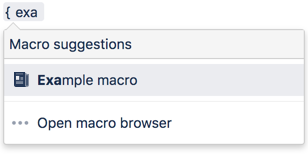
  1. In the Confluence editor, choose Insert > Other Macros.
  2. Find and select the required macro.

Parameters

When editing, you can click on the macro placeholder and choose Edit to display the parameters for this macro in the Macro Browser.

Parameters are options that you can set for Confluence macros to control the content or format of the macro output. The table below lists parameters for this macro that can be set in the Macro Browser.

Parameter

Description

Web Site's Widget URL

This is the URL provided by the external web site for embedding content from that web site onto another web page.

Pixel Height (Value Only)

Specify the height of the display, in pixels.

Pixel Width (Value Only)

Specify the width of the display, in pixels.

Live Example of Flickr Photos

This example displays all photos from Flickr with the tag 'Atlassian'. It uses this URL: http://www.flickr.com/photos/tags/atlassian/

Live Example of Google Gadget

This example lets you play with a Google Gadget, Gadzi's Monkey Virtual Pet. It uses this URL: http://www.google.com/ig/directory?synd=open&num=24&url=http://www.gadzi.com/gadgets/monkey.xml&output=html

More Examples of Macro Code

Google Gadgets

You need to find the URL for the Google Gadget you want to display.

Here is one way to find a gadget's URL:

  1. Go to the Google Gadgets directory.
  2. Find the gadget you want then click its name, such as 'Spider'.
  3. The gadget's summary page will open. Copy the URL from your browser's address bar. The URL looks something like this one:

You can also use the URL of the 'add gadget' page. The page is called 'Add "gadgetx" to your iGoogle page':

  1. There are a couple of ways to get to the 'add gadget' page:
    • Click a '+Google' button underneath the gadget when displayed on a page somewhere.
    • Or click 'Add Stuff' on your iGoogle page.
  2. Copy the URL from your browser's address bar. The URL would look something like this one:

Widgetbox widgets

You will need to find the URL for the Widgetbox widget you want to display.

Here is one way to find a widget's URL:

  1. Ensure you are logged in to Widgetbox and that you are viewing the Widgetbox Gallery.
  2. Find the widget you want then click its name, such as 'cyber-pet'.
  3. The widget's summary page will open. Within the Get Widget section, click the Atlassian Confluence icon . The Widgetbox Add to Confluence dialog box appears, containing the URL required for the Widget Macro.
    (info) If you cannot see this icon, click the more... link to reveal it.
  4. In the Widgetbox Add to Confluence dialog box, click Copy.
  5. Copy the URL from your browser's address bar. The URL looks something like this one:

YouTube

You will need to find the URL for the YouTube video that you want to display.

To find a YouTube video's URL:

  1. Go to YouTube and search for the video you want.
  2. Click the title of the video, such as 'Wikis in Plain English'.
  3. The video's summary page will open. Copy the URL from your browser's address bar. The URL looks something like this one:

MySpace Videos

You will need to find the URL for the MySpace video that you want to display.

To find a MySpace video's URL:

  1. Go to MySpace Video and search for the video you want.
  2. Click the title of the video, such as 'Glacier Creek Confluence Time Lapse'.
  3. The video's summary page will open. Copy the URL from your browser's address bar. The URL looks something like this one:

Yahoo Video

You will need to find the URL for the Yahoo video that you want to display.

To find a Yahoo video's URL:

  1. Go to Yahoo Video and search for the video you want.
  2. Click the title of the video, such as 'Wiki Technology Trend: Past, Now and Future'.
  3. The video's summary page will open. Copy the URL from the address bar of your browser. The URL looks something like this:

    (info) If you are unable to obtain a unique URL from your browser's address bar, click the envelope (Share) icon on the lower section of the video screen and copy the contents of the Link field.

Dailymotion Video

You will need to find the URL for the Dailymotion video that you want to display.

To find a Dailymotion video's URL:

  1. Go to Dailymotion and search for the video you want.
  2. Click the title of the video, such as 'Wiki Technology Trend: Past, Now and Future'.
  3. The video's summary page will open. Copy the URL from the address bar of your browser. The URL looks something like this:

    (info) If you are unable to obtain a unique URL from your browser's address bar, click Menu at the lower right section of the video screen, select URL & Embed Code and copy the contents of the Link field.

Episodic

You will need an Episodic user account if you want to create and distribute videos via Episodic.

To embed an Episodic video onto a Confluence page:

  1. Find the video and copy the URL from the address bar of your browser. The URL looks something like this:

  2. Paste the URL into the Web Site's Widget URL box in the Macro Browser.

Vimeo

You will need to find the URL for the Vimeo video that you want to display.

To find a Vimeo video's URL:

  1. Go to Vimeo and search for the video you want.
  2. Click the title of the video, such as 'The Wiki Show - Allison the Russian High Kicker'.
  3. The video's summary page will open. Copy the URL from the address bar of your browser. The URL looks something like this one:

Metacafe

You will need to find the URL for the Metacafe video that you want to display.

To find a Metacafe video's URL:

  1. Go to Metacafe and search for the video you want.
  2. Click the title of the video, such as 'Wikis In Plain English (How To)'.
  3. The video's summary page will open. Copy the URL from the address bar of your browser. The URL looks something like this one:

blip.tv

You will need to find the URL for the blip.tv video that you want to display.

To find a blip.tv video's URL:

  1. Go to blip.tv and search for the video you want.
  2. Click the title of the video, such as 'River cruising on the Rhine'.
  3. The video's summary page will open. Copy the URL from the address bar of your browser. The URL looks something like this one:

Viddler

You will need to find the URL for the Viddler video that you want to display.

To find a Viddler video's URL:

  1. Go to Viddler and search for the video you want.
  2. Click the title of the video.
  3. The video's summary page will open. Copy the URL from the address bar of your browser. The URL looks something like this one:

Flickr

You can embed a slide show of photos from Flickr by supplying a URL that specifies one of the following:

  • Photos with a specific tag.
  • Photos belonging to the photostream of a specific Flickr user.
  • A set of photos as defined by the Flickr user.
  • A user's photostream starting at a specific photo.

If you want to do something else, we suggest that you try any Flickr URL. It should work.

Below are some examples of the Widget macro code for embedding Flickr images.

Flickr Photos with a Specific Tag

This URL displays a slide show of Flickr photos that are tagged with the word 'Atlassian' http://www.flickr.com/photos/tags/atlassian/

Flickr Photos from a Specific User

This URL displays a slide show of photos from the Flickr photostream of user 'Atlassian': http://www.flickr.com/photos/atlassian/

Flickr Photos from a Specific Set

This URL displays a slide show of Flickr photos from the set 'Melbourne Cup - November 2008' created by user 'Atlassian': http://www.flickr.com/photos/atlassian/sets/72157608657271078/

A Specific Flickr Photo

This URL displays a slide show of photos from the Flickr photostream of the user 'Atlassian', starting with a specific photo: http://www.flickr.com/photos/atlassian/3003538919/

Skitch.com

You will need to find the URL for the Skitch image that you want to display.

To embed a Skitch image onto a Confluence page:

  1. Go to Skitch.com.
  2. Find the image and copy the URL from the address bar of your browser. The URL looks something like this:

Twitter

Use a Twitter link in the Widget macro to display a dynamic list of the latest tweets sent by a user or matching a Twitter search.

To display the latest messages from a Twitter user, add the user's Twitter link as the URL in the Widget macro.

This URL will display Mike Cannon-Brooke's Twitter messages: http://twitter.com/mcannonbrookes

To display the latest messages resulting from a Twitter search, add the Twitter search link as a URL in the Widget macro.

  • Make sure you use the supported format of the search URL:

    The following format is notsupported:

  • The '#' tag is not supported (not even in its URL-encoded form %23).

This URL will display the most recent tweets containing the word 'AtlassianDragons': http://search.twitter.com/search?q=AtlassianDragons

FriendFeed

To display the latest messages from a FriendFeed user, add the user's FriendFeed link as the URL in the Widget macro. For example:

BackType

To display the latest blog or website comments from a BackType user, add the user's BackType widget link as the URL in the Widget macro. For example:

SlideShare

You will need to find the URL for the SlideShare presentation that you want to display.

To find a SlideShare presentation's URL:

  1. Go to SlideShare and search for the presentation you want.
  2. Click the title of the presentation, such as 'Using JIRA & Greenhopper for Agile Development'.
  3. The presentation's summary page will open. Copy the URL from the address bar of your browser. The URL looks something like this one:

SlideRocket

You will need to find the URL for the SlideRocket presentation that you want to display.

To find a SlideRocket presentation's URL:

  1. Log in to SlideRocket and go to your library of presentations.
  2. Copy the 'web link' for the presentation you want to display. This will give you a URL that looks something like this one:

  3. Paste the URL into the Widget macro code on your Confluence page.

Scribd

You will need to find the URL for the Scribd presentation that you want to display.

To find a Scribd presentation's URL:

  1. Go to Scribd and search for the presentation you want.
  2. Click the title of the presentation, such as 'My Sea Friends Coloring Book'.
  3. The presentation's summary page will open. Copy the URL from the address bar of your browser. The URL looks something like this one:

  4. Paste the URL into the Widget macro code on your Confluence page.

Google Docs Presentations

You can embed presentations from Google Docs, but not other document types. You will need to find the URL for the Google Docs presentation that you want to display.

To find the URL of a Google Docs presentation:

  1. Publish your presentation in Google Docs.
  2. View your published document, then copy the URL from your browser's address bar. The URL will look something like this:

  3. Paste the URL into the Widget macro code on your Confluence page.

Google Calendar

You can embed a Google Calendar into your page and to do this, you will need to add the URL for the Google Calendar that you want to display.

To find the URL for a Google Calendar:

  1. Log in to Google Calendar.
  2. In the calendar list on the left side of the page, ensure the appropriate calendar is selected, click the down-arrow button next to the calendar name and then select the Calendar settings option.
    (Alternatively, if available, click the Manage Calendars link at the bottom of the calendar list and then click the name of the appropriate calendar.)
  3. In the Calendar Address section, click the HTML button. A pop-up message with your calendar's public URL appears.
  4. Copy the URL from this pop-up message. The URL looks something like this:

  5. Paste the URL into the Widget macro code on your Confluence page.

Wufoo HTML Form Builder

To display an HTML form built in the Wufoo HTML Form Builder, add the form's link as a URL to the Widget Macro. For example:

Dabble DB online database builder

To display a shared page built in Dabble DB, add the page's link as a URL to the Widget Macro. For example:

(info) The Widget Macro supports shared Dabble DB view and form pages. You can insert a Dabble DB data entry form into a Confluence page. On the same page or another page, you can use a a Dabble DB view to display data submitted via the form.

Get Satisfaction social support application

To display a feedback form for a Get Satisfaction community, add the community or company link as a URL to the Widget Macro. For example:

Troubleshooting

If the URL given in the Widget Connector macro does not work, the macro displays an icon and the base URL.

For example, the following code:

will result in an image like the one below:

example.com

Related Topics

Working with Macros

Take me back to the Confluence User's Guide.

  1. Dec 08, 2008

    How do you pass in/access google gadget user preferences?

    http://code.google.com/apis/gadgets/docs/reference.html#Userprefs_Ref

    Most of the interesting google gadgets require user configuration.
    For instance adding a bunch of world clocks for different timezones [http://www.google.com/ig/directory?url=www.ljmsite.com%2Fgoogle%2Fgadgets%2Fworldclocks.xml]

    Thanks,

    1. Dec 09, 2008

      Hi Martin,

      Thanks for your query. Unfortunately, Google Gadget user preferences are not currently supported.

      Best regards,

      Giles Gaskell
      Technical Writer
      ggaskell@atlassian.com
      ATLASSIAN - http://www.atlassian.com

  2. Dec 09, 2008

    Anonymous

    wow - this is amazing!!  I realize anything other than google-based presentations will not work.  Is support for the other google apps (i.e. google docs / spreadsheet / etc) being considered?  This would make confluence the essential platform as a communcations hub (well, even more than it is)!

    Andy

    1. Dec 20, 2008

      Hi Andy,

      The problem is getting the data from Google. So far they only provide widgets that allow for embedding presentations. As soon as other documents are supported by Google you can be sure that we will support them as well.

      Cheers,
      Jens

      1. Aug 07, 2009

        Hi Jens, Is google docs spreadsheet supported now? Its been 8 months since you posted your answer... hope it does already!

        1. Feb 24, 2010

          Hey Bailey,

          It looks like Google Docs Spreadsheet is working now with the Widget Macro. Give it a try (smile)

          Cheers
          JSashi

          1. May 06, 2011

            Anonymous

            Well - there's a small issue.

            Sometimes - the URL you get from google is something that starts with :

            http://*spreadsheet{*}1.google.com/something-something-something

            In this case - the widget will not work.

            However - it will work if you remove the "1" - i.e - manually change it to

            http://*spreadsheet*.google.com/something-something-something

            1. May 06, 2011

              Anonymous

              Wh...?

              Looks like the WYSIWYG of the confluence fiddles with what I wrote too much.

              Just change* in the URL *spreadsheet1 to spreadsheet (remove the 1, or whatever number you get there).

              O.

      2. Dec 12, 2010

        With the Google Docs Connector for Confluence, you can:

        • Embed, access, and navigate your Google Docs file directory, including sub directories, inside Confluence.
        • Preview files (without opening)
        • Open files (for edit)
        • Download a copy, locally
        • Embed any specific file stored in your Google Docs repository.

        Supported filetypes are:

        • GDOC Word or MS Office Docs
        • GDOC Spreadsheets or MS Excel
        • GDOC Presentations or MS Power Point
        • Adobe PDF documents

        Try it out!

  3. Jan 07, 2009

    Anonymous

    Is it possible to embed videos from my hard-drive, i.e. videos not currently on the web on any other pages?

    Thanks!

    Jill

    1. Jan 21, 2009

      Hi, Jill. Unless you set up an HTTP server or FTP server to access this file, this seems to be impossible at this moment.

  4. Mar 11, 2009

    Anonymous

    for some reason when i add any of the widgetbox macros in, they all show up with the gear box (the URL is copied straight from their site's button). Wondering if firewall could be blocking this? we are able to display the sample youtube and flickr ones on this page but not the others. could it be flash version issue?

    Any ideas?

    1. Apr 08, 2009

      Is the URL valid? Can you provide some examples? You might also want to upgrade the Widget Connector to the latest version available and see how it goes.

      1. May 11, 2009

        URL is http://hvtoastmasters.org/display/public/Club+Calendar
        Markup:

        {widget:url=http://www.google.com/calendar/hosted/hvtoastmasters.org/embed?src=hvtoastmasters.org_o5fcpvil1d2korf2noijevc50g%40group.calendar.google.com&ctz=Australia/Sydney}
        

        Calendar URL: http://www.google.com/calendar/hosted/hvtoastmasters.org/embed?src=hvtoastmasters.org_o5fcpvil1d2korf2noijevc50g%40group.calendar.google.com&ctz=Australia/Sydney
        Widget macro v.1.2.4 stable

        1. Jul 10, 2009

          Hello Andre,

          Apologies for the late reply, but if you upgrade your Confluence installation's Widget Connector plugin (currently at version 1.3), this should resolve the issue.

          I've just tried this myself with the calendar URL you provided above and it works!

          Kind regards,

          Giles Gaskell
          Technical Writer
          ggaskell@atlassian.com
          ATLASSIAN - http://www.atlassian.com

  5. Apr 21, 2009

    Anonymous

    Episodic : doesn't work at all with this syntax any support for

  6. Mar 29, 2009

    Anonymous

    Hi . Newbie to Confluence.

    You want to embed your own video file maybe wmv or .mov file from your servers. How does that occur as a macro ? May I ask what the syntax would look like. Where would the movie file reside in the repository? Just some questions!

    SAM

    1. Mar 30, 2009

      Hi Sam,

      This macro does not support any embedded contents other than those mentioned here. However, you can use the HTML Macro to embed objects in your page. If the movie file resides in Confluence, you will need to identify:

      • The full, valid URL to the video attachment
      • If the video attachment is not anonymously accessible in Confluence, make sure that people who views the video has the permission to view the attachment

      Hope that helps!

      Cheers,
      Azwandi

  7. Apr 06, 2009

    I'll admit I'm not the most savvy wiki editor, but I'm plodding along...

    At any rate, I'm trying to add a countdown widget to my enterprise wiki. I used widgetbox and upgraded the plugin. The widget displays, and I can edit ti, but then the clock just resets to 0. Thoughts?

    1. Apr 08, 2009

      Hi Eddie,

      I have created a report here. Feel free to chip on and watch it for future updates. In the meantime, you might want to use the HTML Macro to embed affected widgets.

      Cheers,
      Azwandi

  8. Apr 16, 2009

    WUFOO forms: use http link not the https link from Wufoo.
    Just by trial and error found out that you need to use the http link in the widget and not the htpps link suggested by wufoo. Just FYI.

    1. Dec 18, 2010

      I had the same problem. I discovered that Adaptavist's Content Formatting Plugin has  https://www.adaptavist.com/display/AtlassianConfluence/iframe+macro & that this worked for me with my https:// source.

      Thanks, Martin.

  9. Apr 25, 2009

    Hey - I just upgraded my 2.10.2 to 2.10.3 (Linux standalone) and spotted this macro in the release notes (I really should read those more often).

    Is anyone else having trouble enabling this macro? In the plugin repository, it's listed as installed and when I click on "Widget Connector" for the details, both macros are red.

    I click on the widget tick box to enable it, I get a pop-up saying "java.lang.IllegalStateException: Bundle is uninstalled"

    Anyone have any ideas I can try - thanks

    Oh, java version is "Java(TM) SE Runtime Environment (build 1.6.0_11-b03)"

    1. Apr 25, 2009

      Anonymous

      Reverted back to 2.10.2 and the Widget macros work.

      Tried again with a fresh download of 2.10.3 and its broken (sad)

      Finally reverted again to 2.10.2 and updated the widget from 1.2.2 to 1.2.3 and it's all good.

      Guess I'll wait for 2.10.4 . . .

      1. Apr 25, 2009

        1. Apr 30, 2009

          Ah - looks like I have wider plug-in repository issues (sad)

          Move along, nothing to see here

          1. May 05, 2009

            Hi,

            Please give a try to re-enable it via plugin manager. The error that you experience with, usually happens when Confluence does start up after shutting down. Please give a try on it, if you still experience the problem. Please direct your issue to the support system for further investigation:

            Cheers,
            Arie

  10. Jun 23, 2009

    I was wondering if we will be able to use the widget macro with SharePoint picture libraries.

    Thanks, M

    1. May 31, 2010

      Hi Mark,

      As far as I am concerned, this feature is not yet available in this macro. This might be achievable using another macro, which requires a different plugin. Anyway, feel free to raise a request if you are keen on this feature.

      Cheers,
      Azwandi

  11. Jun 24, 2009

    Anonymous

    Twitter feed should support a search, not just a user.

  12. Jul 22, 2009

    Is anyone using the Google Gadget for Weather?  I've followed the instructions, but I'm not getting the weather on my Confluence page.  I added the Google Gadget for the Word of the Day just fine.

    I think it may have something to do with the setting the zip code for the weather, but I don't see how to do that anywhere.  Here is what I entered in my page. And what I see when the page is saved.

    {widget:url=http://www.google.com/ig/directory?synd=open&url=http%3A%2F%2Fwww.google.com%2Fig%2Fmodules%2Fbuiltin_weather.xml|width=300|height=150}


    Any help would be appreciated.

    1. Jul 27, 2009

      Hi Corey,

      I have found out from here that if the the gadget contains "builtin" in the URL, it will be specific to iGoogle only.
      In other words, it would not work in other containers.
      I guess this is the case with the Google Gadget for Weather.

      Hope this helps.

      Cheers
      JSashi

      1. Jul 27, 2009

        It does help.  Thank you very much. 

         I guess I'll find something other than Google Gadgets to use.

        Thanks!

        Corey

  13. Sep 04, 2009

    Anonymous

    Any idea about how to embed Google Map if HTML is disabled?

    Thanks!

    Carmen

    1. Sep 08, 2009

      Hi Carmen,

      You might be interested in the Google Maps Plugin .

      Cheers
      JSashi

  14. Oct 22, 2009

    Does anyone know how to resolve the HTTPS pop up message you receive when the page with the widgets loads?

    Our Confluence site is secure (https://) and I have a page with a widgetbox panel.  When the load pages the user gets this errror:

    Do you want to view only the webpage content that was delivered securely?

    This webpage contains content that will not be delivered using a scure HTTPS connection,
    which could compromise the security of the entire webpage.

    Does anyone know how to stop the popup?  It is getting very annoying.

  15. Oct 22, 2009

    Anonymous

    Is there a possible way to use a Macro to add a reminder calendar? So a "pop up" will appear to remind you of something.

    Thank you!

    1. Nov 02, 2009

      Hi,

      Is there a possible way to use a Macro to add a reminder calendar? So a "pop up" will appear to remind you of something.

      As far as I know, the feature requested is not available yet. However, I found a feature request which might be the nearest to your requirement:

      If you are least happy on the feature request, you might want to raise this issue in JIRA:

      Hope that helps.
      Best rgds
      Zed

  16. Dec 21, 2009

    Anonymous

    Hello,

    I'm trying to embed content from a Wimba Classroom Conference using the widget macro.Unfortunately, the URL given in the widget macro does not work. How can I solve this problem?


    1. Dec 21, 2009

      Hello there,

      I'm not very familiar with the Wimba Classroom Conference format. Is your conference available in one of the 'Video' or 'Documentation and presentation' formats listed at the top of the page? If not, then unfortunately it is unlikely to work with this macro.

      Alternatively, if Wimba Classroom Conference provides a gadget that supports the OpenSocial specification and can present a Wimba Classroom Conference, then you could try embedding this gadget onto a Confluence page using the Gadget Macro.

      I hope this information helps,
      Giles Gaskell.

  17. Feb 15, 2010

    Twitter Search does not support multiple words:

    Yields searches on "my" and not "my search term" or "atlassian" and not "atlassian confluence"

    I have tried using quotes, %20 and other methods without success

    1. Feb 17, 2010

      Is this a bug or am I not doing something right?

      1. Feb 24, 2010

        Sorry, Mark. I can confirm that this is a bug in the Twitter widget, hence, created a report at https://studio.plugins.atlassian.com/browse/WC-7. Feel free to add your comments and add a watch.

    2. Jan 25, 2012

      In Confluence 4.1, I can report that multiple words work if connected via plus + signs, e.g.:


  18. Aug 30, 2010

    We are using the Widget macro to display password protected video from Vimeo.  This has just stopped working. We have upgraded to the newest version of Widget. Example

    Get Adobe Flash player

    This screen use to bring up the password prompt from Vimeo; however, now we just get a black screen of death.
    Any suggestions would be helpful.

  19. Oct 28, 2010

    Does anyone know how to resolve the HTTPS pop up message you receive when the page with the widgets loads?

    Our Confluence site is only accessible secure (https://) and we have a page with a twitter widget.  When the page loads the user gets this errror:


    Do you want to view only the webpage content that was delivered securely?This webpage contains content that will not be delivered using a scure HTTPS connection,
    which could compromise the security of the entire webpage.

    Does anyone know how to stop the popup?  It is getting very annoying.

  20. Nov 19, 2010

    Anonymous

    Hi 

    How would one access a document stored in Google Apps?

    I tried the approach described for a Google Docs presentation but it seems to want to log me into a Google Account. Not a Google Apps account.

    Thanks

    Pete

    1. Dec 12, 2010

      Pete - see this comment above.

      There's now a Google Docs connector for Confluence (presentations, spreadsheets, docs, embedded lists, etc.).

      You need a Google Apps acct - can be standard or premier (business).

      Email info at appfusions dot com for an eval license.

      Cheers,

      Ellen

  21. Nov 24, 2010

    Anonymous

    Hi,

    good feature, but how can I add a TED.com video?

    thanks

    <!-copy and paste-><object width="446" height="326"><param name="movie" value="http://video.ted.com/assets/player/swf/EmbedPlayer.swf"></param><param name="allowFullScreen" value="true" /><param name="allowScriptAccess" value="always"/><param name="wmode" value="transparent"></param><param name="bgColor" value="#ffffff"></param> <param name="flashvars" value="vu=http://video.ted.com/talks/dynamic/TomChatfield_2010G-medium.flv&su=http://images.ted.com/images/ted/tedindex/embed-posters/TomChatfield-2010G.embed_thumbnail.jpg&vw=432&vh=240&ap=0&ti=996&introDuration=15330&adDuration=4000&postAdDuration=830&adKeys=talk=tom_chatfield_7_ways_games_reward_the_brain;year=2010;theme=new_on_ted_com;theme=the_creative_spark;theme=a_taste_of_tedglobal_2010;event=TEDGlobal+2010;&preAdTag=tconf.ted/embed;tile=1;sz=512x288;" /><embed src="http://video.ted.com/assets/player/swf/EmbedPlayer.swf" pluginspace="http://www.macromedia.com/go/getflashplayer" type="application/x-shockwave-flash" wmode="transparent" bgColor="#ffffff" width="446" height="326" allowFullScreen="true" allowScriptAccess="always" flashvars="vu=http://video.ted.com/talks/dynamic/TomChatfield_2010G-medium.flv&su=http://images.ted.com/images/ted/tedindex/embed-posters/TomChatfield-2010G.embed_thumbnail.jpg&vw=432&vh=240&ap=0&ti=996&introDuration=15330&adDuration=4000&postAdDuration=830&adKeys=talk=tom_chatfield_7_ways_games_reward_the_brain;year=2010;theme=new_on_ted_com;theme=the_creative_spark;theme=a_taste_of_tedglobal_2010;event=TEDGlobal+2010;"></embed></object>

    1. Dec 09, 2010

      Did you figure out how to get TED talks added? I'm trying to do this also.

  22. Dec 01, 2010

    Adding video work fine, but is it possible to force the still image as first image on the embedded player ?

    Dailymotion or Youtube do not present the first image of your video, which is not convenient for presentation.

    As today I do  "widget http //www.dailymotion.com/video/xfvl0m_massiv-archi-intro-vga_tech widget:url=|width=640|height=480"
    I would like to have something like widget:src=my-introduction-still-image.jpg url= http //www...."

  23. Jan 12, 2011

    Anonymous

    Hi,

       How about adding a video from our computer ? is it possible? How?

  24. Feb 04, 2011

    Anonymous

    Twitter feeds come in adding older and older tweets with no ability to scroll to newer tweets now scrolled off the bottom. Are there no controls for the presentation to limit number of tweets and the order?

  25. Mar 24, 2011

    Anonymous

    Hi,

    I am trying to setup my wufoo form and only a part of it will display in confluence.  Any thoughts?

  26. Apr 22, 2011

    Widget macro is not connecting to Twitter feeds after we upgraded to 3.5. Is anyone else having this problem? Any fix for this?

    I would appreciate any help with this,

    Meredith

  27. Jun 10, 2011

    First off, my compliments for the beautiful display and awesome variability of these widgets. However, I was just wondering if there's any way to change the positioning of the Get Satisfaction widget. By default it displays the little black link button on the left side of the page. This turns out to be right smack dab in the middle of the left nav pane and thus looks pretty silly. I tried overriding it in the space's CSS file. Like so:

    However, this doesn't work, I think because the widget isn't pulling the CSS from the wiki, but somewhere else. I would appreciate any suggestions.

  28. Jun 13, 2011

    I'm trying to use a Google Gadget, which contains a number of parameters that must be passed in order to configure the gadget.

    I'm attempting to use the following Gadget:

    http://www.gmodules.com/ig/creator?synd=open&url=http%3A%2F%2Fwww.matt.org%2Fmodules%2FDashboardClockWorld.xml&lang=en

    I attempted to use the following widget

    The result is the default invalid gear image. I even tried to replace all the ampersands with |, and that didn't result in anything different.

    Running Confluence 3.5

  29. Oct 14, 2011


    The short answer is: Yes. The only requirement is that the users browser has access to the video.

    The long answer is: All the widget connector does is creating an embed tag for a video based on a URL. It's quite simple really. Here is how it works under the hood.

    1. The user provides a URL to the macro.

    2. The WidgetConnector tries to match the URL with all it's available renderer implementations.

    3. If the URL matches a specific renderer, the relevant parts of the URL (eg. an ID) will be parsed out of the URL and substituted in the embed tag provided by the renderer.

    4. The renderer writes out the embed tag into the HTML page.

    Therefore the only requirement is that the user can access the video via the browser. It doesn't necessarily have to be on a public service since the URL will be requested via the embed tag in the Confluence page.

  30. Nov 09, 2011

    Hello. I'm trying to embed a spreadsheet in a confluence page using the widget connector, but they appear and cogwheel icons saying "docs.google.com" underneath them.

    Am I doing something wrong? I tried the link from the address bar and from the "share" button on google docs.

    I also tried the "publish to web", but it didn't work.

    Please help me, as I feel I'm one step away from doing this.

    1. Nov 09, 2011

      Hi Dmitriy,

      Try our support system or Atlassian Answers. You can give your specific info; those are better places to troubleshoot than here in the comments.

  31. Dec 02, 2011

    Anonymous

    Hello, 

    im tryin to embed some google widgets but it doesnt work completly.

    I just see a half of the hole widget the other half of the widget window is just white and cant be shown ... 

    Can u help me ? 


    using:

    confluence 4 with all updates 02.12.11

  32. Dec 12, 2011

    Hi guys,

    has there been any update on the https-issues mentioned earlier by Corey and Tom? We also run Confluence on https and can't use the Twitter connector plugin because it's generates a security warning regarding insecure content on the page.
    Or is there a way that the Confluence plugin calls https://api.twitter.com/ instead of http://api.twitter.com/? This would solve the issue.

    Thanks,
    Birger

  33. Jan 31, 2012

    Would be great if widget connector could show a public linkedin profile - just brief info (name, company(s), picture) with link to the profile.