Search the GreenHopper 5.8.x Documentation:

Index
Downloads (PDF, HTML & XML formats)
Other versions

This documentation relates to GreenHopper 5.8.x.
If you are using an earlier version, please view the previous versions of the GreenHopper documentation and select the relevant version.
Skip to end of metadata
Go to start of metadata

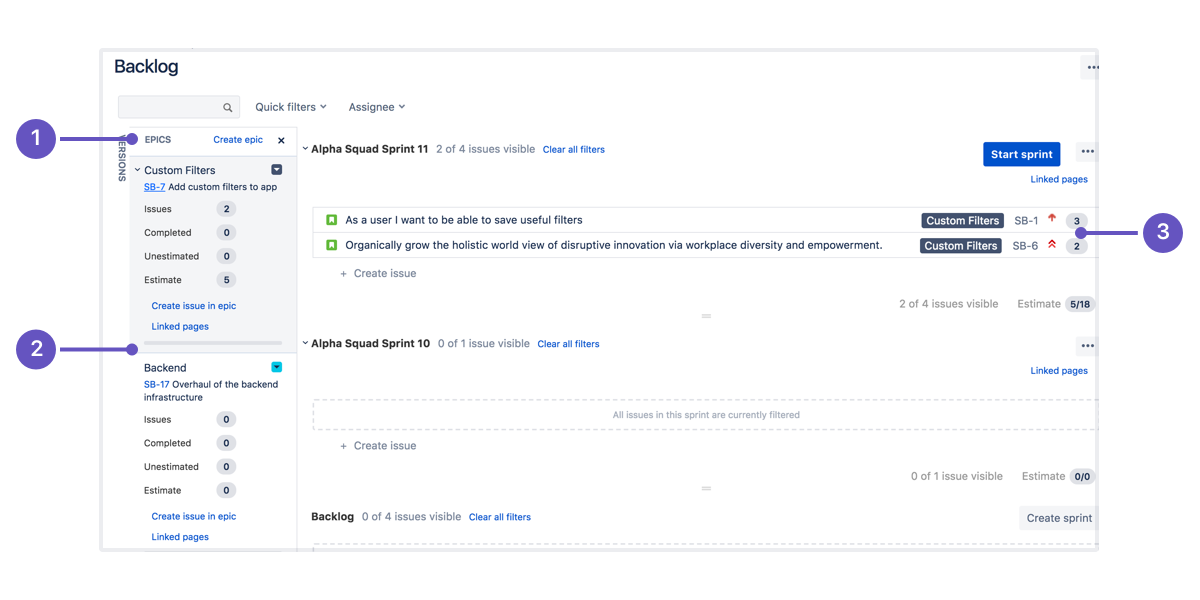
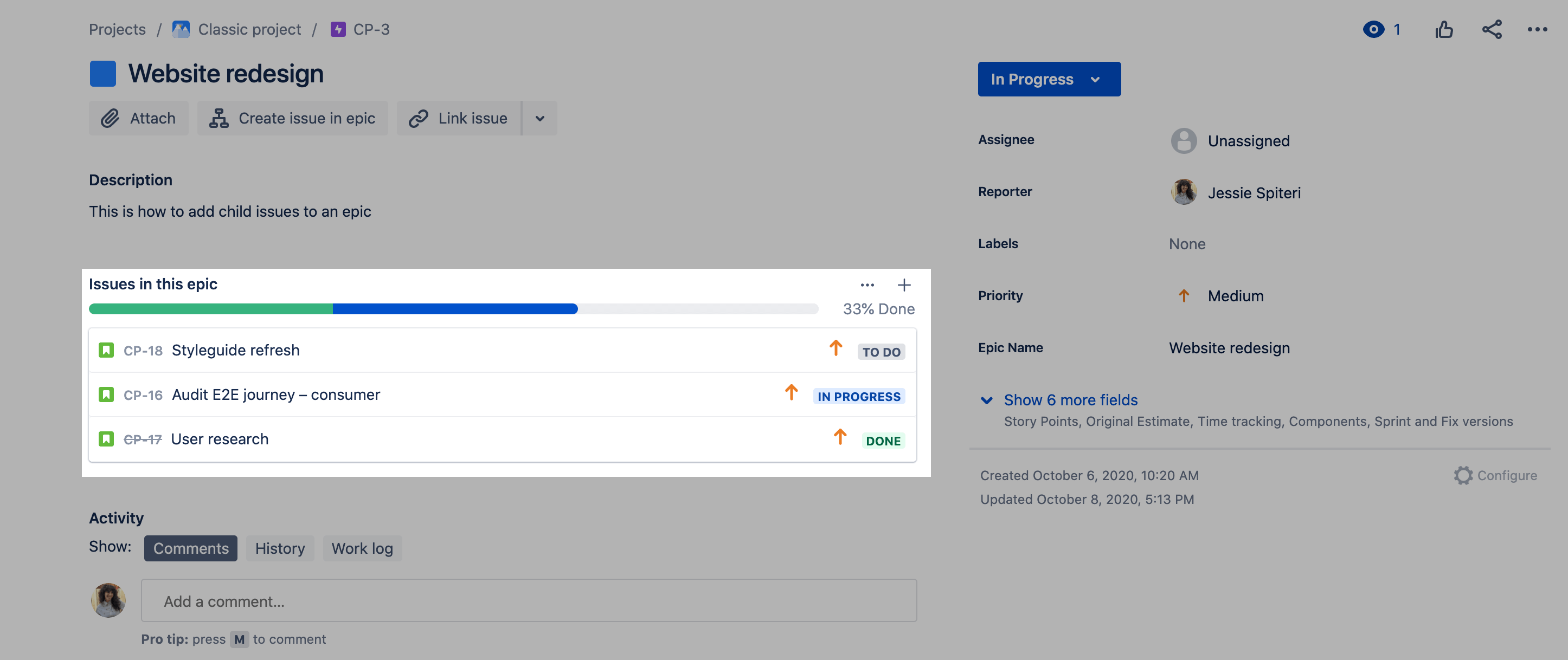
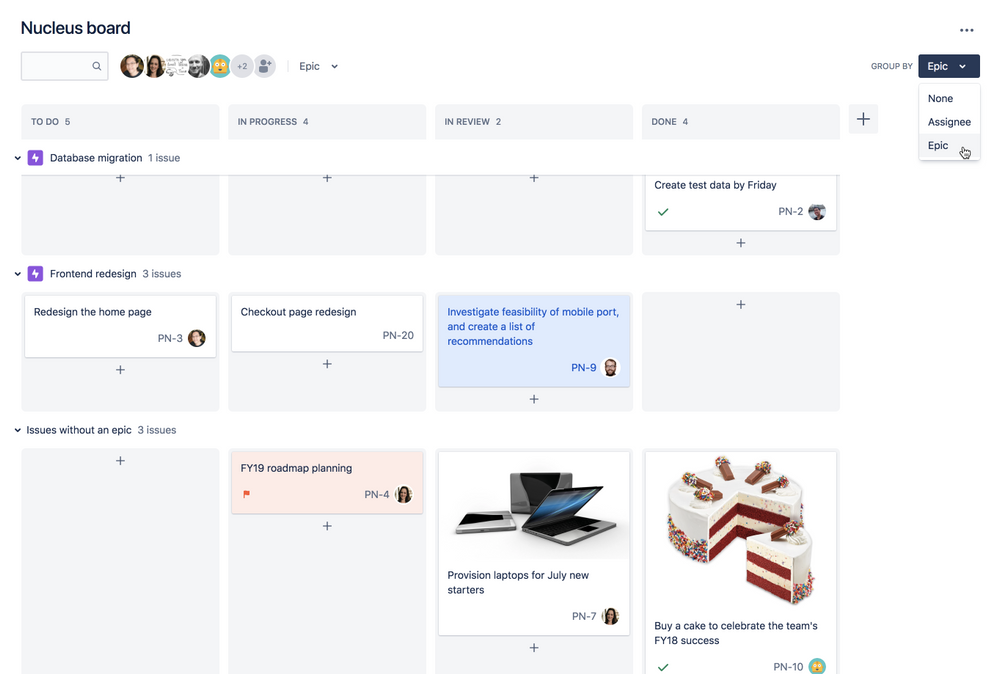
An epic is essentially a large user story that can be broken up into several smaller user stories. Epics are typically used to capture large and complex items from the product backlog that are low priority and are yet to be defined in great detail.

If your project administrator has set up epics for your project, you will be able to create epics and link them to child issues, such as stories. You can then view the epic and related issues via the GreenHopper search.

(info) Please note that epics are not yet available on the Rapid Board. In the interim you may want to use labels and quick filters.

To create an epic,

  1. Login to JIRA.
  2. Click the 'Agile' link's down-arrow in the top navigation bar and select 'Planning Board' from the resulting dropdown menu. The 'Planning Board' will be displayed.
  3. Select your project from the project dropdown in the top left of the Planning Board, if it is not already selected. The Planning Board will refresh with information for your project.
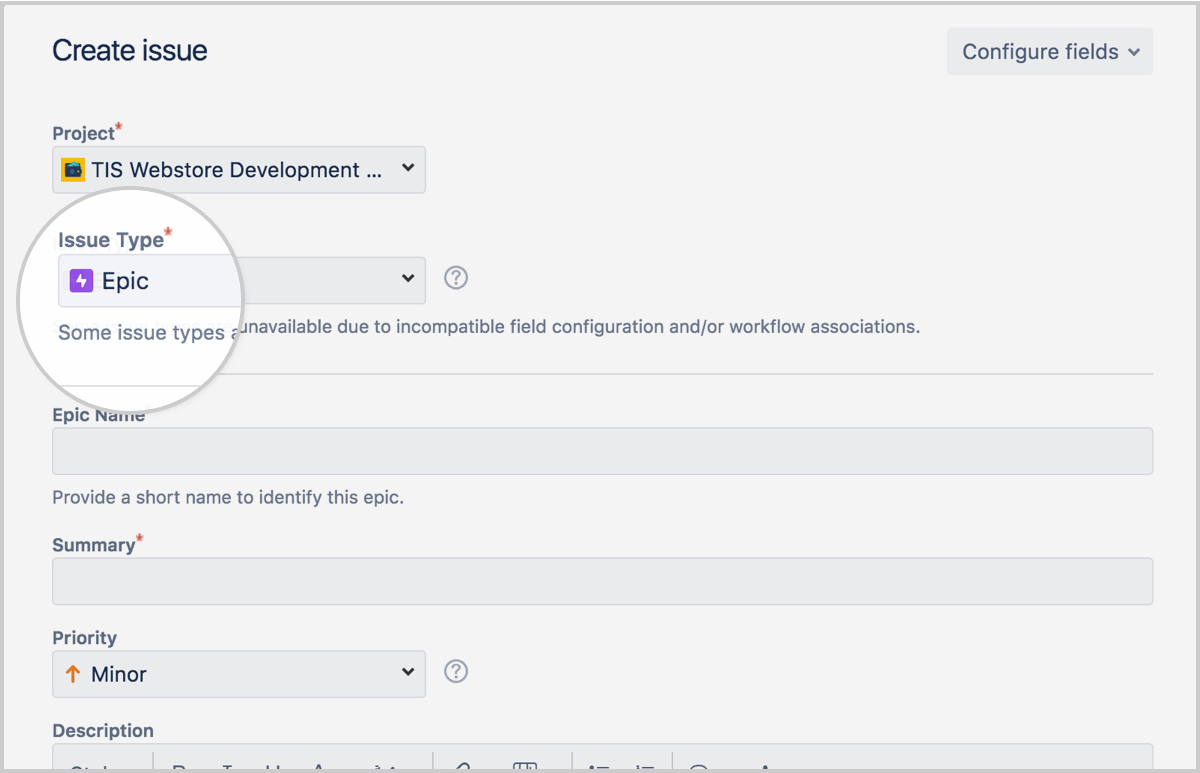
  4. Click the 'New Card' button (at the right of the screen). Create a new card with the appropriate issue type, i.e. 'Epic', if your project administrator has set it up. See Creating an Issue in GreenHopper for details.
  5. Save the new card. If your project is using the 'Scrum' template, the new card's issue key will automatically appear in its 'Epic' field. If not, edit the new card and type its issue key into the 'Epic' field.

To associate an issue with an epic,

  1. Login to JIRA.
  2. Click the 'Agile' link's down-arrow in the top navigation bar and select 'Planning Board' from the resulting dropdown menu. The 'Planning Board' will be displayed.
  3. Select your project from the project dropdown in the top left of the Planning Board, if it is not already selected. The Planning Board will refresh with information for your project.
  4. Locate the card you want to associate with your epic, and click the icon to the right of the 'Epic' field to edit it. (This icon will appear when your mouse pointer hovers over the Epic field).
  5. Enter the issue key for your epic in the 'Epic' field and click the 'tick' icon to save this change. Your issue will be associated with the epic.

To view all issues associated with an epic,

  1. Login to JIRA.
  2. Click the 'Agile' link's down-arrow in the top navigation bar and select 'Planning Board' from the resulting dropdown menu. The 'Planning Board' will be displayed.
  3. Select your project from the project dropdown in the top left of the Planning Board, if it is not already selected. The Planning Board will refresh with information for your project.
  4. You now have two options:
    • On an epic card, click the epic's key at the bottom right of the card to see all the associated cards.
      (info) The words 'Show all linked issues' will appear when you hover over the epic's key.
    • On a non-epic card, click the associated epic key in the 'Epic/Theme' field of the card.
  5. The GreenHopper 'Epic/Theme' popup window will display, showing all cards associated with the epic. The card for the epic and statistics for all issues associated with the epic will be displayed on the right of the popup window.

Screenshot 1: Viewing all issues associated with an epic from an epic card

Screenshot 2: Viewing an epic and associated issues on the GreenHopper 'Epic/Theme' popup window

  1. May 25, 2010

    I would like to break down epics into smaller epics and then create stories which can be done in a few days. Is it possible to create a whole tree of epics ending up with stories and tasks?

    As far as I can see it is not possible to break stories in smaller stories and breakdown these smaller stories again, is it?

    Please tell me what are the limits in breaking down epics and stories?

    1. May 26, 2010

      Hi Monique,

      Within JIRA you get two real levels of hierarchy, parent (Story, for instance) and child (Task). In GreenHopper we add a third level of hierarchy, which we call an Epic or Theme. Beyond this you are limited in the level of hierarchy that you can have within JIRA and GreenHopper.

      Please note that due to GHS-2136 we do not use a parent, child, grandchild relationship in GreenHopper. Instead we rely on the JIRA Labels plugin to provide the Epic/Theme via labels.

      Thanks Monique.

      Regards,
      Nicholas Muldoon

      Register now for Atlassian Summit 2010, June 9-11 http://summit.atlassian.com

      1. May 27, 2010

        Hi Nicholas,

        Thank you for your reply.

        regards,

        Monique

      2. Nov 29, 2011

        So an epic primarily gives a 3rd level of structure. A feature that comes up often is that an epic should remain unresolved until all of its user stories (plus other issuetypes and related sub-tasks) are resolved. If that logic were to be implemented it probably belongs in the jira-core instead of greenhopper but I was just wondering if there was a reason that that is not the case. I've often wonder the same about issues with sub-tasks.

        1. Nov 29, 2011

          Agree that this is one of the roll-up type behaviors that I'd expect.  I suspect that you might want a switch as to whether this was automatically so.

          Others roll-up behaviors would be:

          • The estimate for this epic is the sum of all the story points for associated stories.  (note this may not be the case for stories and sub-tasks as you might have stories in points and sub-tasks in hours.)
          • Progress show based on completed stories.
    2. Oct 27, 2010

      Anonymous

      Jira/Greenhopper is really limited. For that reason we are now using Rally, which is more flexible and scalable and can describe a deep hierarchy of stories if needed. Naturally, if you need to go too deep you should start thinking about whether you are describing the backlog in the right way.

      1. Oct 28, 2010

        Hello,

        Sorry to hear that you feel JIRA and GreenHopper is limited. If you would care to share the weaknesses of our products that would be great - we are always looking for feedback to make them better.

        Thank you.

        Regards,
        Nicholas Muldoon

        1. May 05, 2011

          Anonymous

          I'd like to voice my main issue with GreenHopper and Jira. Jira doesn't allow users to add Stories as a Sub-Task to Epics, which is how Scrum actually works. We should be able to create Epic > Story > Task, as a subtask of the relevant issue.

          This is a big issue for me, as we've just trained 30 people on Jira, and the main workflow issue is, 'we can't add stories the logical way'.

          This simple fix, would change our workflow a huge deal.

          1. May 11, 2011

            Anonymous

            Yes, I second this.  It seems counter intuitive that you cannot associate stories with epics-- looks like you need to use tasks.  So what happens when you want to elaborate the substories?  You move them out and change them over to tasks?

    3. Sep 11, 2011

      Hi Monique,

      You can create a tree of issues with Structure JIRA plugin. I actually use this plugin to view all my epics (and his stories and sub stories) in a tree format.


  2. Jul 21, 2010

    Anonymous

    I'm a new Greenhopper user and I have a couple of questions. First, why do you recommend using Epics for lower priority stories? And second, I am having a hard time creating a list view that sorts all stories for a particular component by Epic so that I see an Epic followed by all its related stories (instead of having to go to the card view). I've tried sorting by both label and Epic/Theme without getting the list order i want.

    1. Jul 22, 2010

      Hi,

      Epics are really just used to group a collection of similar stories. Depending on the circumstances you may find that an epic spans many sprints, and as stories are added to a sprint their priority is necessarily raised.

      When sorting the planning board by epics you will want to configure your current context (or create a new context) that is sorted by Epic/Theme. This will display all epics with the stories/tasks/etc associated with that epic below it.

      Thank you.

      Regards,
      Nicholas

      1. Mar 31, 2011

        Anonymous

        Epic/Theme is a text field so it doesn't perform sorting and grouping properly!

        It only works if you don't create more than 10 items and you create them in order.

      2. Jun 30, 2011

        Anonymous

        Hi Nicholas -

        Can you describe how to create a context that will display epics and associated user stories together?

        Thanks - Ton

      3. Dec 16, 2011

        Anonymous

        Can  you please explain exactly how to configur my context so it it sorted by Epic/Theme?


        1. Dec 19, 2011

          Anonymous

          Click on the small down arrow on the Context name (right to your Project's name in the header). then select Manage in the drop down.

          Then Select sorting.

          HOWEVER: IT is only possible to sort on Epic/Theme ONLY, what you want is probably Rank AND EpicTheme if you are in a Planningboard view.

          Loosing the rank sorting makes the view quite unusable if you're using Epics

  3. Jul 23, 2010

    In the instructions and screenshots on this page you use "Epic" and "Epic/Theme" for the custom field name. In instructions for [Setting Up Epics for your Project] section in GH Admin Guide you use only "Epic" as field name. When epic support was first implemented in GH 4.1 we created a custom field named "Epic" as the GH Admin Guide recommended. Since later upgrades to GH (we are now using 5.0) we see a new custom field named "Epic/Theme". We are now confused by the two custom fields; "Epic" and "Epic/Theme". This is very confusing.

    1. Nov 04, 2010

      Anonymous

      I've noticed the same thing about ranking field, suddenly there are two of them after the gh upgrade. Is that really necessary?

      Heikko

  4. Dec 08, 2010

    Anonymous

    Hey, as stated about the popup of Epic/Thema, that we will see the Epic and Summary on the right side of the popup, and issues related to this Epic on the left, but on my GH5.3, I see only on the summary on the right, and on the left, Epic, Story and Tasks are mixed up. Could you please check if which version you could have this nice grouping?

    Also, the tooltip when moving the mouse over the Epic field is: Show Issues labelled by "EpicName", and not "Show all linked issues" as you have here.

    Thanks for this nice work!

  5. Dec 14, 2010

    Anonymous

    Hi,

    BOX-6 (The Epic) shows at right corner a sum of the 3h 31m.

    But, the sum of time spent by BOX-13 + BOX-14 + BOX-15 is 10h 32m.

    What is wrong? Why this difference?

  6. Dec 17, 2010

    Anonymous

    This example shows right corner field configured for epics to show linked issues. Yet, I did not find in User/Admin guides how this can be configured. By default, it is not shown of course and neither I found any suitable field to assign through Configuration. Any suggestions? Thank you!

    1. Mar 31, 2011

      I'm in the same situation. Configured according to the doc. Yet I can't see how to get the issue key link ("show all related issues") in the corner box of the card.

      1. Nov 03, 2011

        Anonymous

        I'm having the same problem. I would really love to view all linked issues form an Epic's Card.

  7. Jan 04, 2011

    Is there a way to raise a story from an Epic by using the drop-down "Create sub-task". 

    I understand that Epics operate as a story label (which is real clunky btw).  However, when I'm doing an epic decomposition into deliverable stories, I want to be able to do it with the least interruption and thought. 

    Greenhopper "trains" me to think in terms of decomposition from Story to Technical Task by using the drop-down.  I preach consistency to my guys when they're designing a UI, so it sucks to have them go "Oh, but your precious Greenhopper isn't consistent!  Nyah!"  Not least as they have a point!

  8. Jan 26, 2011

    Anonymous

    Wouldn't be easier to add story on the same way as you created epic?

    - story could be part of an epic (one or more)

    - tasks could be part of story (one or more), eventualy tasks could be part of an epic, but i don't think this would be necesarry

  9. Jan 26, 2011

    I'm not sure what is exactly your idea of working with issus: scrum + greenhooper.

    Could you give me some hint?

    ------------------------------------------------------

    Let say that i'm working on 2.0 application version. I would like to have product backlog (for whole 2.0 version) & let's say Sprint Backlog for 2.0.1 version. My understanding was that i wil have to :

    1) create 2.0-backlog as new version with all epics

    2) epics should be divided into stories (as far as i know this can't be easilly done with greenhopper?) in 2.0-backlog.
    Let's say that we can treat epics like stories, so there wan't be stories in 2.0-backlog - only epics.

    3) We divide epics into tasks (no stories as mention before) in 2.0-backlog.

    4) We create new version 2.0.1 (Sprint Backlog) with parent set to version 2.0-backlog (Product Backlog).

    5) We should use Planning Board to plan the next sprint & move needed tasks to 2.0.1 version.

    6) If sth i not done @ the end of the sprint - it should be moved to another sprint.

    This should work fine for most cases, but i'm not sure if this is the right way - what do you think?

    ------------------------------------------------------

    Secondly, let say that we have few stories that can be resolved be introducing new feature in application. This feature is complicated so the normal asumption for me would be - create tassk that have sub-tasks. But how can we deal with moving not finished sub-tasks to the next sprint? If we can finish 3 subtasks from 4 & we would like to release this version (2.0.1 for example). Should We close those issues in released 2.0.1 version but move parent issue with unresolved child to the next Sprint (2.0.2)? SHould it be parent-child relation? Or maby tehre is some other feature that allows sth like this? Or maybe i misunderstood sth & there is some other nice way to do it ?

  10. Feb 18, 2011

    I am missing the feature to easily move an EPIC with its related user stories to another iteration. Yes, I see them when clicking on the epic label. f.e.g. why not mark the related ones, when choosing the epic card, so that I can easily drag-n-drop them?

    Any ideas?

  11. Feb 21, 2011

    This documentation appears to be about a prior or custom-configured instance of JIRA and GH. I filed bug report http://jira.atlassian.com/browse/GHS-2833 ("Working with Epics" documentation is incorrect) about this.

    Also, why can't we make these relationships via the issue editing UI? Filed improvement request http://jira.atlassian.com/browse/GHS-2834 (Users can associate user stories with epics, and see these relationships, through the issue editing interface.).

  12. Mar 31, 2011

    Anonymous

    We have an agile consultant in. When I said that there are only really two levels of hierarchy, he said "you need to get a new tool".

    He says you should be able to have epics, themes, stories (with any number of child stories) and then tasks.

    I have managed to link epics to other epics, but there is no way to visualised this hierarchy which would be really useful. Currently is it quite confusing.

    1. Apr 13, 2011

      Anonymous

      I disagree. I believe are really only Stories and Tasks. Anything higher is just grouping and categorisation for release management. Having lots of hierarchy does not always make things better, but does always make it more complicated.

      1. Nov 22, 2011

        Anonymous

        I have to whole heartedly dissagree here. If you've only been working with Stories and Tasks, you've been working on very small projects. Any project with multiple major features, being built by different groups needs Epics..and I'd argue even Themes.

        1. Themes have mutliple Epics.
        2. Epics have multiple Stories.
        3. Stories have multiple Tasks.
        4. Tasks have mutliple Sub Tasks.

        At the moment, it doesn`t look like you can get past level 2. Without this level of organization, it's virtually impossible to track the overall state of large features. I should be able to click on an Epic on the planning board and see all the estimates and work logged information for all its Child Stories and all their Child Tasks.

        If I can't do that, JIRA's simply broken.

  13. Apr 03, 2011

    I installed the issue hierarchy plugin that shows a nice treeview of an issue and it's descendants, but it would be great if when linking issues the epic/theme fields could be automatically setup and vice-versa - this would stop us having to do the same thing twice (i.e. populate the epic field of a story with its parent item and create an issue link in the jira screen).

  14. Jun 23, 2011

    Anonymous

    I'm transitioning from mingle, where I defined a hierarchy that went:

    Epic -> Feature -> Story ->Subtask

    That worked well for creating a rather complex system with subsystems. We're moving to Jira because of the integration with Confluence, but fear of hierarchy seems built-in.  I see the hierarchy above as a natural way of elaborating the initially high-level conceptions of major functionality into developable stories. The stories are then restricted to at most a few ui screens (or a single wizard) implementing a very specific user goal.

  15. Jul 05, 2011

    Anonymous

    We have tried to use Epics as third hierarchy but it doesn't really work for us in a big project.

    It's fine for first iteration of stories. They will be written from design team and are all well designed. But when it comes to production, polishes and bugs pop up that are related to some part of the epic. This is done by anybody in the team and they don't know the ID of the epic. We tried with human readable epics but this doesn't work either because resolved epics won't stop showing up in the autocomplete list.

    Before trying the epics we already tried lots of other workarounds. For our team the missing third level of structure is the biggest single flaw in Jira.

  16. Jul 13, 2011

    Anonymous

    Hi,

    it is strange to referring an Epic with its key instead of name on the card view. I there any possibility to fill the combo with epic names instead of keys?

    1. Jul 27, 2011

      Agree this is an issue. It means we have to keep a printout of a list of epics around so we can fill in information correctly. Just clunky.

      1. Oct 17, 2011

        Agree...it's odd for an "Epic" to just see the Key and not the name. Is there a way to change this?

        1. Oct 18, 2011

          As far as I have seen... no. The only less painful way is still somewhat manual but less so. I made a saved query that I then export daily (all fields to excel format). From there, I can use some excel magic from another sheet to do a match/vlookup of Epic ID and match that to the title. It's a bit hackish but it works.

  17. Jul 15, 2011

    We just installed GreenHopper and I'm trying to determine the best way to organize our work.

    We have a single development team (10 people) working on multiple simultaneous business "projects." A project is comprised of requirements and use cases. For example, we might have one project to create a new widget and another project to fix a production defect.

    Right now, we create a separate JIRA project for each business project. For example: "New Widget 2011" and "Fix Defect #13." Then within each JIRA project, we create issues (which represent the requirements of the project) and decompose those issues into sub-tasks (which represent the development tasks needed to produce the required deliverables).

    Using GH, we can look at a single project (e.g., New Widget 2011) and prioritize its tasks by dragging & dropping cards. This makes it easy for a developer to know when to work on Task A and when to work on Task B within the context of that project

    However, what we really need is a way to prioritize work ACROSS projects, so that our developers know when to work on New Widget tasks and when to work on Fix Defect tasks.

    How can we accomplish this?

    I'd also like to know whether and how we can use JIRA or GH to allow developers to see their work (i.e., their cards/tasks) from multiple projects in a single view. From what I can tell, GH displays everything in the context of a single project. We need to show prioritized work across projects.

    Thanks.

    1. Jul 27, 2011

      I thinks we had a similar problem, but we took a different approach. We use "projects" for releases (we have multiple teams per product release). We then configured up a "Investment Allocation" field for each story and put in information about the business initiative that we are supporting. Prioritization works across the whole release then.

      Not sure if this helps.

  18. Aug 02, 2011

    Anonymous

    HELP!

    I have installed jira 4.4.1 and greehopper, when I create stories and epics. I cannot associate the story to an epic. When I follow the tutorial above, the "Epic fiel" does not appear in the card. Any idea????

    1. Aug 16, 2011

      Can you please check that your project is using the Scrum template, found under Tools -> Configuration from the Planning Board.

    2. Oct 11, 2011

      Anonymous

      In views, you should select Cards, otherwise only the Summaries will appear.

      Juliana

  19. Aug 04, 2011

    Anonymous

    I just need a simple view that shows nested stories under their parent Epic. This would be so helpful in trying to determine how much of an Epic is complete. I am finding the Epic/Story implementation in Greenhopper is useless, and it's making it doubly difficult to get my product owner's buy-in when I cannot even offer this simple view. 

  20. Aug 09, 2011

    Anonymous

    Adding my voice to the Choir. I want Epics to parent Issues not just be a glorified label search.

    1. Aug 11, 2011

      Hello,

      Thanks for adding your voice to the choir. Please also add your thoughts on GHS-2136 and vote for that issue.

      Thank you.

      Regards,
      Nicholas Muldoon

  21. Aug 22, 2011

    In the interest of saving some users of Jira/Greenhopper some pain, I have highlighted a few important points because this documentation SUCKS!!!

    I STRONGLY suggest Atlassian updates this very poor and very incomplete documentation. So, here is what I learned after banging my head on the desk for a while...

    1) Epics are not parents of stories. Period. They are helpful but do not think of them as a parent of a story. It just doesn't work that way so don't look for anything like that.

    2) You create an Epic just like you create a story. But, this whole Epic thing is really a Greenhopper/Agile part, not part of Jira. So, I suggest going to Agile->Planning Board->Create Card instead of going via Jira to create it because Jira is just going to confuse you on this topic.

    3) Okay, I have created my Epci but how do I tie together the story and Epic??? Well, this is the part that could use some work since it is really limited on where an how you can do that. But, here are your options:

    - First off, make sure you have your project configured for this or you are dead in the water: Go to "Planning Board" within the Agile section of Jira. Click on Tool->Configuration on the right hand side of the screen (must be admin of project). From there, you need to change your project to the Scrum project template if it is not already.

    - Go back to the Planning Board and change your view to the "Cards" view because the Summary view does not display the Epic for you to edit. Now that you can see this field, you can relatively easily edit it on existing stories.

    - Use "Create card" from the Planning Board and you will be able to specify the Epic's ID from the card creation screen.

    - It is probably my config but there appears to be no way to edit the Epic using Jira so I am only able to edit using the Agile interface (i.e., Greenhopper)

    4) But wait... now I can put the epic on any card and it doesn't seem to inherit that to child cards??? Shouldn't it only allow me to add that to a story and then all tasks of the story also are part of the Epic?

    Well, you'd think so but that is just not how it works. Epics must be applied manually to all stories and tasks that you want related to it. So, you either need to choose to apply the association to every task or just put it on the parent story and know that you need to drill down to get to the tasks.

    5) If you want to see what is going on with your Epics, always use Greenhopper/Agile view, not Jira. Jira doesn't appear to display the epic information so you can't really use Jira effectively to sort out what is going on. Maybe this is part of my config but...

    Hope this helps a few people...

    1. Sep 11, 2011

      Anonymous

      Brent, good observations.  I have been working this today and find Epics are lacking in usability.  At least you should be able to update the related Epic anywhere you create stories.  At when listing the Epics available, how about they provide the description as well so I do not have to remember the issue number.  At least that would help!

    2. Sep 11, 2011

      Bret are you keen to provide some feedback on some changes to Epics? 

      If so please email me at nmuldoon@atlassian.com.

      Thanks,
      Nicholas Muldoon 

    3. Oct 06, 2011

      Anonymous

      > 5) If you want to see what is going on with your Epics, always use Greenhopper/Agile view, not Jira. Jira doesn't appear to display the epic information so you can't really use Jira effectively to sort out what is going on. Maybe this is part of my config but...

      You can actually display the Epic/Theme field when workinf with issues in Jira by adding it to the default screen: Administration --> Issues --> Fields --> Custom Fields --> Epic/Theme --> Screens --> Check the "Default screen". The Epic/Theme field will now appear when you edit any issue in Jira, not just on the Greenhopper agile board.

    4. Nov 29, 2011

      Anonymous

      Bret,

      I spent hours upon hours reviewing the "documentation" on Epic/Story/Issue linking before stumbling on this thread. Thanks for this walkthrough it has been very helpful.


      -Eli

  22. Sep 14, 2011

    I want to import a huge lot of hirachical organized Epics/User Storys to Jira through csv file. How can I automatically create the label for stories, linked to a specific epic. Similar to the Issue ID and Parent ID construct for tasks?

    1. Sep 17, 2011

      Anonymous

      Hi.

      Same issues here, Epic/Story relationship in Jira/Greenhopper is not intuitive and definitely impossible to use efficiently with large team.

      I have also legacy backlogs to be imported using csv import, but the whole epic-story mapping thing is missing. And there is no way to do this manually for thousands of stories and tasks.

      Please post back to this forum if you get answers. Feels like it should be a minor update to fix these as Atlassian is growing, a lot.

      Br,

      a finnish user

  23. Sep 16, 2011

    Just want to echo all the comments already here about making Epics parents of Stories, not just labels. Further, I would really like to be able to create custom hierarchies with any number of levels (not just Issue and Sub-Task).

  24. Sep 23, 2011

    Anonymous

    Please read definitions:

    http://agile101.net/2009/08/10/the-difference-between-agile-themes-epics-and-user-stories/

    My issue is that I want to differentiate between Epic and Themes.   I have decided to use Epic type and is GH functionality for Epics and a custom lable for themes but I am not sure if there is a better way.  Anyone?

  25. Oct 04, 2011

    Anonymous

    Is there a way to filter 'Resolved'  issues when viewing an epic and associated issues? Viewing all the issues, resolved and open, is in many cases not very useful and makes the whole thing unreadable.

  26. Nov 01, 2011

    Completely agreed. Epics are floaters and do not graphically appear above the user stories that they are linked to on the planning board. Seriously a problem. 

  27. Dec 23, 2011

    Anonymous

    Why are epics counted as 20 points? 

  28. Jan 16, 2012

    Anonymous

    Does anyone what statuses can be created for "Epic" and "Story" issue types? Typically a status can be "Opened", "Closed" , "In progress", but i can imagine that there are more such intermediary statuses. Can anyone give me a complete list of available statuses for "Epic" and "Story" issue types?

    1. Jan 16, 2012

      It totally depends on how you or an admin has setup Jira. Go to Administration->Issues->Workflows->Workflow Schema to see what workflow is configured. If you have the defaults, it is probably just Open, In Progress, Resolved, Reopened, Closed.

  29. Jan 28, 2012

    Can Epics be used with Kanban projects? The issue type is there but I didn't find a way to associate a Store with an Epic on the rapid board.

    BTW, I've tried to add the Epic/Theme field to the default screen as someone hinted here in the comments but when I then go to edit the issue, what should I put into this field? Auto-suggest doesn't suggest anything, should it be the issue id?

    1. Jan 29, 2012

      Hi Borek, 

      At the moment there is no way to use Epics on the Rapid Board for Kanban, we will address this limitation in the future. For now you might want to try using a label and quick filters?

      Thanks,

      Shaun

      1. Jan 30, 2012

        Thanks, I think this information should be added to the page text to avoid confusion.

        1. Jan 30, 2012

          Thanks for the suggestion — done.

  30. Feb 07, 2012

    Anonymous

    Working with Large teams I am perplexed as to why I can't have Multiple Stories under an Epic and shown as an indent in List view as a task does for a Story. This need sorting.

    1. Feb 10, 2012

      Anonymous

      Confirmed! The lack of this feature drives me up the wall! Why it was missed I cannot understand. Please please please implement it.