
_add OAuth - old UI
Click Edit for the application link you are updating.
In the 'Configure' dialog, click Outgoing Authentication and then the OAuth tab:
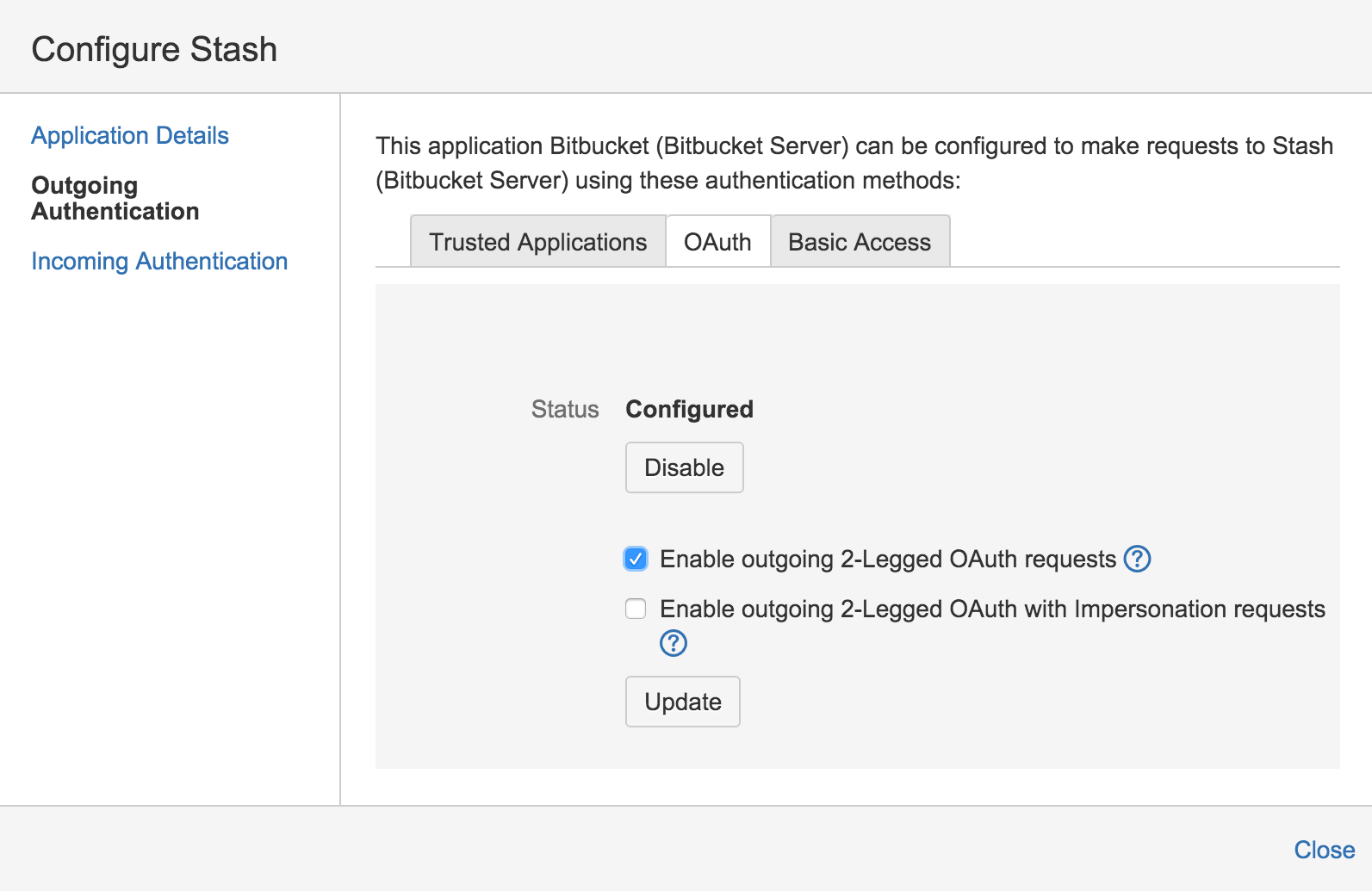
Now, select Enable 2-Legged OAuth, assuming that the applications have different userbases.
Optionally, select Enable 2-Legged OAuth with impersonation, if both applications share the same userbase, typically managed with an external directory using LDAP.
Click Update.
Now, click Incoming Authentication and then the OAuth tab:
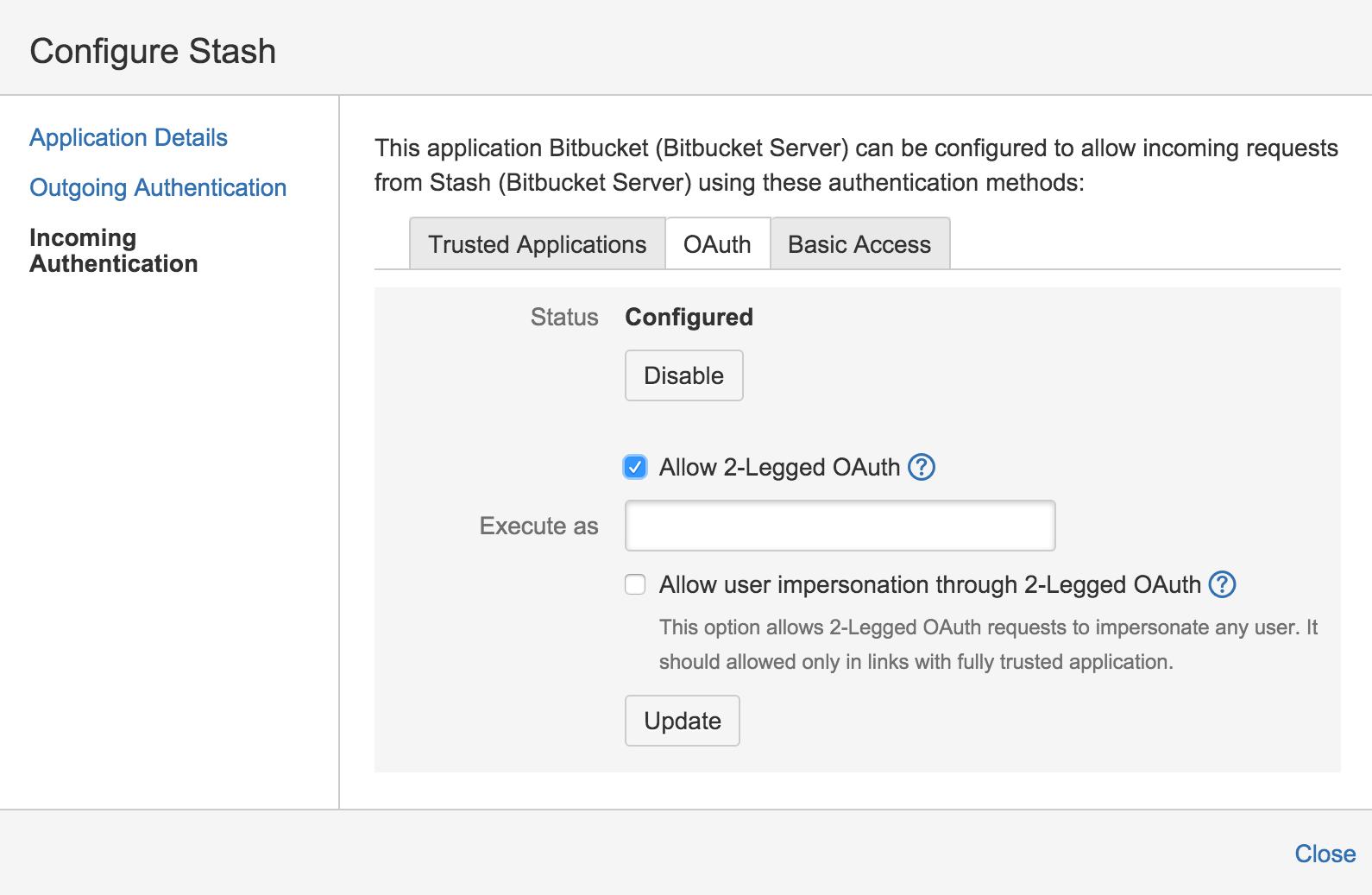
Now, select Enable 2-Legged OAuth, assuming that the applications have different userbases.
Optionally, select Enable 2-Legged OAuth with impersonation, if both applications share the same userbase.
Click Update.
Last modified on Sep 3, 2019
Powered by Confluence and Scroll Viewport.