
_aws_auto-upgrading_postgres_9.6-12
To prevent being upgraded to an unsupported database, you'll have to manually upgrade your database instance. We recommend you upgrade to PostgreSQL 10, as this version will differ the least from 9.6. This version is also supported across most versions of Jira, Confluence, Bitbucket Server, and Crowd.
Check your database instance's PostgreSQL version
Remember, your database instance will only be automatically upgraded to PostgreSQL 12 if it's using PostgreSQL 9.6 in an Amazon RDS. Otherwise, your database should be safe from the upgrade.
- Sign in to the AWS Management Console, use the region selector in the navigation bar to choose the AWS Region for your deployment, and open the AWS RDS console at https://console.aws.amazon.com/rds.
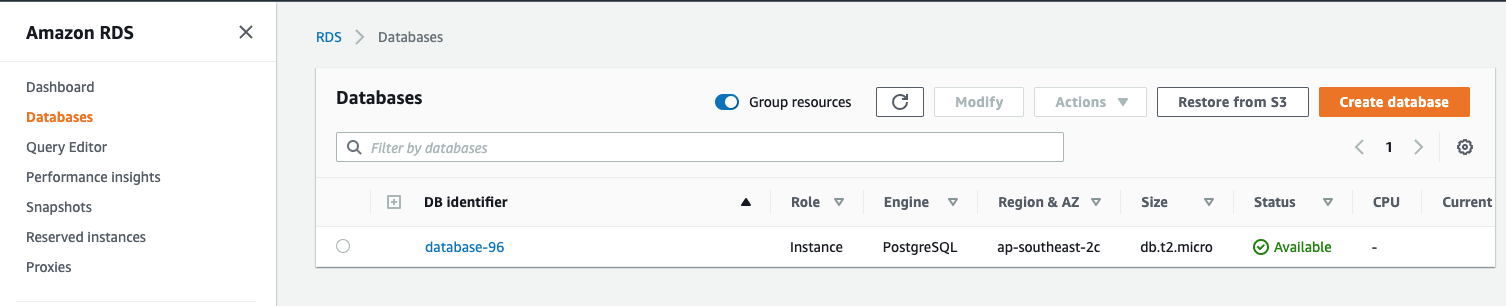
- In the navigation pane, click Databases. From there, select your database instance. You can use the search bar to filter instances by name.
- On your database instance's Summary screen, click the Configuration tab. You can view the Engine version from there.
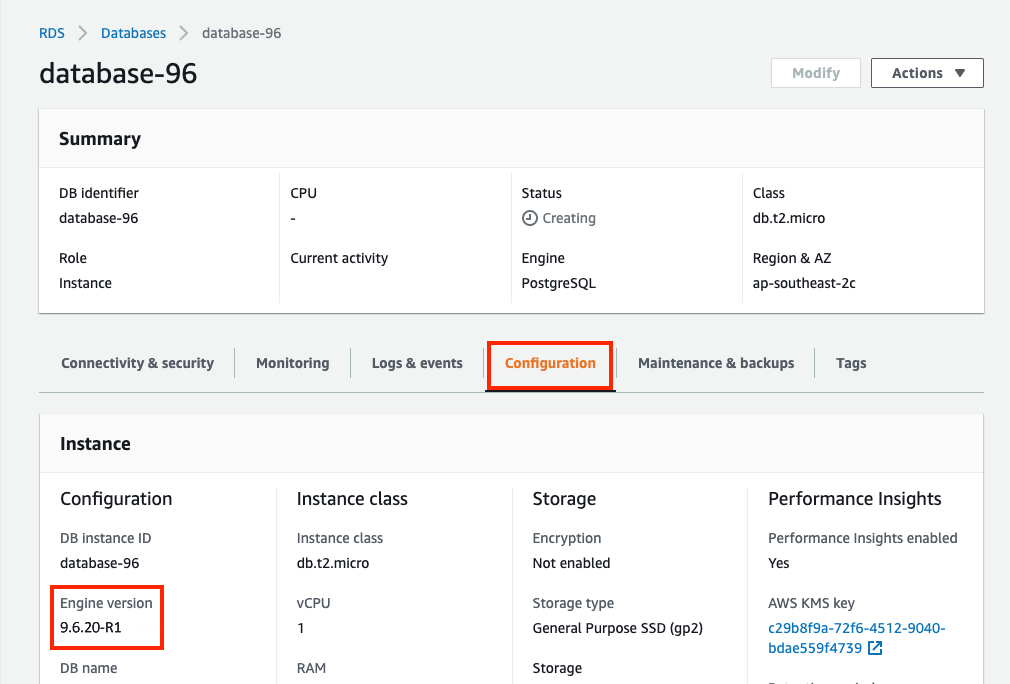
If your Engine version is higher than 9.6, your instance will not be automatically upgraded. If it is 9.6, you'll need to manually upgrade it.
Take a database snapshot
Before you upgrade your database instance's PostgreSQL engine version, we recommend that you take a snapshot of your database.
- Sign in to the AWS Management Console, use the region selector in the navigation bar to choose the AWS Region for your deployment, and open the AWS RDS console at https://console.aws.amazon.com/rds.
- In the navigation pane, click Databases. From there, select your database instance. You can use the search bar to filter instances by name.

- From the Actions drop-down, select Take snapshot.

- The Take DB Snapshot page appears. Enter a name for your snapshot and click Take Snapshot.
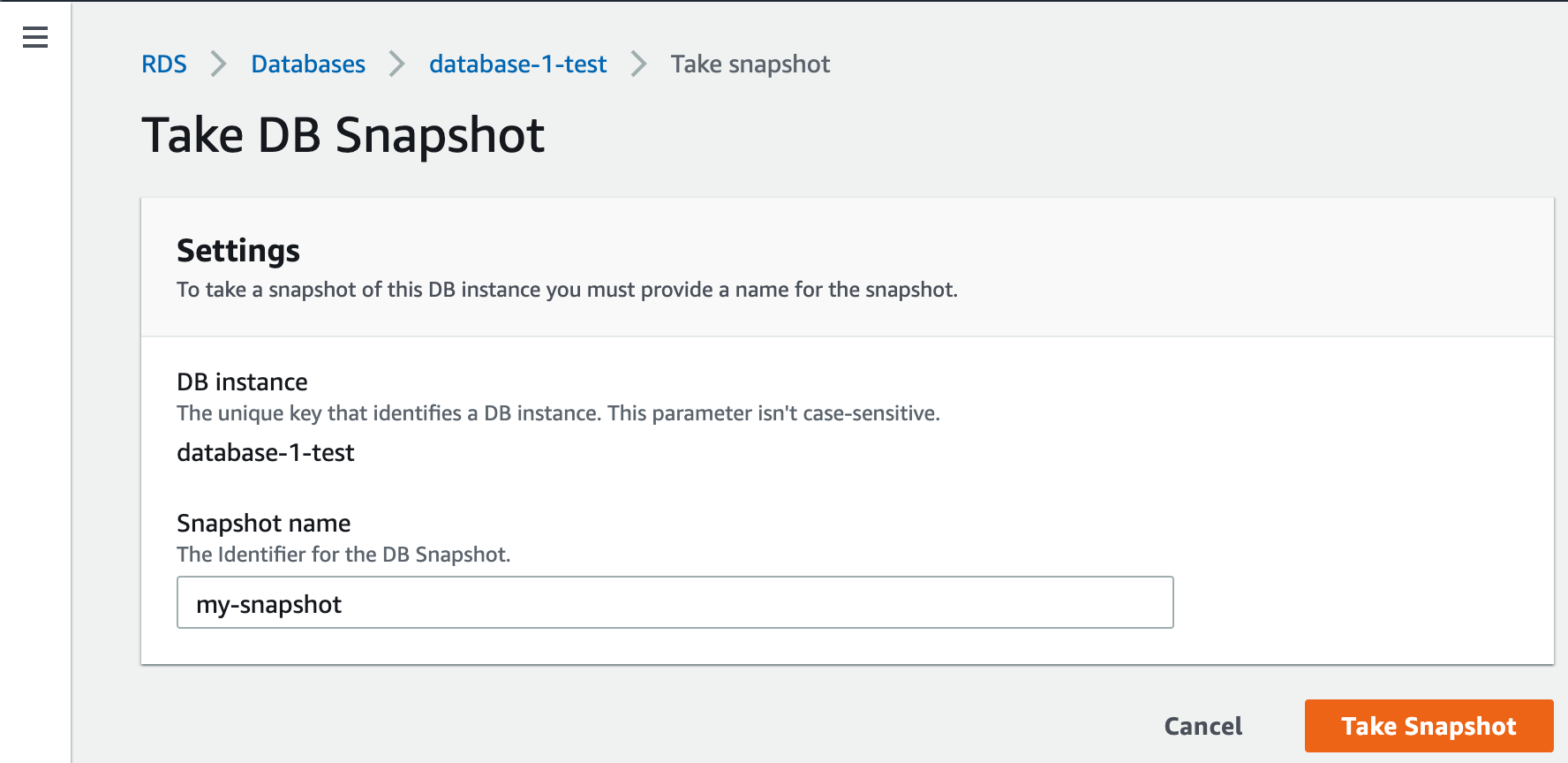
For more information, see Creating a DB Snapshot.
To upgrade your database instance's PostgreSQL engine version from 9.6 to 10:
- Sign in to the AWS Management Console, use the region selector in the navigation bar to choose the AWS Region for your deployment, and open the AWS RDS console at https://console.aws.amazon.com/rds.
- In the navigation pane, click Databases. From there, select your database instance. You can use the search bar to filter instances by name.
- Click Modify. The Modify DB Instance page appears. From there, select 10.18 from the DB engine version drop-down selection.

- Choose Continue and check the summary of modifications. By default, the database engine version upgrade will be queued and applied on the next scheduled maintenance window.
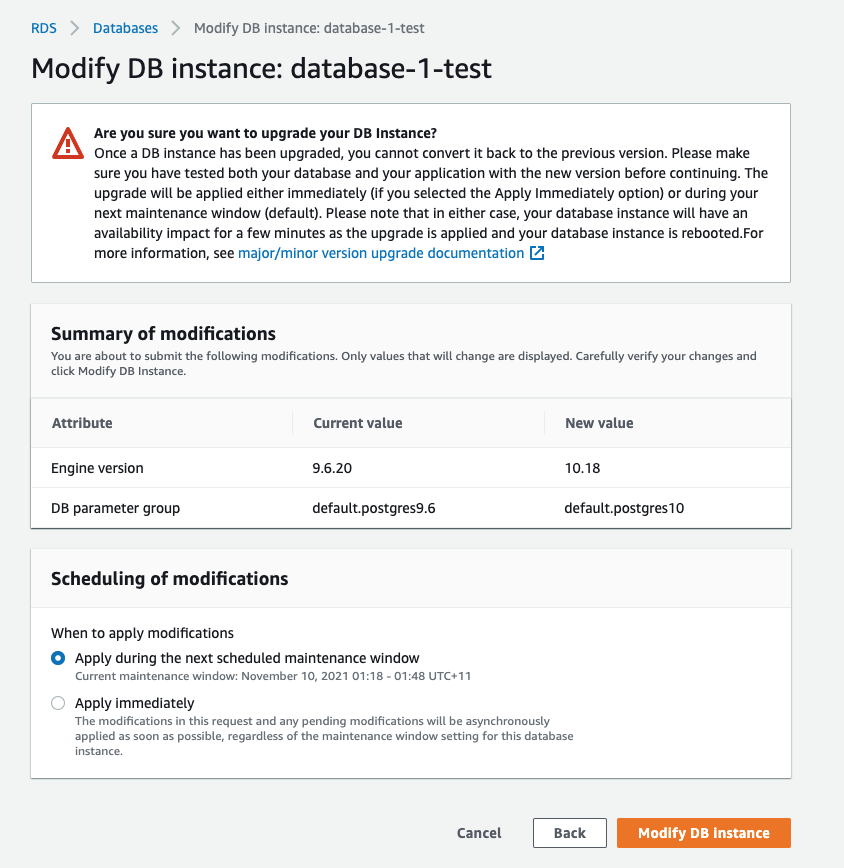
If you prefer to apply the changes immediately, choose Apply immediately. This option can cause an outage in some cases. For more information, see Using the Apply Immediately Setting.
Click Modify DB Instance to save your changes.
For more information, see Manually Upgrading the Engine Version.
After upgrading, we recommend you run ANALYZE. Analyze collects statistics about the contents of tables in the database, which the query planner can use to help determine the most efficient execution plans for queries.