
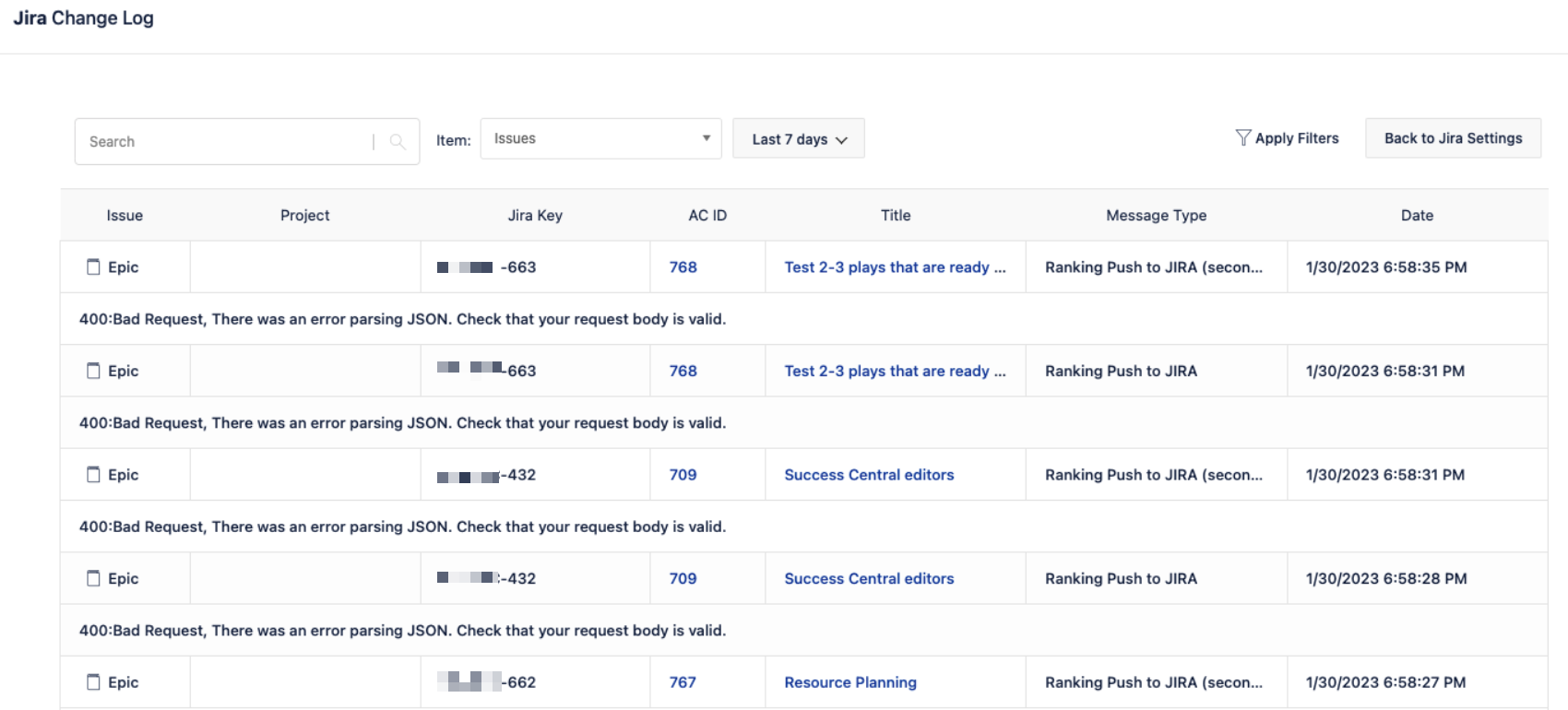
In Jira Align the Jira Change log reports "400:Bad Request, There was an error parsing JSON."
Summary
The Jira Change Log in Jira Align records the following error:
400:Bad Request, There was an error parsing JSON. Check that your request body is valid.
Environment
Jira Align
Diagnosis
The error message is reported in the Jira Connector’s Issues log after Rank Sync between Jira Align and Jira has been configured
This error is typically noticed by Super Admins and not by the users, however Rank sync also won’t work.
Cause
The cause of this error is a syntax error in the Jira Connector settings. Unlike the format seen for a number of other settings in the Jira Connector, the setting for Story and epic backlog rank custom field should be configured by using the numerical {ID} only and not the format of customfield_{ID} .
When a Super Admin configures Rank Sync using the customfield_{ID} this error is thrown and rank sync won't function.
|
|


Solution
The Super Admin must set up Jira Connector’s Rank Sync by using the correct Jira field ID syntax {ID}.
The Jira Rank field ID used must be Jira’s Rank custom field, per  Enable ranking | Jira Cloud | Atlassian Support article:
Jira automatically creates a custom field called Rank, of type Global Rank. Please ensure that your Jira instance contains only one custom field called Rank, and that the Rank field is assigned to the global context (i.e. not to specific issues or projects).
 DO NOT attempt to use any other custom field than Jira’s Rank. Attempting so will lead to the same JSON error.